What is a one-click approval workflow?
Well, it’s pretty much as simple as it sounds. One-click approval workflow is productivity at its finest. Managers or purchasing supervisors are able to approve or decline a company purchase with a tap of their finger. Instead of going through the long and tedious traditional approval workflow of cross-communicating and waiting for approvals for days or weeks, companies can purchase products and have them delivered in the time it would have taken their manager’s manager to open their email.
As you can imagine, this saves companies the two things they can’t afford to lose: time and money.
One-click approvals: your company’s superpower
There is only one term that can truly sum up the true impact of an easy, one-click approval workflow: efficiency. Efficiency is a true superpower for companies. Period. Not only do one-click approval workflows streamline your entire AP workflow and save time and money, but they also give managers the ability to oversee purchases, prevent fraudulent charges, and keep close tabs on all purchasing patterns; this superpower allows managers the opportunity to cut costs, get products faster, and improve the overall efficiency of the purchasing process—directly resulting in improving the overall efficiency of the business. And what does higher efficiency in business mean? You guessed it. Cha-ching!
As Investopedia puts it, efficiency is “a peak level of performance that uses the least amount of inputs to achieve the highest amount of output.” Simply put, one-click approvals make it possible for companies to order what they need in seconds. In every company's case, wasted time is wasted money.

Choose the Right Procurement Technology With This Decision Matrix
Find 15 must-ask questions to narrow down your software search and make your research process MUCH easier.
How Order.co’s one-click approvals help companies thrive
Order.co’s one-click approval workflow enables companies to scale their operations by eliminating the traditional, time-consuming (and sometimes non-existent) approval process.
With hundreds of nationwide studios, CorePower Yoga needed an efficient approval workflow to combat their $50,000 in monthly rogue spend. Stefanie Teintze, Facilities and Property Management Specialist, explains that, before Order.co, there was “no process or system to manage spend at our locations. Each location was making its own spend decisions and regularly going over budget. We had no visibility or control of spend, and invoice audits showed we were averaging close to $50k in unapproved spend monthly.”
With Order.co’s one-click approvals, CorePower Yoga has implemented an easy approval workflow. “By implementing controls and approval processes, Order.co has allowed us to essentially eliminate all unapproved spending,” adds Stefanie. With one-click approvals, Stephanie and the CorePowerYoga team have visibility on their spend, the ability to budget, and the necessary tools to expand faster than competitors.
Order.co's One-Click Approval Workflow:
We make approvals easy.
Order.co sends the manager a push notification or an email to either approve or decline a purchase with a simple click. By using Order.co as your go-to purchasing platform, not only do you centralize all approvals, but you are also able to access and reorder past products, organize all company expenditures, and budget accordingly. A one-click approval workflow is the holy grail—the “superpower”—that hundreds of fast-growing companies are adopting, and they’re not turning back.
Give your company the superpower of efficiency. Schedule a demo with Order.co today!
Get started
Schedule a demo to see how Order.co can simplify buying for your business.
"*" indicates required fields
Traditional invoice reconciliation can be a labor-intensive nightmare. After spending countless hours manually comparing purchase orders, supplier invoices, and receiving reports, finance teams often uncover discrepancies that trigger even more work.
This manual matching process doesn't just waste time. It also increases the risk of human error, duplicate payments, fraudulent invoices, and compliance issues that can cost you thousands of dollars. Three-way match automation addresses these challenges by using AI-powered technology to instantly verify that purchase orders, vendor invoices, and goods receipts align.
In this guide, you'll learn what three-way matching is, why automation matters, and how to apply best practices to transform your ordering process—starting with a more efficient AP workflow.
Download the free ebook: The Hidden Risks Behind Your AP Balance Sheet (Some Will Surprise You)
What is 3-way matching?
Three-way matching is an accounting process used to verify that a purchase order (PO), supplier invoice, and goods receipt all reflect the same products and pricing. If everything lines up, you can confirm the match and pay the supplier.
The three-way matching process plays two critical roles in your accounting operations:
- It prevents fraudulent charges and unauthorized invoices from being paid
- It ensures you only approve payment for legitimate purchases you actually received
As you can imagine, handling the matching process manually—especially if you deal with hundreds or thousands of invoices each month—can be extremely time-consuming. And though it may be tempting to stick with the system you already have, matching automation processes invoices faster, reduces mistakes, and returns valuable time to your team.
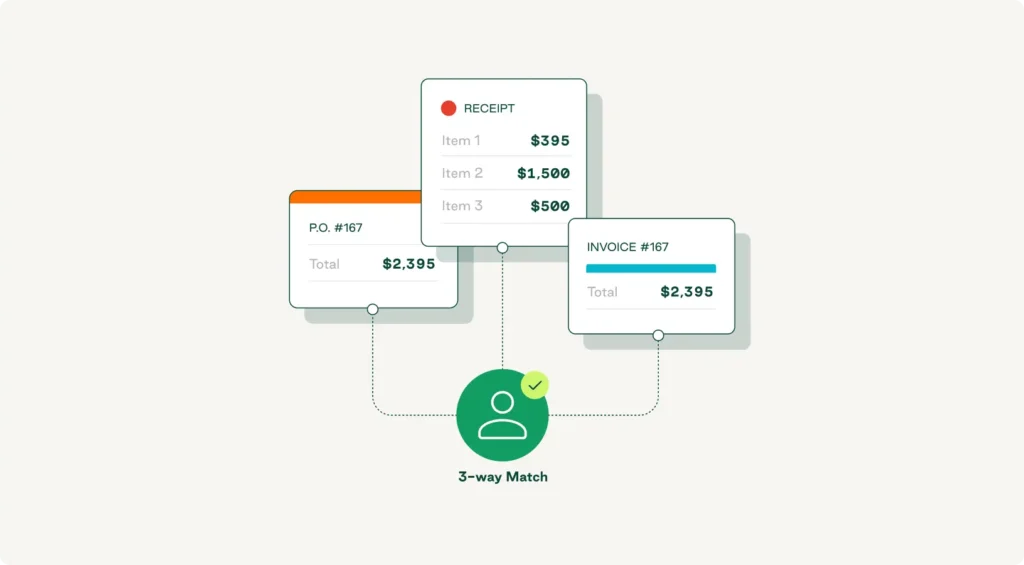
2-way vs. 3-way vs. 4-way matching
Two-way matching compares purchase orders against vendor invoices. It verifies that items, quantities, and prices on the invoice match what you ordered, but it doesn't confirm that the goods were actually received.
Three-way matching adds the receiving report (or goods receipt) to the mix, with AP teams validating that it also aligns with the PO and invoice. This is the gold standard for most businesses because it confirms that what was ordered, received, and billed are identical.
Four-way matching goes one step further by adding inspection or quality approval documentation. This approach is common in industries with strict quality requirements, such as manufacturing or pharmaceuticals.
When to use a 3-way matching process
You want to use three-way matching whenever you purchase and receive physical goods. Once your procurement team creates a purchase order, your warehouse or receiving staff confirms the goods received, and your accounts payable department processes the supplier invoices, performing a three-way match ensures you only pay for what you ordered and received.
This workflow is essential for high-value purchases, bulk orders, and situations where maverick spend could create financial losses. Many small businesses start with two-way matching for low-cost items, but as order volumes grow, implementing the three-way matching process becomes critical for maintaining financial control and preventing overpayments.

The Hidden Risks Behind Your AP Balance Sheet (Some Will Surprise You)
Start recognizing inflation on your balance sheets, identify its causes, understand the business risks it poses, and discover effective strategies for mitigation.
Why does 3-way matching matter?
Automating the three-way matching process matters because it:
- Prevents fraud and unauthorized spending: Verifying three separate documents makes it easier to catch fraudulent invoices and unauthorized purchases before payment processing.
- Eliminates duplicate payments: Automated validation ensures you never pay the same invoice twice, protecting cash flow.
- Reduces human error: Manual processes introduce mistakes in pricing, quantities, and line-item details.
- Strengthens internal control: The matching process creates an audit trail that satisfies compliance requirements.
- Improves supplier relationships: Faster, more accurate payments build trust with vendors.
- Provides financial visibility: Real-time matching gives your finance team clear insight into spending patterns.
Manual invoice processing often costs between $12 and $40 per invoice. Using manual three-way matching adds complexity to those expenses, requiring AP teams to spend countless hours cross-referencing documents, chasing discrepancies, and correcting data-entry mistakes—leading to process bottlenecks that can delay payments and strain vendor relationships. Despite these challenges, AP automation research shows that 68% of organizations still rely on manual processes for invoice matching.
For fast-moving organizations processing hundreds or thousands of invoices each month, optimizing the matching process with automation is essential for productivity, accuracy, and cost savings.
What are the benefits of 3-way matching automation?
Automation transforms the three-way matching process from a time-consuming bottleneck into a strategic advantage. Instead of manual data entry and document comparison, AI-powered systems instantly validate invoices against purchase orders and receiving reports, flagging mismatches for review while auto-approving perfect matches.
Accelerates invoice processing and saves time
Because it requires your AP team to shuffle between paper documents, spreadsheets, and multiple systems, manual matching can take hours or even days—but an automated system can complete a match in seconds.Your team can use those saved hours for strategic work, such as optimizing vendor relationships and improving invoice management.
Reduces costs and prevents overpayments
Every manual touchpoint costs money. Automation eliminates most of these costs by handling validation automatically. And the financial impact goes beyond labor savings—automated matching catches pricing discrepancies, quantity mismatches, and duplicate invoices that manual processors might miss.
Enhances compliance and mitigates risk
Automated three-way matching creates a complete, timestamped record of every validation step. The system tracks who approved what, when exceptions were flagged, and why payments were authorized. This audit trail satisfies compliance requirements and gives your finance team confidence in financial control.
Automation's risk mitigation extends to fraud prevention. Automated systems block fraudulent invoices that lack corresponding purchase orders and receiving reports.
Gives you real-time visibility into cash flow
Automation provides real-time visibility into your entire accounts payable process. You can see which invoices are pending validation, which have been approved for payment, where discrepancies exist, and what your upcoming payment obligations look like.
Integration with your ERP system means this data flows directly into your financial reporting. Your AP automation software becomes the single source of truth for payables, eliminating reconciliation headaches.
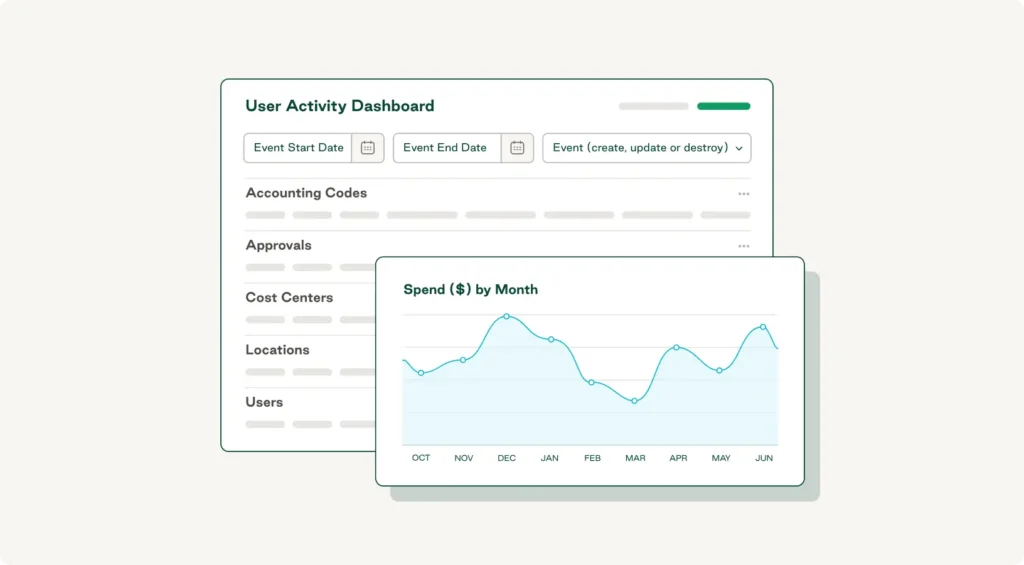
Scales your AP team without headcount
An automated system can process thousands of invoices with the same ease as hundreds. The technology scales instantly while your team size stays constant, meaning your existing AP team can support 10x the invoice volume without adding headcount.
This scalability is particularly valuable if you're managing procurement across multiple locations or dealing with complex vendor management requirements.
The Hidden Risks Behind Your AP Balance Sheet (Some Will Surprise You)
Start recognizing inflation on your balance sheets, identify its causes, understand the business risks it poses, and discover effective strategies for mitigation.
"*" indicates required fields
How does 3-way matching automation work?
Modern three-way matching automation uses artificial intelligence, workflow automation, and ERP integrations to turn manual validation into an intelligent, automated process. Here’s how Order.co makes it happen.
AI-driven invoice and PO reconciliation
When a supplier invoice arrives, AI-powered invoice processing software instantly extracts key data—vendor name, invoice number, line-item details, quantities, and pricing. It then automatically pulls the corresponding purchase order and receiving report.
Order.co's AI engine compares these three documents at the line-item level, validating that products, quantities, and prices align. Perfect matches get auto-approved and queued for payment, and mismatches trigger exception workflows that route to the right approver with full context.
Real-time discrepancy alerts and workflows
If the system detects a mismatch, it flags the exception immediately and triggers the appropriate workflow. The relevant stakeholder receives a notification with all the details they need.
Order.co provides a unified workspace where you can see the original PO, the invoice, and the goods receipt side by side. You can communicate with suppliers through the platform, request corrections, or approve exceptions based on your tolerance rules.
ERP and accounting systems integrations
Order.co connects directly with major ERP systems, including NetSuite, QuickBooks, and other accounting systems, to ensure seamless data flow. When you create a purchase order in your ERP, it syncs automatically to Order.co. Once you receive your goods, the receiving report goes straight to the matching engine.
These integrations create a closed-loop process where data moves automatically between systems, delivering powerful functionality without replacing your core financial infrastructure.
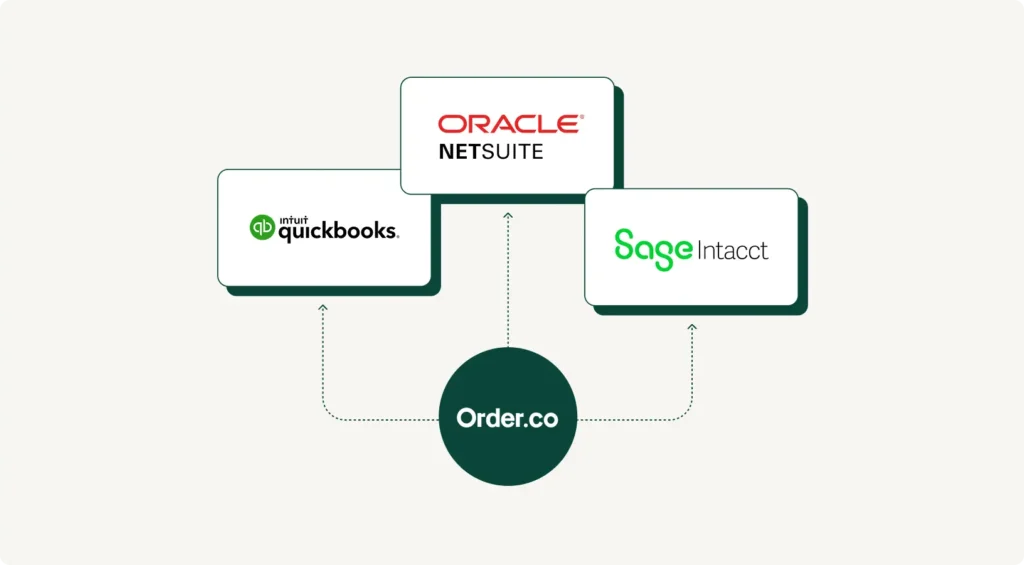
Customizable tolerance rules and approvals
Order.co lets you set tolerance rules that define acceptable variances. For example, you might want to automatically approve invoices where the price difference is under $10 or 2% but route larger discrepancies for manual review.
You can also customize the approval process based on invoice value or vendor type. This flexibility lets you tailor your internal control framework to your specific risk tolerance and spend management strategy.
Best practices to improve 3-way matching
The following best practices can help make your three-way matching process faster, more accurate, and easier to scale.
Integrate direct ERP sync for invoices, POs, and receipts
Ensure direct, real-time synchronization between your ERP, procurement platform, and matching automation tools to eliminate delays and maintain data accuracy. When purchase orders, receiving reports, and vendor invoices flow automatically between systems, your matching engine always works with the latest information.
Automate exception handling and discrepancy workflows
Configure automated workflows that immediately route exceptions to the right person based on the type of issue. For example, price mismatches might go to procurement, quantity discrepancies to receiving, and missing POs to the requesting department. The Order.co AI Command Center provides intelligent recommendations for resolving common discrepancies based on historical patterns.
Centralize delivery and invoice tracking
Bring procurement, receiving, and AP teams onto the same centralized platform so everyone has real-time visibility into order status, delivery confirmations, and invoice processing stages. This eliminates issues like invoices getting flagged as exceptions even though goods were received.
Enable automated payment accuracy confirmation
Implement a final automated check to confirm payment amount, vendor details, and banking information. Order.co can cross-reference vendor banking info against verified records and flag unusual payment amounts.
Automate 3-way matching with Order.co
Traditional manual matching wastes time, increases costs, and exposes your organization to fraud risk and compliance failures. Three-way matching automation solves these pain points by leveraging AI-powered validation, real-time workflows, and seamless ERP integration.
Order.co delivers comprehensive matching automation features, including:
- AI-powered invoice capture and matching that eliminates manual data entry
- Real-time discrepancy detection via intelligent workflows
- Native integrations with NetSuite, QuickBooks, and major ERP systems
- Customizable tolerance rules that balance control with efficiency
- Centralized procurement and invoice tracking
- SSO integration for secure access
- Comprehensive reporting and analytics
Empower your accounting team with three-way matching automation that transforms invoice processing into a competitive advantage. Schedule an Order.co demo today to learn more.
FAQs
Get started
Schedule a demo to see how Order.co can simplify buying for your business.
"*" indicates required fields
In the modern business environment, software is a driving force behind every aspect of success. Procurement is no different. Implementing next-generation software to automate the procurement process creates savings and scalability that dramatically enhance an organization’s financial strength.
Today we’ll discuss the benefits of procurement software and how it helps companies achieve more by answering:
- What is procurement software?
- How does procurement software differ from traditional methods?
- What are the benefits of procurement software?
- What should you look for when selecting a procurement software solution?
Download the free ebook: The Procurement Strategy Playbook
What is procurement software?
Procurement is the strategic process of securing the products and services needed by a business. Procurement allows companies to source, organize, and purchase products from different vendors to achieve the best financial outcomes. It enables growth through better processes and more accessible data while providing visibility into company spending that safeguards against cost inefficiencies and risk.
Procurement software solutions help achieve these outcomes while freeing accounting and finance teams from the burden of extensive manual work. It streamlines processes by allowing your company to purchase products, approve orders, and automate vendor payments all in one place. It centralizes your data, creates visibility into spending, and allows organizations to fully optimize their cash for better capital efficiency.
The Procurement Strategy Playbook for Modern Businesses
Learn the key pillars of a strong strategy, valuable procurement metrics to track, and initiatives you can start implementing today.
How does procurement software compare to a traditional system?
In a traditional procurement system, the accounting department manually carries out each purchase-related task, including:
- Routing purchase requests
- Checking for approvals
- Entering tracking data
- Managing vendors
- Processing invoices
- Making payments (usually with paper checks)
What’s more, tracking these manual processes usually occurs on spreadsheets, if at all. This robs the organization of visibility and leverage when negotiating for the supplies it needs to grow.
A procurement system handles many of these manual tasks automatically by:
- Centralizing vendor and invoice info
- Using optical character recognition (OCR) for converting paper invoices
- Building automated workflows for approval and order management
- Digitizing purchase requisitions, order processing, and payment for goods
Why does my finance team need procurement software?
No matter what industry you’re in, having a single source of truth for procurement is critical for a sustainable and scalable business. Research by NetSuite shows that procurement software can automate almost 75% of accounting tasks.
Software streamlines AP functionality, enables seamless workflows, creates and tracks purchase orders, and automates contract management. It gives you the tools to analyze current spend on products and budgets—ensuring financial stability and encouraging growth. With procurement software, you increase visibility, improve controls, and standardize the purchasing process to make employees’ and vendors’ lives easier.
An intelligent procurement platform helps businesses build insight into their spending. Some functions accomplished by procurement software are:
- Centralized vendor lifecycle data (such as contracts and reports) for easy analysis
- Automatic visibility into spending, trends, and contract compliance
- Simplified procurement intake and approval processes
- Strategic sourcing to obtain the best goods at fair pricing
- Automation of repetitive tasks, which takes the burden off the accounts payable team and increases time for higher-impact tasks and initiatives
Let’s break down three ways your company can benefit from procurement software:
- Operational efficiency: By centralizing purchases and consolidating vendors into a company-wide platform, your employees make fast, systematic purchases with one click (and without manual ordering mistakes). Procurement software automates processes and gives your team more time to dedicate to improving operations.
- Transparency: Procurement software allows complete purchasing control by centralizing purchase requisitions, streamlining approvals, and providing insights on real-time purchases and purchase history. Knowing your numbers enables inventory management and helps procurement teams see where to eliminate unnecessary expenditures.
- Cost Savings: By showing what products your company is purchasing, how many of those products are purchased, and how much those products cost, procurement software provides insight into cost-effective alternatives. Procurement software displays the best prices offered by different suppliers and gives insight into areas where bulk purchasing may save money.
Companies without procurement software lack two things: organization and visibility. With procurement software, employees purchase exactly what they need with full transparency of expenses and the budget—all in one centralized system.
The Procurement Strategy Playbook for Modern Businesses
Learn the key pillars of a strong strategy, valuable procurement metrics to track, and initiatives you can start implementing today.
"*" indicates required fields
What to look for in procurement software
The benefits of procurement software are vast, and those benefits are only enhanced when you choose procurement management software that offers advanced options. Look for these features of procurement software that separate the best from the rest:
Accounting automation: After front-end approvals, the ideal purchasing software makes it easy for accounts payable to route, reconcile, and pay for goods and services. Purchasing software automates the accounts payable process and frees up people and resources to handle more impactful work.
Curation options: Decision-making is easier when users have a list of preferred options. Look for a tool that offers curated vendor catalogs and preferred vendor support. The ability to encourage strategic sourcing within the app also increases supply chain resilience.
Flexible workflows: Every organization has different needs for vendor onboarding, approvals, and reporting. Look for a procurement management system that supports your individual needs with flexible workflow options. Choose a tool that enables fast decision-making with automated approval routing and notifications to shorten approval times.
Intuitive design: Users won’t adopt a tool if they can’t quickly learn the system. Find a tool with a well-designed UI that helps users get what they need quickly and easily.
Integrations: Procurement software operates best when it’s part of an ecosystem of tools that manage the financial story. Look for an option that offers integrations with other vital finance tools in the accounting stack.
A tool that meets all the above qualifications makes achieving procurement goals easier and paves the way for optimized spending and savings processes.
How does Order.co help companies thrive?
Order.co allows companies to strategically source products for the best pricing, automate vendor payments, and gain insight into company spend.
Before Order.co, BLANKSPACES, a coworking company based out of Southern California, struggled to bring efficiency and reproducibility to their purchasing process. Their non-centralized purchasing process made ordering, tracking, and reviewing purchases difficult.
Facilities Manager Elizabeth Nowlin reveals how, at BLANKSPACES, “it was not rare that someone would ask ‘who ordered this?’". Her staff was “constantly running out of supplies”. She credits those issues to their disjointed, arguably non-existent, procurement system.
Now that they’ve implemented Order.co, BLANKSPACES has a central, go-to platform for sourcing the best pricing on products, managing purchases, and simplifying vendor payments. Elizabeth explains, “We are now able to place one, massive order in one cart for all our stuff—kitchen supplies, reception supplies, desks, and planters. It is so easy; there is one credit card, one order, one everything.”
Choose the most reliable procurement software
Order is the all-in-one procurement hub for companies—providing robust features, capabilities, and support into a single procurement software solution.
Using Order, your procurement team has the tools to improve operational efficiency and savings:
- Supplier management and quick order features that make ordering and replenishment easier
- Automatic purchase coding to record transactions correctly in the general ledger every time
- Tools to analyze spend management, improve spending, and simplify accounts payable activities
Procurement automation is a must for any organization that wants to achieve its goals faster, make its teams more productive, and reduce the inefficiencies that come with manual processes.
To realize these benefits within your organization, request an Order.co demo today.
Get started
Schedule a demo to see how Order.co can simplify buying for your business.
"*" indicates required fields
Business success demands effective decision-making, on-time reporting, and accurate data entry. Still, sometimes errors enter the system—and poor invoice processing is a primary reason.
Users may not discover inaccuracies caused by an incorrectly processed invoice until they prepare the accounts payable (AP) trial balance. This leads to late reporting and delayed decisions. If no one discovers the errors, executives might make decisions based on inaccurate reports.
Accuracy in accounts payable trial balance is crucial. It positively impacts working capital to improve operational control and future planning. To demonstrate how your business can ensure an accurate trial balance and improve processing (so you can reap the rewards of control and planning), we discuss:
- AP invoice processing and AP trial balance preparation
- The value derived from improved invoice processing
- Nine common causes of inefficient, multi-site processing
- How accounts payable trial balance errors impact your vendors
- The solution for first-time-right trial balances and how Order.co helps you deliver them
Download the free ebook: How to Show Your CFO You're Saving Money
What is an accounts payable trial balance?
The accounts payable trial balance—also called the accounts payable trial balance report—is a listing of the end balance in the chart of accounts. It includes subtotals for partial and unpaid invoices appearing on each general ledger (GL) account.
The AP trial balance enables accounting to post payable liabilities to the general ledger. Accurate and comprehensive inclusion of those payable liabilities helps the business reconcile initial journal entries, bookkeeping records, and sub-ledger balances with bank statements and other documents. The amounts are later totaled and posted to the correct general ledger account. They eventually appear as current liabilities on the balance sheet.
Trial balance and invoice processing: The main points to consider
The C-suite creates business success by ensuring all external and internal actions deliver intended results efficiently and accurately. Every aspect of corporate finance significantly impacts outcomes, particularly the AP process. While accounts payable is only part of the overall accounts structure, effective invoice processing is a valuable subtask to prioritize.
Invoice processing improves when your accounts payable account is accurate, fully inclusive, and timely. Therefore, accuracy and transparency become the norm across the entire accounts payable processing system. Together, they enable greater accuracy to support C-suite decision-making.
Here are some common positive outcomes of accurate accounts payable:
- Operations maximize working capital
- Companies allocate funds to spur growth versus maintaining current operations
- Vendor relationships improve
- Accounting team members work more efficiently
How to Show Your CFO You're Saving Money
Learn practical strategies for partnering with your CFO to reduce costs and drive business success.
The value of improved invoice processing
Accurate invoice processing determines overall control of the accounts payable process. It enables AP teams to make the best use of cash and available credit within an accounting period.
Accuracy and timeliness, in many instances, come from adopting a comprehensive, automated AP system that offers validation and tracking for accounts payable, accounts receivable, expense account data, etc.
The gold standard is an automated AP system that handles daily transactions and produces the required management and financial reports for that accounting period, including the trial balance report.
9 Common pitfalls of multi-site AP processing
Businesses with several sites, functions, and divisions often create accounting process silos. Each site, function, and division has a separate bookkeeping system to record and account for its procurements and payments. This may extend to separate order approval, procurement, and accounts receivables processes.
Individual procurers in each location may have the same preferred vendors for products and services as other procurers. However, if they order separately, it duplicates efforts and robs the company of leverage.
Redundant and siloed ordering affects the business in several ways:
- Multiple invoices matching each order and delivery
- Maverick spend and budget waste
- Missed opportunities for bulk discounts
- Poorly negotiated terms and conditions
- More complex invoice processing
- Increased invoice exceptions and errors
- Potential for procurement fraud
- Higher overall spending and overhead
- Weakened cash position and credit access
Problems of interim trial balance reports
Beyond ineffective and decentralized purchasing, each site or function often prepares separate financial statements up to a predetermined level. For example, they may:
- Balance the accounts payable and receivable ledger accounts
- Produce separate (balanced or unbalanced) AP trial balance reports
- Have separate operating and P&L Accounts
Bookkeeping entries, account balances, and any supporting documentation go to the head office. They’re then summarized for the accounting period. After reconciliation, the AP teams use the balances to create an overall trial balance report before posting it to the general corporate ledger. Alternatively, the approved reporting system may require each site or silo to prepare basic bookkeeping figures to be aggregated at the corporate level.
A major and common problem for head office-based accounts payable processing teams is that any errors in the interim AP trial balance reports are difficult to locate once they extend to the corporate level. One silo’s accounts payable trial balance may appear accurate because its debits and credits balance out. An error within an account number may have gone unnoticed.
Alternatively, an error of commission in one liability account may be balanced by an error of omission in another. The net result is that the errors may remain invisible until a vendor’s invoice amount is underpaid, overpaid, or missed.
The immediate result of such mistakes is more research and corrections work for AP. This wastes time and creates inaccuracies in finalized financial reporting. Miscalculated payable liabilities in the general ledger are concerning since the executive team may base decisions on faulty reports.
The downstream effect of inaccuracies in any AP trial balance reports is payment delays for vendor invoices. A vendor that has accepted orders, shipped products or services to separate sites, and submitted accurate invoices should have a reasonable expectation of timely payment. Failure to pay because of internal AP errors may lead to delivery suspensions or renegotiation of credit agreements.
How to Show Your CFO You're Saving Money
Learn practical strategies for partnering with your CFO to reduce costs and drive business success.
"*" indicates required fields
A balanced trial balance may still not be accurate
Balanced AP trial balance reports are a prerequisite for producing accuracy across siloed departmental and corporate general ledgers. However, balanced trial balance reports may still have equalizing errors of omission or commission concerning debits and credits.
AP trial balances may also have errors of principle, such as if a clerk incorrectly posts a vendor’s invoice for services or materials to a capital acquisition account. This can result from something simple like a misunderstood product code or mistyped account number.
Therefore, a trial “balance of balances” is not a guarantee of accuracy. As a result, it cannot be relied upon to prove there are no unbalanced journal entries or that the financial statements will be accurate.
How Order.co helps accounts payable trial balance reporting
Accurate and timely reporting is essential for businesses to achieve and maintain financial control and for the C-suite to make valid decisions. Improving preparation starts with making improvements in AP invoice processing.
The goal is for AP processing to be simple and accurate. That helps ensure trial balance reports are accurate before you enter data into the general ledger and publish the balance sheet.
By implementing a procurement solution like Order.co, businesses automate and streamline many of the processes that lead to more accurate invoices and AP trial balances, such as:
- Avoiding the nine pitfalls common to multi-site procurement and processing
- Increasing visibility to improve capital efficiency
- Improving vendor relationships through timely, accurate payments
- Operating a transparent, automated system—from product sourcing to invoicing and payment
To learn more about improving your AP processing with Order.co, request a demo.
Get started
Schedule a demo to see how Order.co can simplify buying for your business.
"*" indicates required fields
In its simplest form, accounts payable outsourcing transfers tasks and responsibilities to an external company for efficient management. While outsourcing accounts payable (AP) processes are popular, the practice comes with challenges alongside its benefits.
Alternatives like accounts payable automation use business intelligence software to manage in-house processes. Automation has several advantages over outsourcing, including cost savings, consistent 24/7 operations, and decreased third-party risk. As with accounts payable outsourcing, an AP automation solution frees time spent on repetitive and time-consuming manual processes like invoice data capture, three-way matching, and payment processing so team members can focus on more strategic work.
Understanding the differences between a third-party AP outsourcing provider and AP automation as well as why a software-based solution may be a better way to streamline the accounts payable process can help you save time and maintain control over spend.
Download the tool: Financial Audit Preparation Checklist
Why do companies outsource accounts payable?
If your business currently makes do using paper invoicing and optical character recognition (OCR) to manage its AP workflows, you already know the challenges inherent in outdated systems.
Still, deciding if you should outsource isn't necessarily easy, as business needs, AP volume, and the structure of current business processes can vary widely. Consider the following pros and cons when exploring accounts payable outsourcing services.
Pros
Cost and time savings: Outsourcing AP tasks can save your company considerable money and time, especially compared to increasing headcount. According to recent reports, hiring one employee costs an average of $4,700, and executive hiring expenses can climb even higher. Internal invoice processing costs are another consideration, as manual invoicing can cost as much as $15 per invoice. Outsourcing and automation may offer up to a sixfold reduction in processing costs.
Improved efficiency: Not only are manual trade accounts payable processes prone to data entry errors, how quickly each invoice is processed is limited by your AP department's abilities and work hours. Accounts payable outsourcing companies and software can increase efficiency and eliminate manual data entry errors.
Access to better tools: Third-party accounts payable services provide professional teams and the latest software, offering increased access to accounting functions like customized invoicing and expense management.
Increased profitability: AP outsourcing solutions implement efficient systems that allow you to pay supplier invoices on time (or even early), enhancing vendor relationships and unlocking early payment discounts that improve cash flow and increase profitability.
Financial Audit Preparation Checklist
Financial audits gives companies an objective read of their financial statements. Use this checklist to get started.
Cons
Lack of process control: With outsourcing, it’s difficult to control how the outsourcing team handles your accounts or runs back-office processes.
Reporting issues: In AP services outsourcing, error reporting can be slow or missed. Even serious issues—such as duplicate payments, exception processing, and payment fraud—may be overlooked.
Third-party risks: Dependence on third-party providers introduces risk. Sharing sensitive information can introduce gaps in your business rules and data security. If a third-party company experiences mismanagement or bankruptcy, it may disrupt your accounting services.
When evaluating possible outsourcing service providers, it can be helpful to answer the following questions:
- Does your company have enough internal support to make the switch? The move to outsourcing requires internal stakeholders to champion the project and take it to completion. It also requires buy-in from your finance and executive teams.
- Could the increased efficiency of outsourcing help internally? Outsourcing allows you to focus on core operations while freeing up resources for other business functions.
- Will outsourcing improve operational costs? Conduct a cost analysis to determine if outsourcing your accounting system processes could improve efficiency and reduce operational expenses.
- Are there alternatives to AP outsourcing that could work? When considering a major change to your processes, it helps to explore all your options. Alternatives like AP automation can provide the efficiency and visibility of outsourcing while allowing your company to maintain control of its processes.
Consider AP automation as an alternative to outsourcing
Upgrading outdated accounting processes using modern tools requires upfront effort and expense, but improved outcomes make the switch well worth it. Implementing automated accounts payable software may be a cost-effective and reliable way to solve workflow issues within your AP function. Automation offers many benefits of outsourcing accounts payable without the liabilities of engaging a third-party AP team.
By incorporating AP automation software solutions, businesses can:
- Improve internal processes without increasing or outsourcing the accounts payable department
- Increase visibility through real-time financial data access and analytics insights
- Integrate accounts payable solutions with other systems, such as finance or ERP tools
- Create dynamic controls for every user, from departmental stakeholders to the CFO
- Implement well-designed workflows and purchasing processes unique to your business case
AP automation: Case studies and outcomes
There’s little doubt that accounts payable outsourcing and automation improve your organization through increased procurement savings, optimized pricing, enhanced profitability, greater efficiency, and better data insights. Automation offers all these outcomes without sacrificing the security or visibility of your end-to-end AP process.
These are just a few of the high-performing clients Order.co has helped increase efficiency in their procurement process:
ZeroCater: Using Order.co, this office catering company cut its invoice volume by 50x, improved its spend visibility to 100%, and eliminated organization-wide rogue spending.
SoulCycle: This well-known fitness brand streamlined processes across its 90+ locations by creating curated ordering with preferred vendors, implementing invoice consolidation to reduce monthly invoices from 1,500 to one, and improving budget tracking for better spend management.
XpresSpa: Using AP automation in its 50 locations helped XpresSpa realize nearly 10 percent first-year savings, reduce its management approvals to 47%, and achieve 100% order compliance.
Financial Audit Preparation Checklist
Financial audits gives companies an objective read of their financial statements. Use this checklist to get started.
"*" indicates required fields
Get streamlined AP without outsourcing using Order.co
While accounts payable outsourcing is a viable option for some organizations, most companies can get the benefits of outsourcing while maintaining higher efficiency and security using a procurement platform.
- Order.co streamlines many accounts payable functions through advanced AP automation and offers valuable analysis of procurement spending.
- The platform reduces AP burden and automates GL coding for a more accurate accounts payable ledger.
- Invoice processing and automatic reconciliation create the efficiency of an outsourced solution while eliminating the uncertainty associated with third-party teams.
- The platform's payment features help consolidate hundreds of invoices into one easy-to-pay bill.
- Order.co’s curated product catalogs provide a centralized and dynamic ordering process that empowers teams to get what they need more efficiently.
To see how automation can improve your business outcomes with a scalable solution, request a demo of Order.co.
Get started
Schedule a demo to see how Order.co can simplify buying for your business.
"*" indicates required fields
Startups and smaller companies often approach procurement with a “get what you need to make the business run” mentality. This may work for those with lower purchasing volumes—but as organizations grow, their buying processes must evolve to maintain cost efficiency and scalability.
That evolution often includes adopting the centralized purchasing model to enhance the procurement process. Centralized purchasing techniques and tools help coordinate spending across organizations, resulting in greater visibility and control over costs.
To realize these benefits, you need a clear understanding of how centralized purchasing really works. This guide explores its pros and cons, details best practices for successful implementation, and provides an ideal organizational blueprint you can follow.
Download the free guide: Spend Analysis Toolkit
What is centralized purchasing?
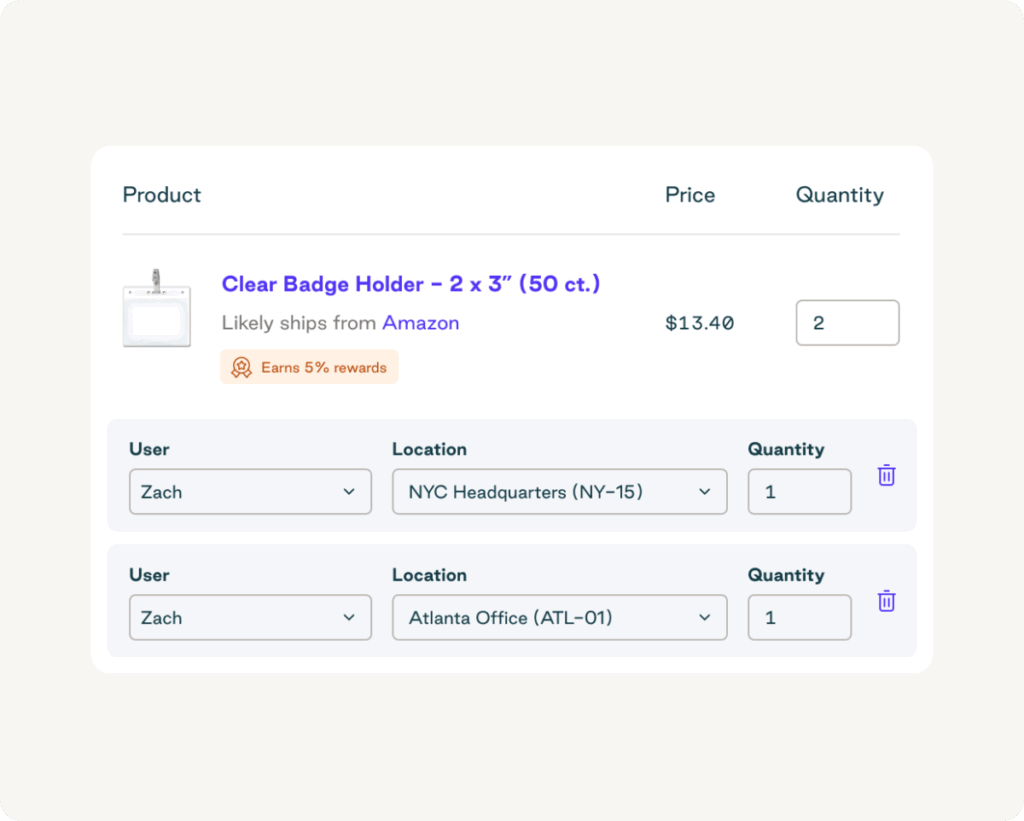
Centralized purchasing is the process of unifying all procurement across departments and locations within a single technology solution. Every purchase follows a standardized workflow, ensuring alignment with company spending policies.
In contrast, decentralized procurement makes it harder to monitor orders, pinpoint duplication, and reduce waste. It’s also labor-intensive, requiring stakeholders to repeat tasks. Without visibility and spend aggregation, it's easy to lose leverage for bulk pricing discounts and favorable contract terms.
Even single-location businesses can benefit from centralization by coordinating purchasing decisions across teams. For multi-location organizations, centralization goes further by enabling unified vendor management, consolidated payments, and efficient distribution of goods across sites.
Franchises are a prime example. By using centralized procurement software and shared vendors, they can present uniform products and experiences across independently owned locations.
Is group purchasing the same as centralized purchasing?
Where centralization consolidates internal purchasing power within your company, group purchasing—engaging the services of a group purchasing organization (GPO)—leverages the purchasing volume of multiple companies (group members) to control costs and share volume discount benefits.
The main differences between centralized and group purchasing are as follows:
| Feature | Group purchasing | Centralized purchasing |
| Organizational structure | A separate business entity that serves multiple companies | An entire organization, a single department, or a team within an organization |
| Control | Your organization chooses whether to use the GPO’s pre-negotiated contracts or your own vendors | Your central procurement team has complete control over all purchasing decisions |
| Vendor relationships | The GPO manages pre-vetted supplier relationships on your behalf | Your central team manages all aspects of your vendor relationships |
| Cost structure | Your membership fees cover GPO purchasing support | Your procurement budget funds all purchasing activities |
Even if you take advantage of the benefits of a centralized purchasing process, you can still use a GPO. In fact, the two approaches often complement each other rather than conflict. Organizations that employ both may use centralized purchasing to manage policies, approvals, and supplier relationships internally while relying on a GPO for greater buying power, better pricing, and improved terms.
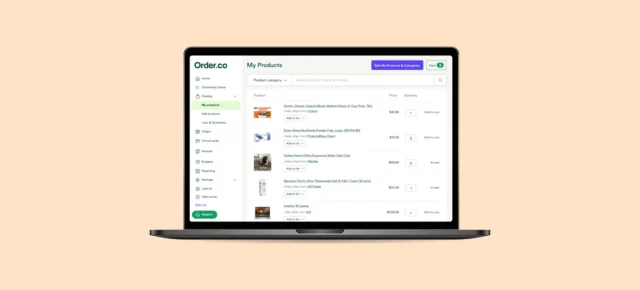
Manual procurement is costing you more than you think.
Centralize purchasing, streamline approvals, and control every order to improve compliance and lower costs in one, AI-powered platform.
8 Core advantages of centralized purchasing
Centralized purchasing simplifies processes and reduces procurement costs. It encourages policy adherence while eliminating the inefficiencies that sap productivity and limit your spend visibility.
Here are eight ways centralized purchasing helps drive procurement efficiency:
- Reduces procurement costs: Centralized procurement management saves money by preventing duplicate orders, off-policy purchasing, and other instances of wasteful spending. It also improves access to volume discounts and lowers shipping fees.
- Eliminates maverick spend: By centralizing your procurement function, you establish tighter spend controls and an automated approval process that prevents purchases outside company policies.
- Simplifies ordering: A centralized purchasing workflow reduces the time it takes to request, approve, and order supplies. Automated approval hierarchies and consolidated supplier catalogs mean fewer bottlenecks in your ordering process.
- Unlocks discounts on bulk orders: With a centralized purchasing model, you can easily access volume discounts by consolidating multiple purchases from the same vendor into one collective order.
- Reduces shipping fees: By reducing the number of orders per vendor, centralized purchasing helps you achieve better shipping rates. Similarly, some vendors offer free or reduced shipping rates for bulk orders.
- Reduces invoices: Centralized purchasing consolidates vendors and orders, minimizing the number of invoices your AP team needs to process.
- Saves time: With fewer invoices to reconcile, your accounting department spends considerably less time on month-end close and tax preparation.
- Ensures consistent quality across locations: A centralized purchasing system standardizes vendors and products across your organization, ensuring the same customer experience at every location.
What are the limitations of centralized purchasing?
Centralized purchasing transforms procurement from a labor-intensive and confusing process into a cost-saving, productivity-boosting asset. But it’s not without its challenges.
Before implementing centralized purchasing, consider these potential limitations:
- A poor process drives poor results. Purchasing centralization relies on a strategic approach and optimized systems. Establish trigger points for each stage in the purchasing process and develop a well-documented purchasing policy to prevent maverick spending.
- Adoption is critical to success. There’s little benefit to centralized purchasing if your team doesn’t adhere to the new ways of working. Ensure clear documentation, adequate staff training programs, and company-wide stakeholder involvement to maximize user adoption.
- The right technology is paramount. Even with optimized processes and high user adoption, you need the right tools to unlock the full benefits of centralization. Use procurement technology to automate and simplify your purchasing process while minimizing the manual effort of unifying critical data and workflows.
These challenges become more manageable with the right strategy, tools, and change management plan. As long as you build it on a strong foundation, centralization delivers significant value.
When should you implement centralized purchasing?
Despite the benefits of centralizing purchasing and AP processes, many organizations (especially small businesses) soldier on with manual systems. In fact, over 40% of respondents in a recent study said that efficiency and complexity are the top procurement challenges at their organization.
With the right platform, it’s never too early to centralize. The sooner you embrace technology, the simpler and more effective your procurement and purchasing processes become.
Here are 10 signs it’s time to centralize your purchasing process:
- Finance finds frequent and recurring discrepancies in purchasing data across different departments.
- The price paid for the same goods or services differs by department or location.
- The procurement process is time-consuming and involves redundant efforts from several departments, multiple vendor invoices for the same goods, and excessive research into issues.
- There is a lack of transparency and accountability in procurement, making spend management challenging.
- You struggle to maintain a strategic procurement strategy and resort to transactional supplier relationships due to siloed negotiations and inconsistent contract management.
- The finance team notices an increasing amount of maverick spend or purchases made outside of preferred agreements and systems.
- Inventory management becomes a hassle, with excess stock in some areas and shortages in others.
- Your organization lacks a unified strategy for sustainability and social responsibility in procurement activities.
- Administrative costs associated with processing purchase orders continue to rise, including labor costs for processing manual orders and payments.
- You don't have complete procurement data from all locations, making it difficult or impossible to analyze spending and trends or forecast future demand.
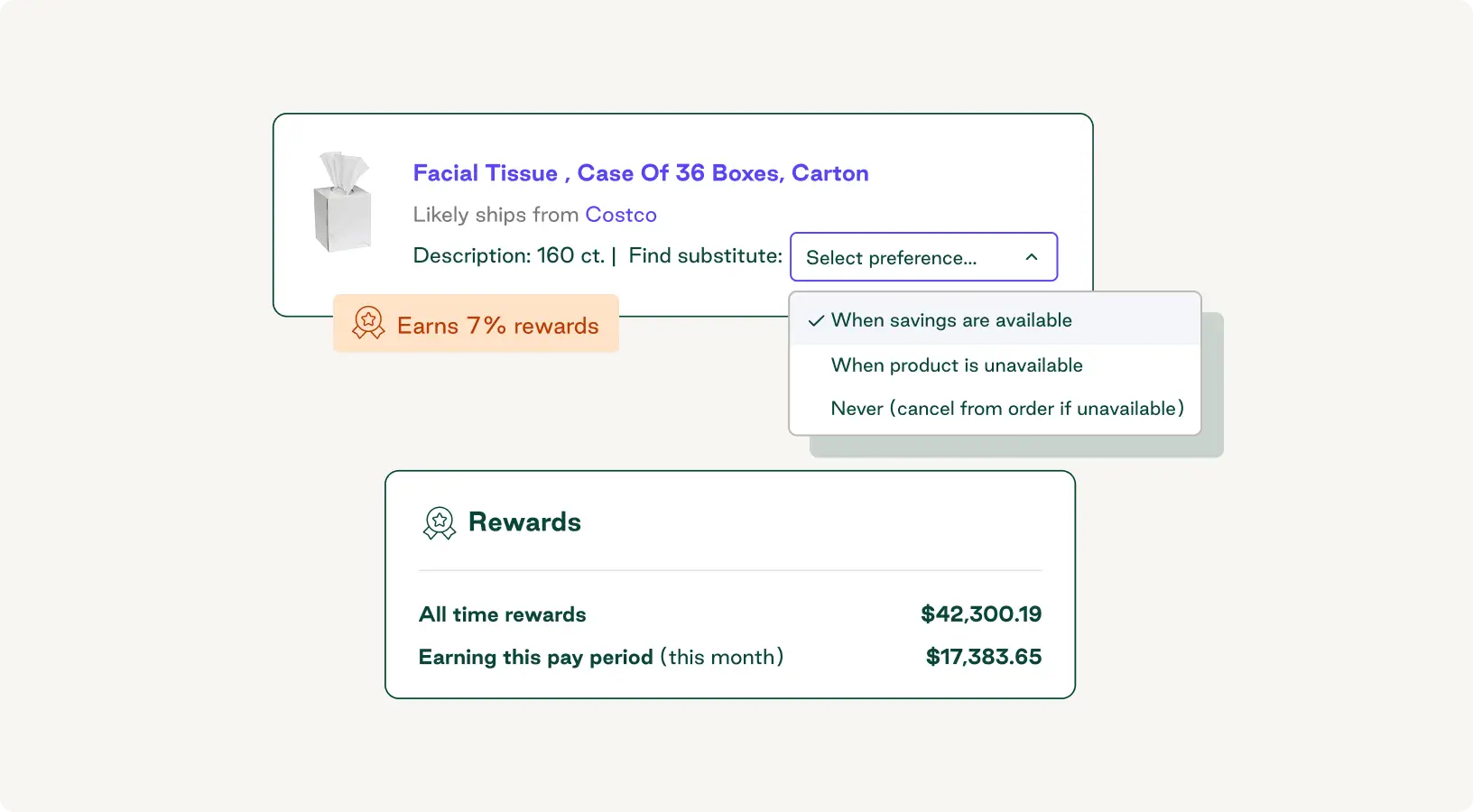
Manual procurement is costing you more than you think.
Centralize purchasing, streamline approvals, and control every order to improve compliance and lower costs in one, AI-powered platform.
The ideal organizational blueprint for centralized purchasing
Centralized purchasing requires more than simply updating your policies and investing in new technologies—it requires a drastic shift in how your business operates. Here are the three fundamental steps for successful implementation.
Decide on a governance model
Governance defines who has the authority to make strategic purchasing decisions, create policies and frameworks, and approve purchases. There are several models you can choose from, including:
- Fully centralized model: Your central procurement team has absolute authority over all purchasing decisions. Other departments can submit requisitions, but the central team handles approvals, sourcing, and purchasing.
- Hybrid model: Your central procurement team sets the overall strategy, including defining policies, choosing which tools to use, and managing vendor relationships. They can delegate authority for specific buying activities to other teams, but they still establish the framework those teams must follow.
- Shared-authority model: All purchasing decisions are made by a cross-functional committee that includes members from the central procurement team and other business units, such as finance and operations.
As Tracey Shearer, Managing Director of August Consulting, explains, “The choice of procurement operating model is an ongoing journey of optimization and adaptation. Success lies in creating a structure that can evolve with your business objectives.”
Define roles and responsibilities
To establish accountability and avoid confusion, assign specific roles to different teams or employees and clearly define the responsibilities for each.
Here are some key roles to include in your organizational structure:
- Chief procurement officer (CPO): Sets the vision, aligns your strategy with corporate goals, and owns the overall performance of the procurement function
- Category manager: Develops category strategy, manages supplier relationships, and ensures targets are met
- Procurement manager: Handles strategic sourcing, conducts contract negotiations, and manages the central procurement team
- Procurement analyst: Oversees spend analytics, monitors KPIs, and translates data insights into actionable responses
- Procure-to-pay (P2P) manager: Manages the entire P2P cycle, from requisition to purchase order, and resolves invoice discrepancies
- Cross-functional liaison: Listens to and communicates the needs of various stakeholders across teams and guides them through the procurement process
Depending on the size and structure of your staff, some of these roles may be assigned to more than one person. Conversely, a single employee may be responsible for multiple roles.
Create a change management plan
Change management is the driving force behind successful user adoption. It’s key to securing stakeholder buy-in and preventing employees from reverting to old habits after implementation.
Your change management plan should include:
- Communication: Create a clear and compelling narrative that explains why you’re centralizing purchasing. Tailor your messaging to highlight the specific benefits for different groups within your organization.
- Change champions: Involve influential sponsors of the upcoming change—such as your CEO, CFO, or COO—and have them act as advocates to encourage user adoption among teams.
- Stakeholder involvement: Work with different teams to establish a sense of ownership and inclusion when sharing your implementation strategy.
- Phases: Plan your implementation in distinct phases to identify and correct issues on a small scale. For example, focus on centralizing purchasing for one specific spend category or product line at a time.
- Training: Provide comprehensive employee training for any new processes and ongoing support to help staff adapt to the new ways of working.
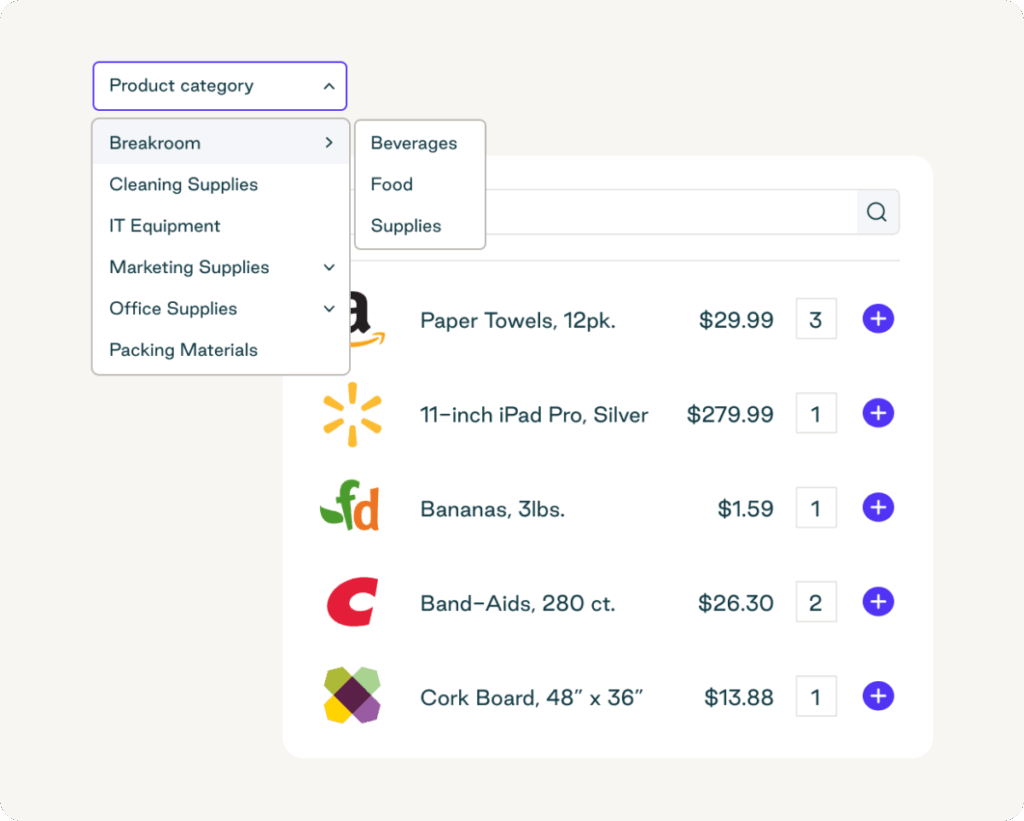
Technology requirements and platform considerations
Certain procurement software features are essential for supporting purchasing centralization and ensuring your new strategy succeeds. Before you select a system, it’s helpful to define the functionality criteria that best meet your organization's needs.
When considering new procurement technologies, focus on:
- Eprocurement tools: User-friendly, consolidated purchasing tools that guide employees to purchase from pre-approved suppliers
- Spend analytics: Detailed, real-time reporting dashboards and KPI monitoring for improving spend visibility
- Supplier relationship management: A central system for managing vendor contracts, monitoring supplier performance, and automating supplier onboarding
- Centralized sourcing: Specific tools for strategically sourcing goods to standardize quality, consolidate purchasing, and reduce costs
- Software integrations and API readiness: Built-in integrations and API accessibility that connect your purchasing system with other financial and operational software tools for accurate, real-time data synchronization
Consolidate buying with the right centralized purchasing solution
The simplest way to bring all your purchasing activities together is with a sophisticated procurement solution. A centralized platform lets employees from individual departments and locations order what they need, while your organization benefits from simplified purchasing, automatic consolidation of important procurement data, and smoother operations.
With Order.co, you can manage every part of the procurement process, from sourcing to invoice reconciliation. The platform helps reduce your accounting team's workload and increase efficiency with features like automatic general ledger (GL) coding, three-way matching, and an easy payment process.
If you're ready to simplify purchasing, save money, and reclaim time, get in touch today to request a demo.
Get started
Schedule a demo to see how Order.co can simplify buying for your business.
"*" indicates required fields