How Purchase Order Automation Improves Spend Control (Benefits & Best Practices)

How Purchase Order Automation Improves Spend Control (Benefits & Best Practices)
Delays in your procurement processes can lead to massive headaches for requesters, buyers, and vendors. By relying on manual systems, you miss out on efficiency gains and cost reductions that protect your bottom line.
Purchase order (PO) automation transforms purchasing from a time-consuming, error-prone process into a well-oiled, value-generating machine—giving you control without slowing you down. The right technology shifts that control to the moment of purchase, where it actually matters.
This guide covers everything you need to know about purchase order automation: its importance for modern procurement teams, key enablers for PO automation systems, and how to get started.
Download the free tool: Purchase Order Template
Purchase order automation key takeaways
- Purchase order automation replaces manual, paper-based purchasing with digital workflows that enforce spend controls at the moment of purchase.
- Automated PO systems reduce processing time and cost, eliminate maverick spend, and create a complete audit trail without adding headcount.
- The biggest gains come from combining automated approval routing, pre-approved supplier catalogs, and real-time spend visibility in a single platform.
- Implementation involves a phased rollout: start with a pilot, measure results, then expand across categories and departments.
What is purchase order automation, and why does it matter?
Purchase order automation is the use of digital tools, such as purchase order software, to centralize and accelerate the requisition, approval, creation, and delivery of purchase orders. It aims to improve PO data quality and visibility while shortening the procure-to-pay (P2P) lifecycle.
In a manual environment, spend decisions happen in inboxes, spreadsheets, and hallway conversations—places hidden from finance and procurement until after the money's been spent. Automation brings these transactions into view immediately, speeding up procurement workflows, reducing supply chain risk, and enforcing compliance.
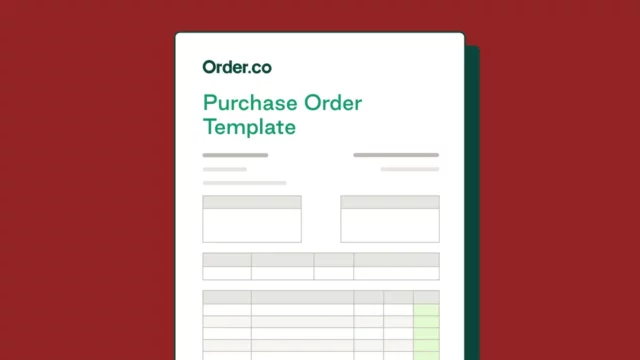
Purchase Order Template
Download our free purchase order template to help ensure you capture all key order details and maintain consistency across every PO.
How does purchase order automation work?
Understanding the mechanics of an automated PO workflow helps operations and finance teams see exactly where the time savings and controls come from. To see this shift in action, it helps to look at the 'before and after' to compare the friction of traditional manual steps against the efficiency of an automated lifecycle.
Traditional vs. automated POs: How the lifecycles compare
| Lifecycle stage | Traditional | Automated |
| Requisition | An employee manually creates a paper- or spreadsheet-based purchase requisition form. | An employee selects items from pre-approved catalogs, and the system automatically creates a digital purchase requisition form. |
| Approval | The requisition is manually routed for approval via email, fax, or hand delivery. | The system automatically routes the requisition to the correct approver(s) based on predefined rules. |
| Generation | The approver creates a paper- or spreadsheet-based purchase order and sends a copy to the vendor via email or fax. | The system generates a compliant purchase order and instantly sends it to the vendor via email, supplier portal, or software integration. |
| Fulfillment | The receiver checks the received items against a paper packing slip and the original PO upon arrival. | The receiver records the received items in the system, which automatically updates the PO status and generates a digital receipt. |
| Reconciliation | An Accounts Payable (AP) employee manually enters data from the supplier invoice and compares it against the original PO and goods receipt note. | The system captures supplier invoice data and performs three-way matching against the digital PO and goods receipt, flagging discrepancies for review. |
By automating manual touchpoints, you eliminate the hidden conversations and fragmented email chains that typically drive up costs.
Here's how the automation process works in practice:
Step 1: Create and submit purchase requisitions
The process starts when an employee submits a purchase requisition through the platform, either by selecting items from a pre-approved catalog or submitting a request for non-catalog items.
The system automatically populates a digital purchase requisition with the requester's details, cost center, department, and relevant budget codes. This eliminates manual form-filling and fragmented email chains, ensuring the request is structured and traceable from the first click.
Step 2: Automate approval workflows
Once the requisition is submitted, the system routes it automatically to the appropriate approvers based on pre-configured rules. These rules can account for:
- Purchase value
- Department or cost center
- Supplier category or commodity type
- Budget availability
Approvers receive an email or in-app notification with all the information they need to make a quick decision. If an approver is unresponsive, the system can escalate the request automatically after a set time period to prevent bottlenecks.
Step 3: Generate and send digital purchase orders
Once approved, the system generates a compliant purchase order populated with the details from the approved requisition and delivers it directly to the supplier by email, supplier portal, or system integration.
The PO is logged, timestamped, and linked to the original requisition in the platform. When the order arrives, the receiver confirms delivery in the system, which updates PO status in real time. The system then performs automated three-way matching by comparing the PO, goods receipt, and invoice, flagging discrepancies for human review.
Key benefits of purchase order automation
Multi-location businesses, such as property management companies and healthcare practices, face similar purchasing challenges. Automation addresses these by bringing spend into a single platform, going beyond simply saving time and money to improve the entire purchasing cycle.
Reduces processing time and costs
Manual data entry makes PO processing slow and expensive, often leading to costly mistakes like duplicate orders or incorrect quantities. Process automation minimizes the time and labor required to process POs, enabling you to scale without increasing headcount. Accelerating the cycle from requisition to payment also positions you to capture early payment discounts that manual workflows might miss.
When EPIC4 implemented Order.co, it drastically improved purchase order cycle time while minimizing errors. As a result, the company cut procurement time by 50%.
Enhances visibility and controls
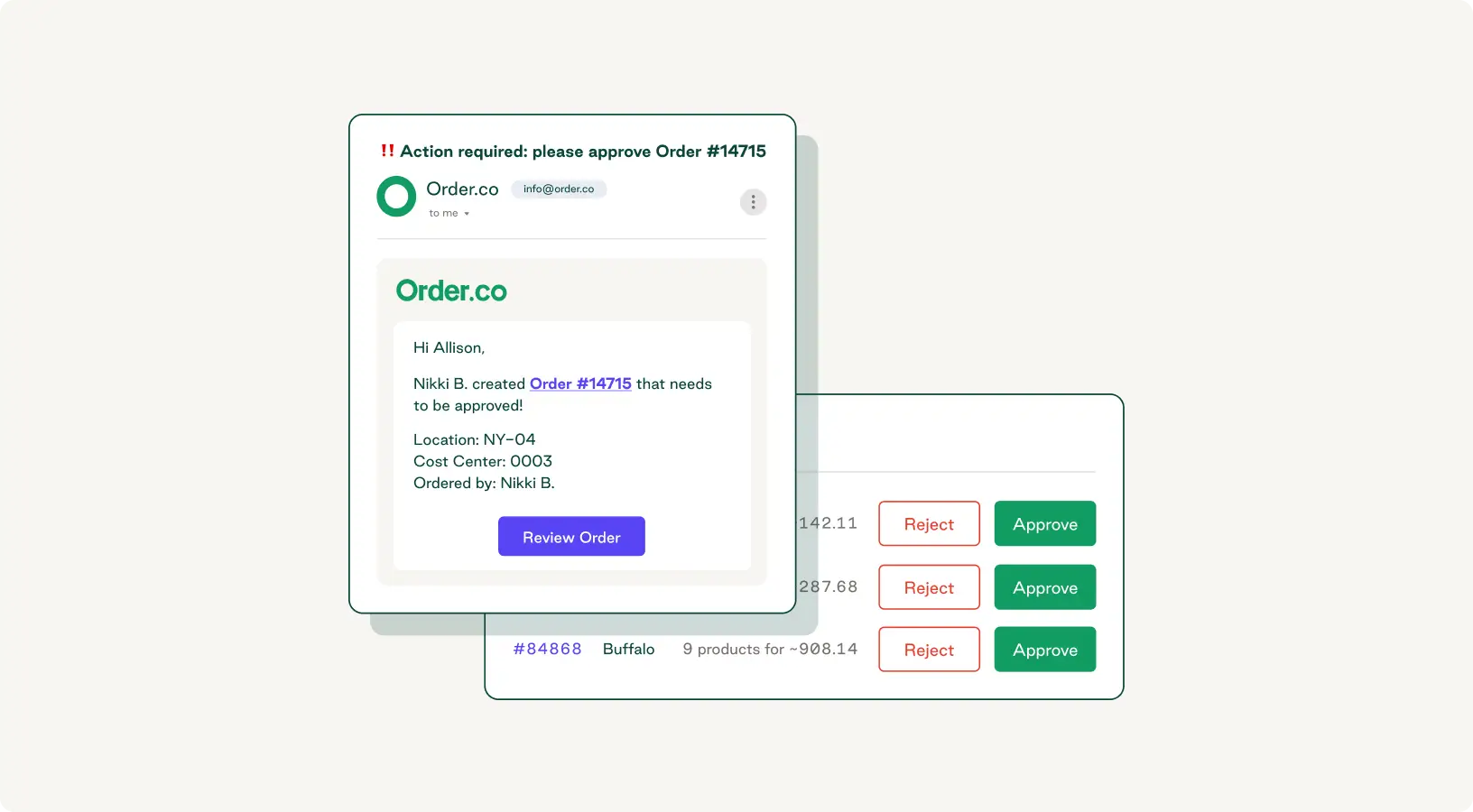
PO automation centralizes all orders and requests into a unified system that provides real-time visibility into status and spend history. You can set rules for approvals and purchase requests that guide users to pre-approved suppliers and notify the appropriate approvers so nothing falls through the cracks.
This visibility is especially important for finance teams that need accurate spend data to close the books, forecast accurately, and respond to audit requests without scrambling for paper records.
Improves supplier relationships
When you process purchase orders and payments faster and with fewer discrepancies, it’s easier for your vendors to do their part. This leads to stronger supplier relationships and more favorable payment terms.
For example, Clinton Management automated 100% of its offline ordering to simplify vendor management and improve cost savings. By using PO automation and more strategic sourcing, the company achieved an average monthly savings of $1,200.
Strengthens compliance
Manual purchase order processing can lead to lost or misplaced data, which adds extra time and stress to internal and external audits. Automation creates a clear, secure audit trail for every purchase while ensuring compliance with regulatory standards. This is more than just a security issue—violations of GDPR principles can result in fines of up to 4% of your company’s global annual revenue from the previous year.
Eliminates maverick spend
According to APQC, it takes organizations with higher levels of maverick purchasing up to 16 more hours to issue purchase orders to vendors—meaning the "faster" workaround actually slows everyone down.
Purchase order automation saves time and enforces purchasing policies by routing all requests through a formal approvals process and requiring item selection from a catalog of pre-approved providers. This prevents unapproved purchases while making it easy for employees to follow company policies—removing friction from the compliant path rather than just penalizing the non-compliant one.
How to choose the right purchase order automation solution
Not all PO automation tools are created equal. The right choice depends on your organization's size, existing tech stack, supplier base, and procurement maturity.
Solution types and tradeoffs
The first decision is the deployment model. Cloud-based solutions are faster to deploy, easier to update, and typically more cost-effective—most go live within four to eight weeks. On-premise options offer greater control over data but require significantly more IT resources and longer implementation timelines, often six months or more.
The second decision is scope. Standalone PO tools handle requisitions and purchase orders but require manual data transfer to accounting or ERP systems. Integrated platforms with native connections to financial systems close that gap, giving finance teams real-time spend visibility without manual reconciliation.
Key capabilities and what they deliver
Effective PO automation relies on a core set of platform capabilities and the right integrations with your existing tech stack. Look for these features when evaluating solutions:
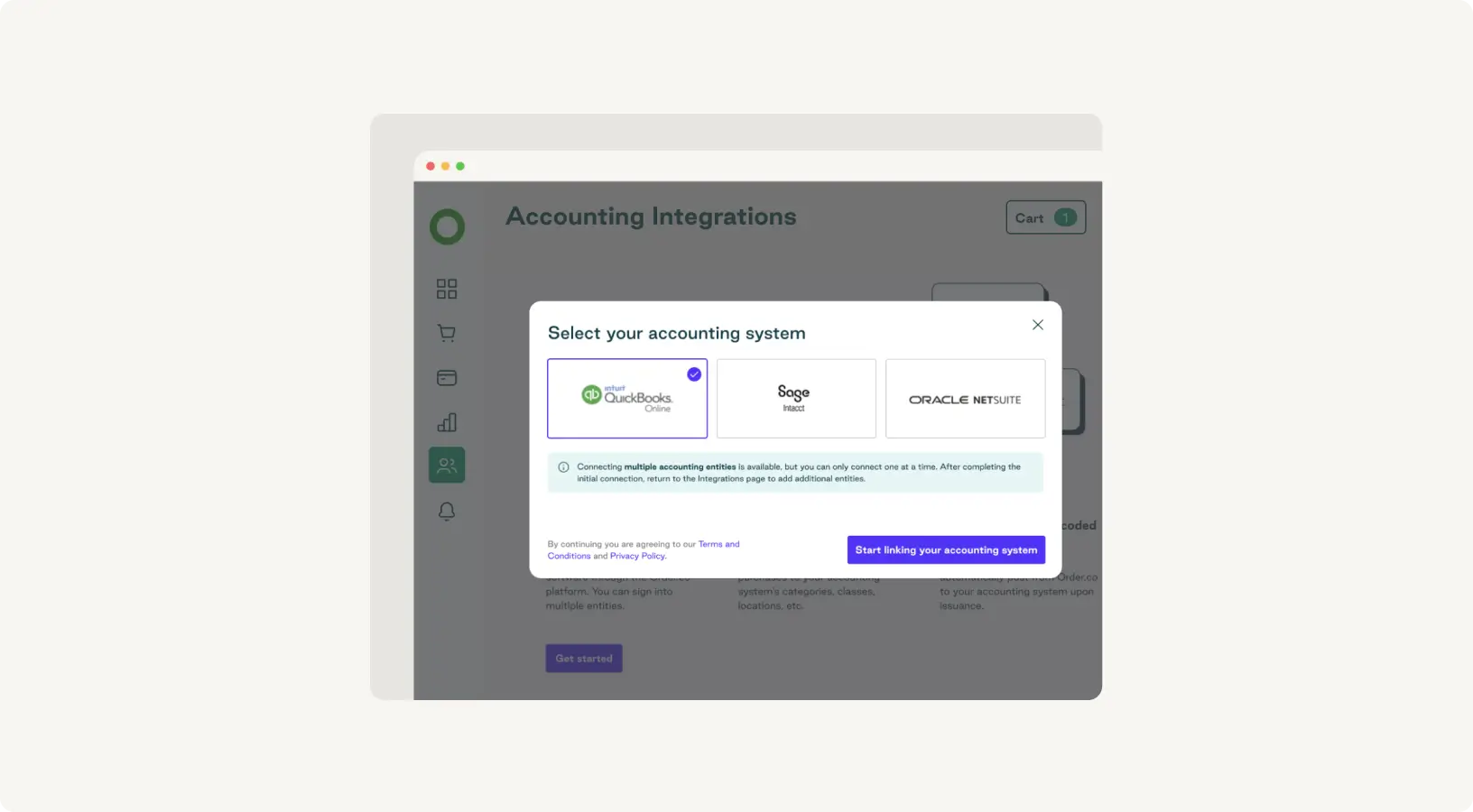
- Turnkey ERP and accounting connectors: Pre-built integrations sync PO data, vendor records, and general ledger codes instantly with systems like NetSuite and QuickBooks. Native ERP integrations offer greater reliability and faster implementation than those dependent on middleware.
- Data governance and security features: Role-based access controls limit data exposure to what each user needs, while a comprehensive audit log tracks every action for internal and external audits.
- Pre-approved supplier catalogs: Curated catalogs steer employees toward contracted suppliers automatically, reducing maverick spend without requiring active enforcement. This high-impact capability is one of the fastest ways to see ROI, especially for organizations with decentralized purchasing across multiple locations or departments.
- Automated approval routing: Rule-based routing eliminates the hours or days that requisitions spend sitting in inboxes. Configuring rules by purchase value, department, cost center, or supplier category allows approvals to escalate automatically if an approver is unresponsive.
- Three-way invoice matching: Automated matching of invoices against POs and goods receipts catches discrepancies before they create payment errors or audit risk. By embedding accuracy and control into the purchasing process itself, Order.co eliminates the need for invoice reconciliation altogether.
How Order.co's vendor-agnostic approach simplifies PO automation
Rather than locking you into a single supplier network, Order.co lets you manage purchasing across all your existing vendors in one platform. It then pays your vendors via their preferred methods and groups those payments into customized bills that fit your bookkeeping.
Standardizing the payment process this way eliminates the manual complexity that often slows down multi-site organizations, solving invoice overload and allowing AP automation to scale.
How to implement purchase order automation
Taking a phased approach is the safest way to implement PO automation—it gives you time to secure stakeholder buy-in and learn as you go to minimize disruption.
Assess current purchase order workflows
Before selecting a tool, map your current PO process. Document where requisitions originate, how approvals are routed, where delays occur, and what your maverick spend rate looks like. Identify specific approval processes that rely on email chains, PO data stored in spreadsheets, and suppliers that regularly invoice without a corresponding PO.
Capture your current average PO cycle time as your primary baseline metric. Skipping this step is a common mistake: Without a documented baseline, you can't build a credible ROI case or configure your system around the right problems.
Select and integrate automation software
Shortlist vendors based on ERP and accounting integration compatibility first—this is non-negotiable. A platform that doesn't connect natively to your financial systems creates new data silos rather than eliminating existing ones.
Require a documented integration timeline, ask for a named implementation contact, and request references from organizations of similar size. For a standard cloud-based implementation, you can expect at least four to eight weeks from contract signing to live PO processing. Complex global deployments may require additional time for testing and configuration.
Train staff and manage change
Roll out in stages rather than all at once. Start with a single low-risk category and set a measurable success target. Run it as a four- to eight-week proof of concept before expanding. As you scale, use what you've learned from each stage to refine workflows and standardize processes.
Effective change management comes down to:
- Explaining the "why" behind the change
- Delivering role-specific training
- Designating internal champions in each department
- Making the compliant purchasing the path of least resistance
Collect qualitative feedback from users throughout. Friction points that seem minor at pilot scale become serious barriers when you onboard the rest of the organization.
Purchase Order Template
Get our purchase order template to establish a repeatable, reliable process for managing orders.
"*" indicates required fields
Best practices for purchase order automation implementation success
Here are five best practices for getting PO automation right, with specific guidance on what to do, what to watch for, and what commonly goes wrong.
Standardize your workflows first
Automating a broken process only makes it easier to do the wrong thing faster. Before go-live, map your ideal purchasing workflow—including approval hierarchies, spend thresholds, and PO formats—and get finance, operations, and department heads aligned on it.
Resist the temptation to copy your existing approval chain directly into the new system. Use implementation as an opportunity to right-size it.
Prioritize user adoption
The most common failure mode in PO automation isn't technical—it's employees reverting to email-based purchasing because the new system feels like more work. To remove friction, deliver role-specific training rather than one-size-fits-all onboarding. Designate internal champions in each department who can answer day-to-day questions without escalating to IT or procurement.
Start small, review regularly, and adapt as you scale
Run your pilot group for four to eight weeks, then stop and analyze what happened before expanding. Identify which approval rules generated the most exceptions and which categories had the highest off-system purchasing rate.
The pilot only works if you treat it as a genuine test. A group of three enthusiastic procurement staff won't surface the resistance that appears when you onboard a larger, more skeptical team.
Establish dynamic approval workflows
Rules configurable by purchase value, department, supplier category, and budget availability ensure the system adapts to your organization's needs. Automatic escalation rules that re-route requests when an approver is unresponsive eliminate one of the most persistent sources of delay.
Build a quarterly workflow review into your governance calendar—approval rules have a shelf life, and outdated ones quietly become bottlenecks.
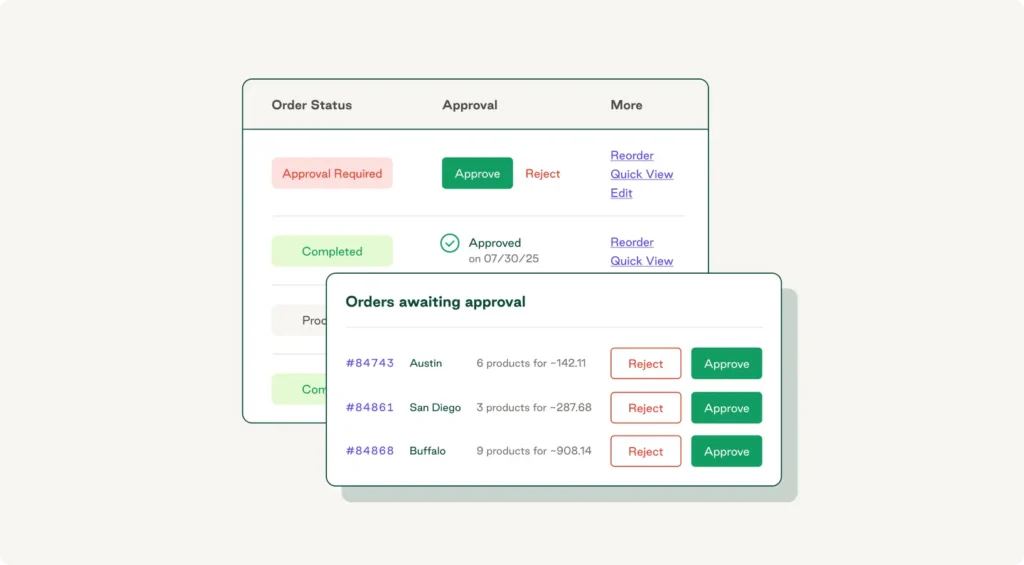
Set custom rules for exception handling and escalations
Automated exception handling ensures discrepancies are resolved proactively rather than discovered during month-end close. Configure routing for partial deliveries, split invoices, and vendor credit notes—not just obvious mismatches—especially if you're managing open purchase orders across multiple suppliers. These edge cases are the ones most teams overlook during setup and are the most likely to cause problems at scale.
Automate purchase order processing and maximize efficiency with Order.co
When it comes to scaling procurement, the challenge isn't choosing between speed and control—it's finding a solution that delivers both simultaneously. The more orders and suppliers you handle, the more complex your PO process becomes.
Whether you're managing procurement for a growing multi-location business or coordinating purchasing across a large enterprise, purchase order automation presents the way forward. Automated purchase order processing shortens cycle times, makes it easy for users to adhere to company policies, and minimizes costs and errors throughout the procure-to-pay lifecycle.
Order.co lets you centralize all your purchase order data, including requisitions, invoices, and supplier details. The intuitive software saves you time by automating your key purchasing workflows, enabling you to:
- Automatically generate and send purchase orders
- Request items through a curated supplier catalog
- Instantly route requests and approvals to the appropriate users
- Pay vendors on time and in the right amounts
Request a free demo today to experience Order.co’s automatic purchase order creation and workflow approvals for smarter, more efficient operations.
Frequently asked questions about purchase order automation
Most organizations see measurable ROI within three to six months of full deployment. Early wins like reduced PO cycle time appear quickly, while longer-term benefits—lower maverick spend and stronger contract compliance—compound over 12–18 months as adoption increases. A phased rollout starting with a focused pilot accelerates time-to-value by surfacing quick wins early.
PO automation platforms connect to systems like NetSuite, QuickBooks, and Sage Intacct through pre-built native connectors that sync PO data, vendor records, and general ledger codes in real time. Cloud-based solutions with turnkey connectors typically go live within four to eight weeks; on-premise or heavily customized environments take longer. Always confirm integration compatibility before signing a contract.
Low user adoption, resistance from employees used to informal purchasing habits, and integration complexity with legacy ERP systems top the list. If supplier records, cost center codes, or approval hierarchies aren't clean before go-live, the automation layer inherits those problems.
Get started
Schedule a demo to see how Order.co can simplify buying for your business
"*" indicates required fields