What Is a Purchasing System—and How Do You Choose the Right One?

What Is a Purchasing System—and How Do You Choose the Right One?
Most procurement teams seek out a purchasing system because the alternative has stopped working. Spreadsheets, email approvals, and a dozen vendor portals don't scale, and the patches start to outweigh the process.
The catch is that the system you replace them with has to be one your team will actually use. Purchasing tools that look great on a feature checklist but get bypassed in practice end up creating the same fragmented spend you were trying to fix.
The right purchasing system fits the way your team already buys, integrates with the tools you already use, and earns its keep within the first quarter.
Key takeaways
- A purchasing system connects requests, approvals, vendor selection, and order execution into one workflow, replacing the spreadsheets, email threads, and corporate cards most teams outgrow.
- The strongest systems route requests through approval, then execute the purchase—generating POs and sending them to vendors without manual handoffs.
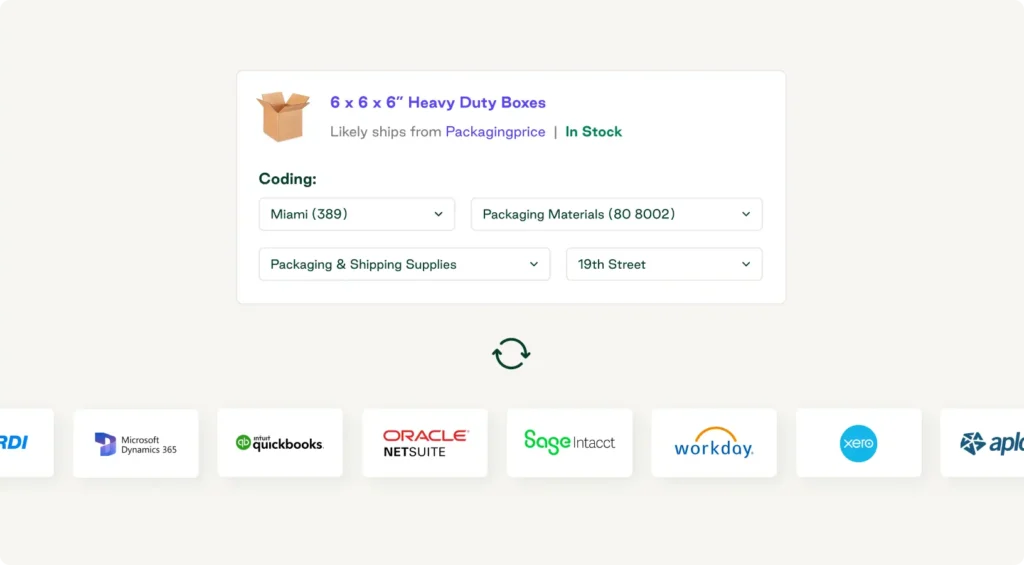
- Capturing line-item GL coding at the moment of purchase eliminates the AP cleanup required when invoices arrive days or weeks later.
- A dedicated purchasing system sits upstream of expense tools and lighter than ERP procurement modules, designed for the operational reality of multi-location teams.
- Order.co is the purchasing system that fits how your team already buys: vendor-agnostic catalogs, line-item approvals with AI recommendations, and a dedicated implementation manager who gets you live in weeks.
Download the free ebook: The Procurement Strategy Playbook for Modern Businesses
What is a purchasing system?
A purchasing system is the software and structured workflow a company uses to manage buying, connecting requests, approvals, vendor selection, and order execution into a single, controlled process.
The best systems go beyond documenting what already happened—they actively drive what happens next. Approvals route automatically, every order goes to an approved vendor, and spend is coded before it ever reaches your accounting team.
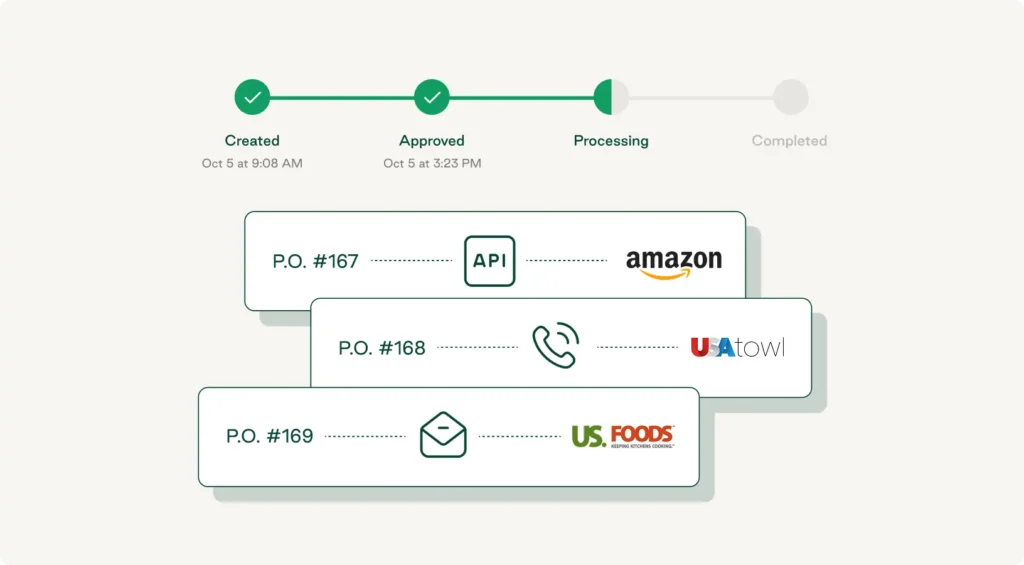
How a purchasing system fits into the purchase-to-pay workflow
The purchase-to-pay (P2P) cycle covers everything from the moment someone identifies a need to the moment the vendor gets paid. It typically includes the following steps:
- Submit a requisition: A stakeholder identifies a product or service they need and submits a formal purchase request, which routes to department heads and finance for approval.
- Source the materials: Finance or procurement identifies the right vendor and negotiates terms.
- Create a purchase order: Once sourcing and approvals are in place, a purchase order is generated and sent to the vendor.
- Receive the goods: When the order arrives, accounting runs three-way matching to confirm that what was delivered matches what was ordered and invoiced.
- Approve the invoice: Procurement reviews and approves the vendor invoice for AP processing.
- Pay the vendor: AP releases payment according to the agreed-upon terms, and the spend is recorded.
A purchasing system handles the first three steps: turning a need into an approved order, routing it to the right vendor, and capturing the line-item data that finance needs to reconcile the rest.
The Procurement Strategy Playbook for Modern Businesses
Want to know more about strategic buying? Read our Procurement Strategy Playbook for even more valuable insights.
Key components of a robust purchasing system
The best purchasing systems share a common set of capabilities that work together to enforce process, capture data, and eliminate manual handoffs.
- Request intake and approval routing: Captures purchase requests in a structured format and automatically routes them to the right approver based on amount, category, or department
- Vendor management and catalog controls: Maintains a single source of truth for approved vendors, contracts, and pricing, so buyers can select from pre-approved catalogs and optimize cost savings
- Purchase order creation and execution: Generates a purchase order and sends it directly to the vendor upon approval, with no manual data entry or reformatting required
- Spend coding and budget tracking: Assigns the correct GL codes, cost centers, and budget allocations before the purchase is made, front-loading the work that usually falls on AP teams during invoice processing
- Accuracy embedded at the point of purchase: Captures and codes spend data as part of the purchasing cycle so finance isn't left reconciling mismatched records after the fact
When these components work together, the system runs this leg of the procurement process for you, not against you. When they're missing or disconnected, you end up with workarounds, manual reconciliation, and delayed visibility into what you've spent.
Purchasing system vs. adjacent tools: What's the difference?
The term "purchasing system" often gets conflated with spreadsheets, ERP modules, or expense tools, but each serves fundamentally different purposes.
- Purchasing system vs. spreadsheets and manual processes: Spreadsheets, shared files, and email chains track what happened after the fact, but a purchasing system enables the process to move forward—routing approvals, enforcing budgets, and automating fulfillment.
- Purchasing system vs. ERP procurement module: ERP procurement modules are built for large, complex manufacturing or supply chain operations, not the day-to-day buying that happens across locations, departments, and vendor types. They're heavy, require IT support to configure, and often force you into rigid workflows. A modern purchasing system is lighter, faster to deploy, and designed for the operational reality of multi-location teams. It integrates with your ERP for spend management and financial reconciliation, but doesn't require you to live inside it.
- Purchasing system vs. expense management tools: Expense management tools handle reimbursements after the fact. Purchasing systems manage what you buy—routing approvals, capturing line-item data, and executing orders before spend occurs. If you're trying to strengthen vendor relationships, negotiate reasonable prices, or track what's being ordered across locations, an expense tool won't get you there.
What features drive purchasing system effectiveness?
Once you know a purchasing system is the right category for the problem, the next question is what to look for inside it. Effective purchasing systems capture spend data before it happens, automate error-prone processes, give finance line-item visibility without manual coding, flag context that informs decision making, and are easy enough to use that buyers don't route around them. Here's what separates functional systems from ones that drive operational improvement:
Automated approval workflows and spend controls
Manual approval routing breaks down fast as teams grow, which is why a purchasing system should automatically route requests based on amount, category, department, or location. When spend controls are embedded directly into the workflow, budget checks happen before the purchase is submitted rather than after the invoice arrives. This prevents overspend and eliminates the awkward process of rejecting purchases that have already been made.
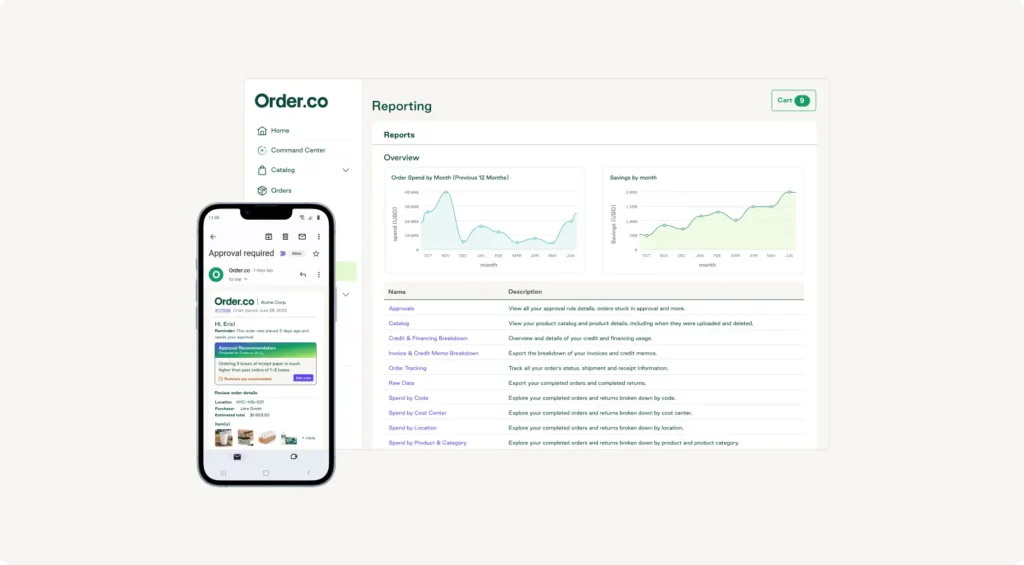
Some platforms take this further than others. For example, Order.co builds approval logic down to the line-item level, with AI recommendations that surface relevant context such as past spend with the vendor, remaining budget, and similar approved purchases, at the moment of decision. Approvers move faster because the information they need is in front of them, not buried in another tab.
Centralized vendor management and catalog flexibility
When every location manages its own vendor list, you lose pricing leverage and create compliance risk. A centralized vendor directory gives you visibility into who you're buying from, what terms you've negotiated, and where spend is concentrated. Since rigid catalogs don't work for every category, your system should support curated catalogs for high-volume items and flexible ordering for one-off or specialty purchases. The strongest systems also use AI to flag cost-effective alternatives across your network and surface vendors whose pricing has drifted from agreed terms.
Order.co’s vendor-agnostic platform lets you build vendor catalogs that reflect how your team buys. You can set up preferred suppliers, create custom item lists, and give different locations access to the vendors they use most. When someone places an order, they're automatically buying from approved vendors at pre-negotiated pricing.
Spend visibility and line-item purchasing data
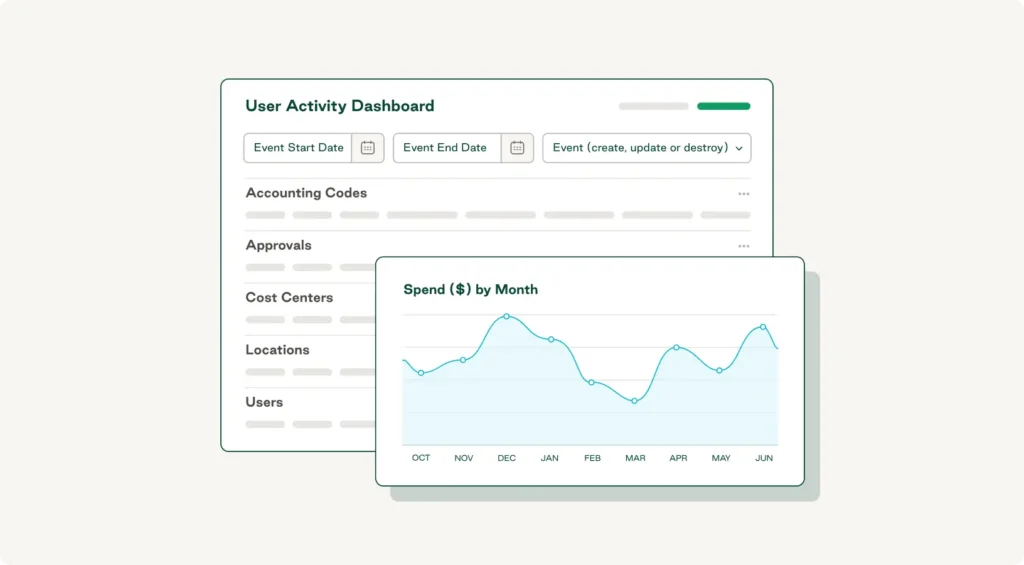
Beyond invoice totals, finance needs to see what was purchased, by whom, for which project or location, and against which budget. Purchasing software that captures line-item detail during the buying workflow provides real-time visibility into spend patterns, eliminating the manual work of coding and reconciling invoices later.
With Order.co, every purchase flows through the platform, so spend data is captured and GL-coded at the line-item level at the time of purchase. Finance doesn't need to manually match invoices to POs or chase down coding after the fact because accuracy is built into the process before the bill ever arrives. AI turns that granularity into action by analyzing spend by category, surfacing pricing inconsistencies across locations, and recommending where consolidation could unlock better terms.
Multi-location and enterprise purchasing support
If you manage purchasing across multiple sites, your system needs to handle location-specific approvals, budgets, and supplier relationships without creating separate workflows. Enterprise-grade purchasing systems like Order.co support role-based permissions, location hierarchies, and centralized reporting while still giving local teams the autonomy they need to move quickly.
In practice, each site operates within its own budget and approval structure, but everything rolls up into a single view. Centralized vendor catalogs give teams across locations access to the same pre-negotiated pricing without forcing a one-size-fits-all vendor list. When you need to see what's being purchased across all locations—by category, vendor, or department—Order.co shows it all in one dashboard.
The Procurement Strategy Playbook for Modern Businesses
Learn the key pillars of a strong strategy, valuable procurement metrics to track, and initiatives you can start implementing today.
"*" indicates required fields
How to choose the right purchasing system for your organization
The right purchasing system should solve the specific breakdowns in your current process. Start by identifying where things fall apart, then evaluate platforms based on how well they integrate with your existing tools and whether they can scale as your organization grows.
Identify your organization's unique purchasing pain points
Before evaluating any platform, map out where your existing process breaks down:
- Are approvals sitting in someone's inbox for days?
- Do invoices differ from what you ordered?
- Is your AP team stuck manually coding transactions because purchasing data never made it downstream?
These are signals that your current setup can't support the volume or complexity you're dealing with. Also consider your organizational structure. Multi-location teams face distinct challenges, including ordering from different vendors at different sites, inconsistent approval processes across regions, and a lack of centralized visibility into what's being bought where.
Assess integration needs and scalability
If you use accounting software such as QuickBooks, NetSuite, or Sage Intacct, choose a purchasing system that integrates with these tools. Otherwise, you risk creating duplicate data entries or forcing finance to reconcile mismatched records.
- Look for native integrations or API support that automatically syncs purchase orders, vendor details, and GL coding.
- Ask whether the platform supports multi-entity structures, role-based permissions, and flexible approval hierarchies that can evolve as your org chart changes.
Questions to ask before you commit
When evaluating purchasing systems, ask questions that look beyond the features it claims to offer to how the platform works in practice. The answers reveal whether a platform will solve your problems or just create new ones.
- Can you set approval thresholds by department, location, or vendor?—And does the system automatically enforce those rules?
- Does the system support both catalog ordering and ad hoc purchases, or does it force you into one model?
- Does it push coded transactions directly into your ERP or accounting platform?
- What does the onboarding process look like?
According to a Gartner survey, 18% of accountants make financial errors daily, a third make several errors every week, and over half (59%) make multiple errors per month. Technology fit is a big part of why: 73% of accountants surveyed noted that the technology available to them was either hard to learn, hard to use, hard to customize, or didn't display all the information they needed in one view.
A platform that offers dedicated implementation support will help you map your existing processes, configure approval hierarchies, and train your team, while a self-service model leaves you troubleshooting on your own.
Simplify purchasing for your team with Order.co
The best purchasing systems are the ones your team actually uses. Order.co is built around how operators already buy: a fast, vendor-agnostic place to find what they need, with approved catalogs, budget rules, and approval logic working in the background. Behind the scenes, every line item is GL-coded the moment it's purchased, integrations push that data straight into your accounting system, and a dedicated implementation manager gets you live in weeks, not quarters. Operators move faster, finance closes faster, and procurement stops rebuilding the story from credit card statements.
Whether you're moving off spreadsheets for the first time or replacing a system that didn't fit how your team works, book a demo to see how Order.co fits into your existing workflows.
FAQs about purchasing systems
A purchasing system focuses on operational execution, including managing vendor catalogs, routing approvals, turning approved requests into orders, and tracking what's been bought. Procurement software covers a broader scope, including strategic sourcing, supplier management, and contract management. Where procurement software answers the question of who to buy from and under what terms, a purchasing system governs how purchases actually happen—efficiently, consistently, and within policy.
Implementation usually takes 4 to 12 weeks, depending on the number of locations, vendors to onboard, and integrations required. Lighter platforms designed for operational buying tend to move faster than ERP procurement modules, which can stretch six months or more. Order.co customers typically place their first order within four weeks and graduate from implementation within six to eight, with a dedicated implementation manager guiding the rollout. Teams replacing manual processes or spreadsheets tend to move faster since there's less technical integration work involved.
Yes. Your purchasing system handles the operational side (requests, approvals, vendor management, and order execution), while your accounting system remains the source of truth for financial reporting. Integration typically works through direct API connections that sync purchase orders, receipts, and invoice data into your general ledger, resulting in clean, pre-coded transactions without manual data entry for AP and accurate spend data for finance without chasing down receipts.
No. A standalone purchasing system is designed specifically for operational buying—office supplies, software subscriptions, maintenance services, and other indirect spend—without the cost or implementation timeline of a full ERP. If you already have an ERP, a dedicated purchasing system complements it by handling the day-to-day buying workflows that ERP procurement modules often make unnecessarily complicated. The two work together rather than competing for the same function.
Get started
Schedule a demo to see how Order.co can simplify buying for your business.
"*" indicates required fields