Punchout Catalog vs. Alternatives: How to Get Started

Punchout Catalog vs. Alternatives: How to Get Started
If your procurement team is scrolling PDF catalogs to find SKUs, copy-pasting product codes into requisitions, or waiting on a supplier rep to confirm pricing, you're paying for the gap between how your team buys and what your procurement system supports.
Punchout catalogs are one way to close that gap, but they're not the only option and not the right fit for every supplier. The right approach depends on your buying behavior, your supplier mix, and the visibility your finance team needs.
Key takeaways: punchout catalog
- Punchout catalogs let buyers access supplier catalogs from within their procurement system, with selections returning as pre-populated requisitions.
- Real-time pricing, contract compliance, fewer PO errors, and lower catalog maintenance are four benefits that typically justify the setup.
- Punchout is one of four common approaches to catalog integration, alongside hosted/CIF, EDI, and API. Each fits a different supplier profile.
- Ask vendors whether they support Level 1 or Level 2 punchout. Level 2 sends order confirmations and invoice data back into your procurement system, which closes the loop for AP and finance.
- Order.co replaces the need for traditional punchout builds by giving procurement teams one curated catalog connected to thousands of vendors, with pre-selected items, pre-approved suppliers, and automated requisition and fulfillment built in.
Download the free ebook: The Procurement Strategy Playbook for Modern Businesses
What is a punchout catalog?
A punchout catalog is a dynamic procurement tool that lets buyers access a supplier's real-time product catalog from within their own procurement software or ERP. You “punch out” to the supplier's site, select products at your contracted pricing, and the cart returns to your system as a pre-populated requisition for approval. This eliminates the disconnect between what buyers see and what suppliers offer.
With a supplier punchout catalog, you get current pricing, real-time availability, and contract-specific terms without leaving your procurement platform.
The Procurement Strategy Playbook for Modern Businesses
Want to know more about strategic buying? Read our Procurement Strategy Playbook for even more valuable insights.
How do punchout catalogs work in procurement solutions?
Punchout catalogs run on a secure, standardized connection between a procurement application and a supplier's e-commerce platform.
The punchout session flow and technical standards
The standard punchout process follows five steps:
- Initiation and authentication. Buyers click the supplier's catalog link inside your procurement system, which sends a secure punchout request to the supplier.
- Browsing. They land on the supplier's catalog with your company's contracted pricing already applied.
- Selection. Buyers add items to a shopping cart inside the supplier's system.
- Return and transfer. They return to your ERP or procure-to-pay system, where the cart packages and transmits as a pre-populated requisition.
- Approval. The requisition flows through your standard approval workflow.
This sequence runs on industry-standard protocols. cXML (Commerce eXtensible Markup Language) is the most common and handles complex, multi-level approval scenarios. OCI (Open Catalog Interface) is a simpler protocol for straightforward browsing, and OCI-Light is a lighter version designed for smaller suppliers. The protocol matters less than whether your procurement platform has pre-built adapters that handle the complexity.
What are the benefits of punchout catalogs for procurement teams?
Punchout catalogs deliver measurable benefits such as real-time pricing accuracy, fewer PO errors, lower catalog maintenance overhead, and contract enforcement at the point of purchase.
APQC's benchmarking data shows organizations spend between $14 and $54+ to process a single purchase order, a gap that translates into millions of dollars in annual operating costs for companies issuing tens or hundreds of thousands of POs per year. Procurement automation, including punchout integration, is one of the primary drivers of where teams land in that range.
Real-time pricing and contract compliance
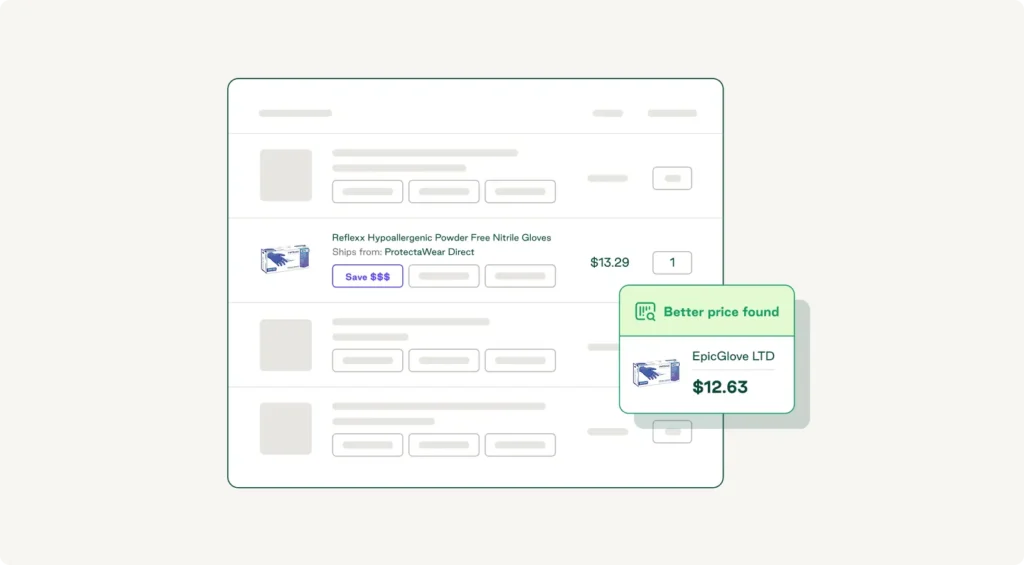
Suplari data shows that rogue spend can cost organizations 5–16% of negotiated savings each year. Punchout catalogs help close this gap by solving two problems at once: pricing accuracy and contract enforcement. When buyers access a punchout catalog, they see the exact pricing negotiated in your contract, without relying on outdated lists or manual verification.
The strongest punchout setups extend that logic. Live price syncing reflects current contracted rates, including volume discounts and special terms, and contract rules prevent unauthorized purchases by only showing items available under your agreement, with the same rules applied across every location buying from that supplier.
Seamless user experience and reduced PO errors
Punchout catalogs offer a familiar shopping experience with access to rich, searchable supplier catalogs. Instead of toggling between systems or calling suppliers for product details, they browse intuitive interfaces with item images, specifications, and detailed product information.
This improved experience translates directly to fewer errors. Selecting items from the supplier's system ensures current SKUs and accurate descriptions, and the automatic transfer of that data eliminates manual data entry and transcription, one of the biggest sources of purchase order errors.
Automated catalog updates and version control
Punchout catalogs offer lower overhead maintenance than traditional catalog management because prices and product changes are updated by the supplier. You can always see the latest information without needing to add new products and remove old ones.
This benefit compounds as your business scales. Managing 50 suppliers manually means tracking and updating 50 separate catalogs, an unsustainable lift for many procurement teams.
Punchout catalog vs. hosted catalog, CIF, EDI, and API
Punchout catalogs are one of four common ways to connect a procurement system to suppliers. Each has a different setup cost, maintenance burden, and fit for the kind of buying you do.
| Approach | How it works | Best for | Key limitation |
| Punchout catalog | Buyer punches out from your procurement system into the supplier's online store, builds a cart, and returns it as a requisition | High-SKU suppliers with dynamic pricing, where buyers need to browse and select | Every supplier connection needs its own setup and ongoing maintenance |
| Hosted / CIF catalog | Supplier sends a flat catalog file (CIF) that uploads into your procurement system on a set cadence | Suppliers with smaller, stable catalogs and predictable pricing | Data goes stale between uploads, surfacing price mismatches at checkout |
| EDI | Buyer and supplier exchange structured order documents directly between systems, with no browsing layer | High-volume, repeat orders where SKUs are pre-known and rarely change | Heavy setup and no catalog browsing, so it only pays off for mature trading partner relationships |
| API-direct | Custom API integration between your procurement system and the supplier, with real-time data access and no browsing UI | Tech-forward suppliers and procurement teams with engineering resources | Requires development work per supplier and ongoing API maintenance |
Punchout is the right choice when three conditions line up:
- The supplier has a large or frequently changing catalog.
- Contract compliance matters at the point of purchase.
- You want approval workflows running inside the buying experience.
For categories like MRO, office supplies, or industrial items where SKUs and prices shift often, punchouts outperform hosted catalogs. For categories where the SKU list is small and stable, a hosted catalog or EDI fits better.
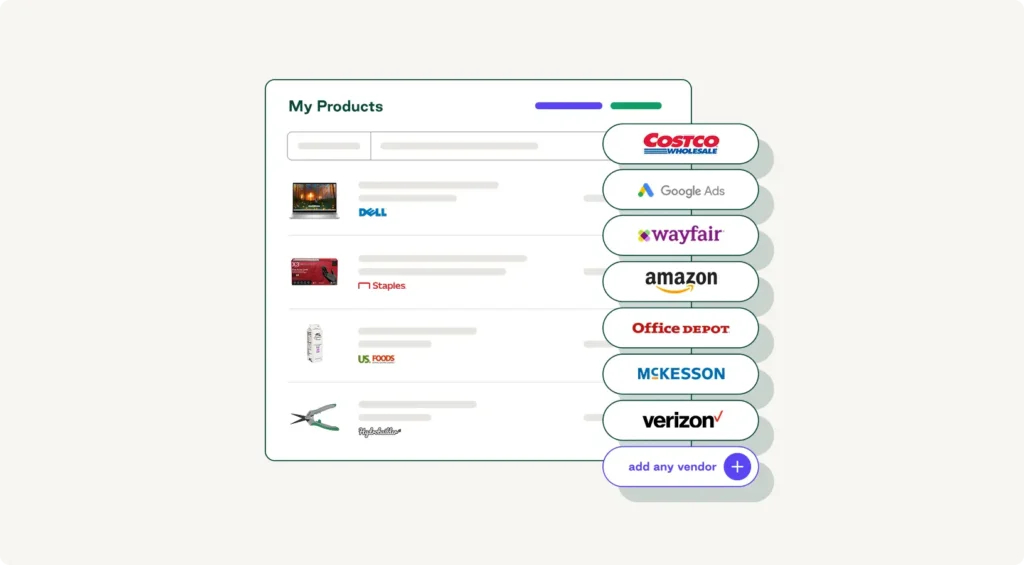
Some teams may need broad access across many vendors without building (and maintaining) a punchout connection for each one. In this case, a procurement platform with a pre-connected vendor network may be the more practical path.
Level 1 vs. level 2 punchout: What's the difference?
Vendors often advertise punchout support and functionality without specifying which level they offer, and the difference matters for AP and finance teams.
- Level 1 punchout is the standard flow: The buyer punches out to the supplier's site, builds a cart, and returns it to the procurement system as a requisition. Once the order is placed, the connection ends. Any updates, order confirmations, ship notices, and invoice data after that come back through separate channels (usually email or EDI).
- Level 2 punchout, sometimes called punch-back or round-trip punchout, extends the connection. The supplier site can send order confirmations, advance ship notices, and invoice data directly back into the procurement system, closing the loop on the transaction without manual follow-up.
Level 2 reduces AP reconciliation work and gives finance real-time visibility into order status, two of the biggest pain points in indirect procurement and supply chain management. For teams managing high-volume or high-value supplier relationships, it's worth asking vendors directly whether they support level 2.
What challenges and considerations are associated with punchout catalogs?
Traditional punchout setups carry real costs that don't always show up immediately. The following challenges are worth considering before you commit to a punchout build.
Integration complexity and IT overhead
Traditional punchout setups without pre-built connectors can require weeks of custom configuration per supplier, and every connection needs its own protocol mapping, testing, and ongoing maintenance. Because of these complexities and their associated costs, many businesses avoid creating punchouts for smaller suppliers or tail spend, which leads to rogue spending and lower PO compliance.
The complexity burden hits the hardest for teams running Workday, since Workday punchout builds historically require dedicated IT resources or third-party consultants.
Order.co's Workday procurement integration provides an alternative path: it automates every step of procurement inside Workday, so you don't need a punchout build per supplier. (If you're on NetSuite or Sage Intacct, those integrations work differently. They handle the AP and reconciliation side, and the core procurement workflow runs inside Order.co rather than your ERP.)
Either way, you're buying inside one platform where the vendor connections are already built and maintained, not paying for a custom build for every major vendor.
Supplier onboarding and catalog maintenance
Smaller suppliers often lack the in-house technical resources to configure cXML or OCI connections, which creates delays and pushes the burden back onto your procurement team. Even larger suppliers may have onboarding timelines that don't match your launch schedule.
Order.co solves this with a different model: Suppliers don't need to configure cXML or OCI at all. Instead, Order.co's supplier onboarding templates, documentation, and dedicated support bring vendors onto the platform without per-supplier punchout builds.
Its automated catalog refresh feature continuously monitors connected catalogs for updates, flagging significant changes for review. Role-based admin controls let you designate catalog owners within supplier organizations who can manage their content directly.
Knowing which supplier to choose for each item
One challenge traditional punchout setups don't solve well is the decision tax of having connections to multiple suppliers in the same category. Buyers either comparison shop across punchout sessions or default to the supplier they know best, missing better pricing elsewhere. Additionally, a punchout connection opens the supplier's full catalog, making it hard to limit what's buyable to a specific SKU list or vendor set.
Order.co solves this differently by letting you pre-select which items and vendors are buyable from the start. You create one curated catalog connected to all your suppliers, with pricing, availability, and contract terms already applied. Requisitions generate automatically at checkout, and Order.co places the order with the vendor. AI-powered sourcing surfaces better-priced alternatives at the moment of purchase to help you optimize spend.
Security and data governance
Punchout sessions involve authenticated data exchange between systems. Without proper token-based authentication and audit logging, you lose visibility into who accessed what and when, which is a real problem in regulated industries like healthcare and cannabis.
Order.co's security model is built for that. Connections use encrypted protocols (HTTPS/TLS), authentication runs on secure tokens, and every session writes to an audit log you can pull on demand. Granular permission controls let you decide which users can access which supplier catalogs, which matters when your auditor asks who placed an order on a specific date.
The Procurement Strategy Playbook for Modern Businesses
Learn the key pillars of a strong strategy, valuable procurement metrics to track, and initiatives you can start implementing today.
"*" indicates required fields
How to get started with punchout catalogs
If you've decided punchout is the right path for one or more of your supplier relationships, a structured rollout saves weeks of rework. Use this checklist as a starting point:
- Identify high-spend, high-volume suppliers first: Punchout pays off fastest where transaction volume and catalog complexity justify the setup work.
- Confirm protocol support (cXML or OCI) before committing: Verify with each supplier that they support the level of integration you need, including Level 2 if AP reconciliation is a priority.
- Assign internal ownership for the punchout program: Someone on your team needs to own catalog accuracy, supplier escalations, and approval workflow design.
- Set supplier expectations around update frequency and response times: Build these into the supplier agreement from the start to ensure accuracy within the catalog.
- Track adoption metrics post-launch and investigate low-usage catalogs early. A punchout connection that nobody uses is worse than no connection at all. Ensure your workflow is reflective of the way your team actually buys to drive adoption.
Why Order.co is your ideal punchout catalog alternative
When evaluating if a punchout catalog is the right choice, the real cost isn't the protocol or licensing. It's the per-supplier IT lift: weeks of custom configuration per connection, ongoing maintenance for every catalog you add, and an in-house program owner to keep the whole portfolio current. Even after you've absorbed that cost, a punchout still hands buyers the supplier's full catalog, limiting your control over the buying environment.
Order.co offers an alternative path. Instead of building punchout connections supplier by supplier, you get a curated catalog connected to a 40,000+ vendor network (with the option to add your own). Only pre-approved items and vendors are visible to buyers, line-item GL coding runs at the point of purchase, and automated requisition and fulfillment carry the order from approval to delivery.
Buyers get a system that fits their behavior with controls that scale across vendors, and finance gets PO compliance and line-item visibility into every dollar spent.
Schedule a demo to see what purchasing looks like without a punchout build for every vendor.
FAQs about punchout catalogs
A punchout catalog connects buyers to a supplier's live e-commerce website, where they see real-time pricing, availability, and SKUs. A hosted catalog (sometimes called a CIF catalog) is a static file that the supplier uploads into the procurement system on a set schedule. Punchout works best when you have suppliers with large or frequently changing catalogs. Hosted catalogs work best when SKUs and prices are stable and updates are infrequent.
Yes, punchout catalog integration centralizes procurement data from all locations within a single system, providing comprehensive spend visibility. Contract pricing applies regardless of where the order originates, ensuring consistent compliance. You can track purchasing patterns, identify consolidation opportunities, and enforce spend policies uniformly across decentralized operations, which improves spend management and control overall.
Traditional punchout implementations vary widely. A single supplier connection can take anywhere from a few weeks to several months, depending on the supplier's technical readiness, the protocols involved, and the procurement system's flexibility. Pre-built platforms like Order.co compress that timeline significantly by eliminating per-supplier custom builds, with most customers live within weeks rather than quarters.
Get started
Schedule a demo to see how Order.co can simplify buying for your business.
"*" indicates required fields