Procurement Automation: How to Gain Control And Speed in 2026

Procurement Automation: How to Gain Control And Speed in 2026
Manual procurement processes may work on a small scale. But as your business grows, they often create bottlenecks that decrease productivity and increase costs. Invoicing errors, maverick spending, and budget overruns can accumulate, making it increasingly difficult to correct core problems.
Procurement automation addresses these challenges by minimizing manual tasks, enabling spend visibility, and simplifying approval workflows. With a comprehensive view of every purchase, you can maintain tighter controls without slowing your team down.
This guide explains how procurement automation works, which processes to prioritize, and how to get it right from day one.
Download the free ebook: The Procurement Strategy Playbook for Modern Businesses
Procurement automation key takeaways
- Procurement automation replaces error-prone manual tasks with digital workflows that scale as you grow.
- The biggest wins come from automating high-volume, repetitive processes like purchase requisitions, sourcing, invoice processing, payments, and contract management.
- Calculating an automation opportunity score helps you identify which processes to automate first.
- Platforms like Order.co combine pre-purchase controls and AP automation to give finance and operations teams more speed and control.
What is procurement automation?
Procurement automation is the use of technology to reduce repetitive manual tasks across purchasing workflows, from requisitions and approvals to ordering, invoicing, and payment.
By automating key steps in the process, procurement teams can improve efficiency, reduce human error, strengthen compliance, and gain better control and visibility over purchasing and spend.
The biggest challenge for most procurement teams is that traditional processes force a trade-off between control and speed. When approvals sit in someone's inbox, or invoices pile up for manual review, teams either slow down to maintain oversight or move fast and lose visibility.
Procurement automation eliminates that tension by enforcing policies automatically, routing approvals instantly, and capturing data at every step.
Manual procurement is costing you more than you think.
Centralize purchasing, streamline approvals, and control every order to improve compliance and lower costs in one, AI-powered platform.
Why should you automate your procurement process?
Finance and operations teams need measurable results from automation, such as faster close cycles, lower manual workloads, and better visibility into spend before money leaves the business. Here’s how procurement automation delivers value across cost, accuracy, risk, and speed.
Optimized costs
For businesses looking to scale procurement without adding headcount, automation improves efficiency by reducing the time teams spend on repetitive purchasing tasks. That means your team can manage more volume with the same resources while reducing the administrative burden tied to ordering, approvals, and invoice handling.
Increased accuracy
Manual procurement processes leave more room for data entry errors, duplicate orders, mismatched invoices, and missing records. Procurement automation improves accuracy by routing every transaction through a standardized digital workflow, giving finance teams cleaner data for forecasting, auditing, and month-end close.
Automation improves accuracy through:
- Approval workflows: Configure automatic approvals by vendor, location, or total cost to enforce compliance and prevent overspending
- Spending controls: Set budgets by user or supplier and gain real-time spend visibility to prevent overspending before it happens
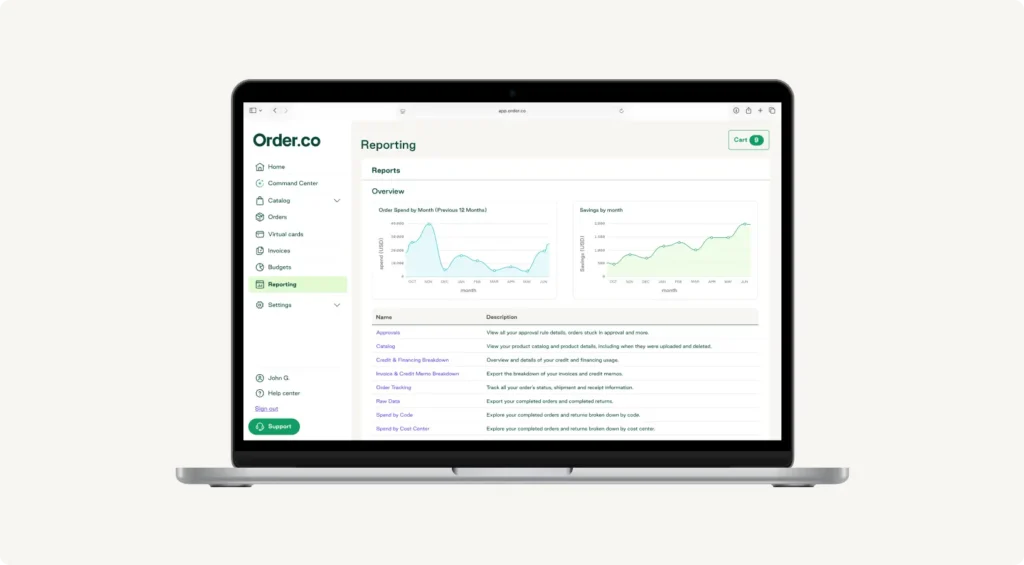
- In-depth reporting: Generate reports on spend, budgets, user activity, and historical data for trend analysis
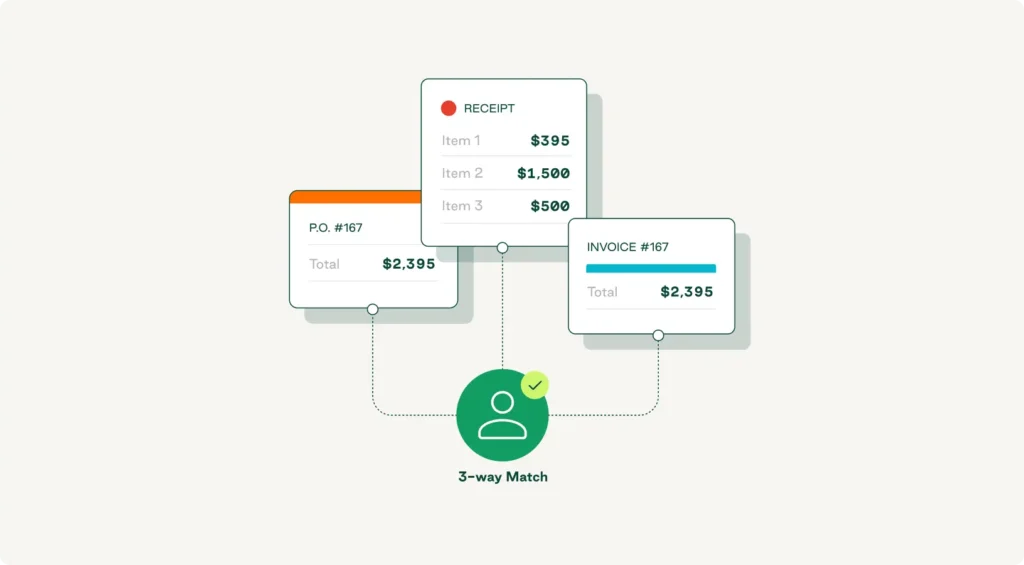
- Three-way matching: Match purchase orders, invoices, and receipts to eliminate manual reconciliation and prevent human errors.
Reduced risk
Automation helps teams reduce compliance gaps by embedding controls directly into the purchasing process. Instead of relying on manual enforcement after the fact, teams can apply approval rules, purchasing policies, and supplier guardrails before a transaction moves forward.
That lowers risk by helping teams:
- Enforce approval workflows by vendor, location, or spend threshold
- Guide employees toward approved vendors and purchasing channels
- Reduce off-contract or non-compliant spend
- Maintain a stronger audit trail across the full purchasing lifecycle
Over time, centralized purchasing data also supports better supplier oversight, making it easier to identify underperforming vendors and reduce exposure to fraud or policy violations.
Faster processing
Procurement automation speeds up purchasing by removing the manual bottlenecks that slow down requests, approvals, ordering, and issue resolution. Faster workflows reduce AP workload, improve internal responsiveness, and shorten the path from purchase request to completed transaction.
When procurement is automated, teams can move faster on:
- Request routing and approvals
- Order creation and submission
- Discrepancy resolution and returns
- Invoice review and downstream processing
How to prioritize high-impact automation opportunities
Not every procurement task should be automated. Your team's expertise will always be essential for making strategic decisions and nurturing vendor relationships. But since repetitive operational tasks benefit from automation, identifying these processes improves overall performance.
Use the steps below to evaluate automation opportunities within your procurement cycle. After you score each one, you can map the results directly to the five core processes covered in the next section.
Step 1. Evaluate your processes
Start by analyzing your procurement workflow to identify repetitive, time-consuming, or error-prone tasks that may create bottlenecks and pose risks. Strong candidates for automation typically include:
- Purchase order creation and issuance
- Invoice matching
- Vendor onboarding
- Approvals
- Spend analysis
Step 2. Calculate your automation opportunity score
Now, rank your shortlisted workflows to make a clear, defensible decision about where to begin. For each process you mapped, consider four factors:
- Process volume: How often does your team perform the task?
- Average time spent: How long does it take to complete manually?
- Error rate: How often do mistakes occur?
- Automation difficulty: A ranking of one (very easy) to five (very hard)
Then, apply this formula:
Automation Opportunity Score = (Process Volume × Average Time Spent × Error Rate) / Automation Difficulty
A “high” or “low” opportunity score is determined by how it compares to other scores, so you’ll need to calculate a few scores before you can make an informed decision about what to automate first. Keep in mind that the score has no cap: the higher the number, the stronger the signal that automation may be worthwhile.
Use the following as a guide:
- High score + low difficulty = strong early automation candidate
- High score + high difficulty = high-value opportunity that may require more planning
- Low score + low difficulty = easy to automate, but lower impact
- Low score + high difficulty = low-priority automation candidate
Here’s a quick example to tie it all together:
Say you manually perform three-way matching across eight stores. You process 960 invoices per year, each requiring 5 labor hours per audit. Your recorded error rate for invoice processing is 5%. You know this task will be easy to automate with the right software, so you assign an automation difficulty score of 1.
Plugging those numbers into the scoring formula looks like this:
(960 × 5 × 0.05) / 1 = 24
Once you have enough scores to compare, you can determine their priority levels and create an automation plan.
Step 3. Verify your cost savings
Once you identify the strongest automation candidates, the next step is to validate whether the expected savings justify the investment.
Use this formula:
Cost Savings % = ((Manual Cost – Automation Cost) / Manual Cost) × 100
For example, say you spend $14,400 per year on manual invoice matching and estimate that automation would cost $12,000 annually.
((14,400 – 12,000) / 14,400) × 100
= (2,400 / 14,400) × 100
= 16.7%
This means you could see 16.7% in cost savings from automation alone, not including reduced manual errors and improved efficiency.
By following these steps, procurement teams can prioritize automation opportunities more confidently and focus investment where it will have the greatest impact.
Top 5 procurement processes every company should automate
According to the Deloitte 2025 Global CPO Survey, CPOs rank data analytics (88%), invoice and payment processing (78%), and purchasing (75%) as the top three areas of next-gen technology adoption. While these high-level priorities reflect where the market is moving, the true value of automation lies in how it changes your day-to-day work.
The five processes below represent the highest-volume, most error-prone steps in the procurement cycle, where automation can create a significant compounding effect.
1. Purchase requisition and approval
Automated purchasing systems help teams move faster by embedding approvals and controls directly into the purchasing process. That matters because one of the biggest barriers to requisition compliance is simple friction: people don’t want to stop what they are doing to fill out a separate form or chase down approvals manually.
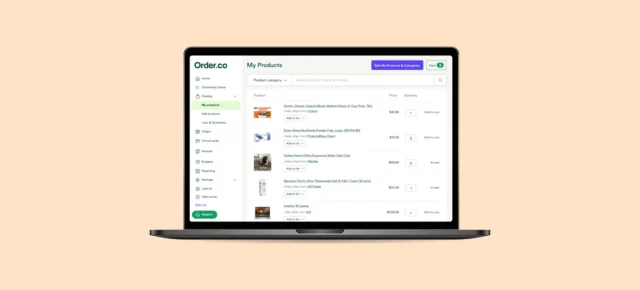
The most effective way to reduce that friction is to make requisition and approval part of the buying experience itself. With Order.co, teams shop through a curated catalog of approved vendors, items, and rules, and the platform automatically creates the purchase request during checkout. This removes the need for a separate requisition form while still enforcing the right controls.
As a result, teams can improve compliance while reducing manual intake, back-and-forth emails, and spreadsheet tracking.
2. Sourcing
When sourcing is inconsistent, employees often buy from the supplier that’s easiest to reach. That leads to off-policy purchasing, fragmented spend, and missed savings opportunities.
Procurement automation standardizes purchasing through approved suppliers, consistent workflows, and built-in policy controls, giving businesses more control over where employees buy and replacing fragmented purchasing with a more centralized approach.
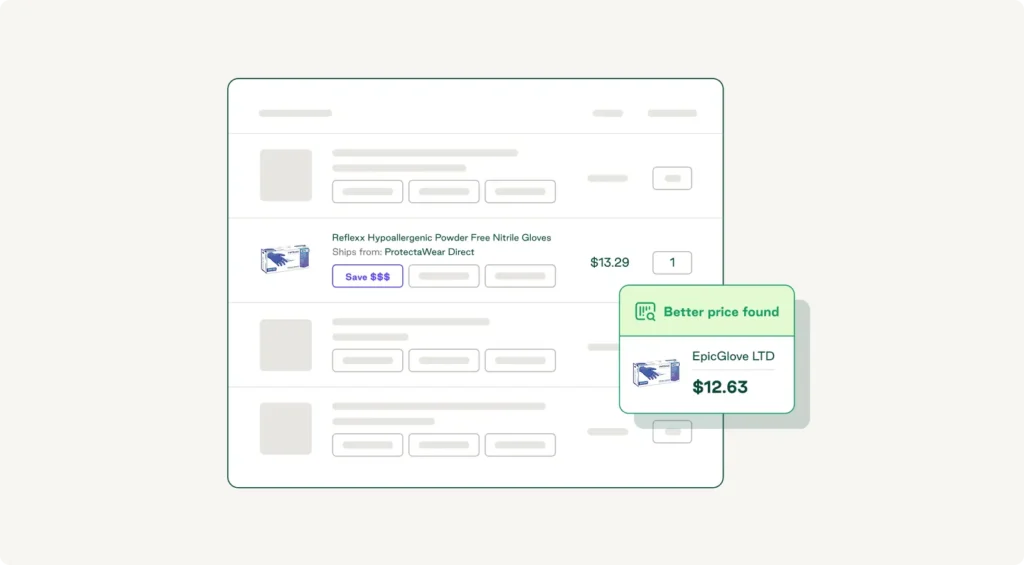
With Order.co, businesses can manage approved vendors, catalog rules, and user-specific purchasing paths in one place. That helps teams guide employees to the right products and suppliers, capture cleaner spend data, and spot opportunities for vendor consolidation, substitutions, and catalog updates over time.
One leading wholesale distributor used Order.co to replace its fragmented purchasing workflows with a single platform, cutting ordering time in half, and recovering more than $8,000 in one year.
3. Invoice management
Invoices are one of the biggest bottlenecks in procurement. When teams manage them manually, they can only process so many per day, and mistakes or exceptions slow things down further.
Invoice automation takes much of that work off your team’s plate while ensuring your accounting system stays clean and reliable. Automation can:
- Digitize paper invoices
- Pull vendor and purchase data into one place
- Match invoices to purchasing records
- Improve coding accuracy
With Order.co, companies can reduce invoice volume and manual review by consolidating purchasing activity and automating invoice workflows. That means fewer missed payments, duplicate invoices, miscoded purchases, and other avoidable errors.
4. Payments
Manual payment processing creates delays, increases data entry errors, and raises the risk of vendor fraud. It also makes it harder to keep up with due dates and maintain clear visibility into outgoing cash.
Payment automation helps teams process payments faster and more accurately while improving control and auditability. When purchasing, invoice, and payment data live in the same workflow, finance teams can reduce manual work and close the books with fewer surprises.
With Order.co, businesses can connect purchasing and payments in one workflow to help teams make vendor payments on time and maintain better visibility into spend. For example, AvantStay uses Order.co to centralize direct procurement spend and ensure timely vendor payments.
5. Contract management
Executing a contract is only the beginning. Once it’s signed, teams still need to track terms, deadlines, and supplier performance.
Strong contract management helps organizations maintain competitive pricing, protect supplier relationships, and preserve consistent quality across procured goods and services. But managing contracts manually gets expensive, limits visibility, and makes it harder to stay on top of compliance and renewal timelines.
Automation makes this work more manageable by centralizing records, improving visibility, and sending reminders before important dates slip through the cracks.
Manual procurement is costing you more than you think.
Centralize purchasing, streamline approvals, and control every order to improve compliance and lower costs in one, AI-powered platform.
What features should you look for in procurement automation software?
The best procurement automation platforms do more than digitize workflows. They help finance and operations teams control spend before it happens, reduce manual work, and make compliant purchasing easier across the business.
Here are the capabilities that matter most:
- Pre-purchase approval workflows and budget controls: Look for a platform that automatically routes approvals based on factors like vendor, dollar amount, department, or spend category. Strong budget controls should flag purchases before they exceed limits and reduce review burden by allowing low-risk, pre-approved purchases to move forward with less friction.
- Vendor-agnostic catalog and sourcing capabilities: A strong platform should give you access to a broad supplier network without forcing vendor lock-in. It should also let you steer employees toward preferred vendors and approved purchasing paths, making self-service buying easier while reducing maverick spend.
- Automated invoice processing and GL coding: Manual coding slows teams down and increases the risk of errors. The right platform should automatically code purchases based on vendor, category, or purchase type while improving data consistency and supporting built-in matching across purchasing records.
- Integration with existing accounting systems: Procurement automation only works well when it connects cleanly to your existing finance stack. Prioritize platforms with pre-built integrations for systems like QuickBooks, NetSuite, or Sage Intacct, and make sure data syncs reliably so teams are not stuck reconciling information manually.
Measuring procurement automation success
Cost savings are only part of the reason to automate procurement processes. To measure total procurement automation success and prove ROI to leadership, procurement teams need to track KPIs that show impact across speed, accuracy, compliance, and financial visibility.
The following metrics give you a balanced view of automation performance across speed, accuracy, and compliance, so you can demonstrate value and optimize your automation investment:
| KPI | What it measures | Why it matters |
| Purchase order cycle time | Time from requisition to approved PO | Shows whether automation is reducing approval bottlenecks and helping employees get what they need faster. |
| Invoice processing time | Hours or days to process a single invoice | Indicates how much manual AP work has been eliminated and whether invoice workflows are becoming more efficient. |
| PO compliance rate | Percentage of purchases made through approved channels | Shows whether employees are actually using the system and following preferred purchasing processes. |
| Maverick spend rate | Percentage of spend outside approved vendors or contracts | Helps quantify how well automation is improving spend control and reducing off-policy purchasing. |
| Invoice error rate | Percentage of invoices requiring manual correction | Reveals whether automation is improving data accuracy and reducing the rework that slows finance teams down. |
| Month-end close time | Days to close books after period end | Shows whether cleaner purchasing and invoice data is helping finance close faster and with more confidence. |
Why choose Order.co for procurement automation
Order.co is built around the core challenge of procurement automation: moving faster without losing control. The platform enforces pre-purchase policies automatically, centralizes vendors into a single sourcing hub, and connects purchasing to AP in one end-to-end workflow. Every transaction stays visible, compliant, and reconciled without additional manual effort.
Order.co provides key features like:
- Flexible setup: Curate custom product catalogs, create rules-based approval workflows, and integrate with your preferred ERP or accounting tool
- Automatic general ledger (GL) coding: Automate spend categorization to ensure accuracy in accounting
- Vast vendor access: Connect with any supplier and review order history in one place
- Dynamic permissions: Support multiple user tiers, roles, and responsibilities to keep controls intact
- Centralized contract information: Simplify vendor management and improve reporting
Schedule a demo to see how Order.co automates the entire procurement cycle, from requisition to payment.
FAQs about procurement automation
Get started
Schedule a demo to see how Order.co can simplify buying for your business.
"*" indicates required fields