5 Ways to Improve the Invoice Management Process

5 Ways to Improve the Invoice Management Process
Many accounting teams inherit invoice problems they didn't create. What should be simple data validation turns the invoice management process into a cleanup operation: matching, coding, chasing approvals, reconciling discrepancies, and getting payment out before the vendor calls.
That cleanup is expensive, especially at scale. Ardent Partners research found that manual invoice processing costs organizations an average of $12.88 per invoice and takes up to 17.4 days to complete. For a multi-location business handling thousands of invoices a month, those numbers represent real working capital and headcount.
The good news is that with the right strategies and software in place from the start, you can fix your invoice management process before invoices ever reach accounts payable (AP).
Key takeaways: The invoice management process
- The invoice management process is the end-to-end workflow for receiving, validating, approving, coding, paying, and recording vendor invoices.
- Most invoice exceptions are created upstream at the point of purchase, not in AP, so the highest-leverage improvements are made before an invoice ever arrives.
- Better invoice management depends on a buying experience your team members actually want to use and a governance layer that authorizes spend before it happens.
- Line-item coding, vendor consolidation, automation systems, and AI assistance at the point of purchase reduce the cleanup work that lands on accounting later.
- Order.co reduces invoice management complexity by structuring spend at the source, so AP receives cleaner data, fewer invoices, and a faster path to close.
Download the Free Tool: Invoice Tracking Template
What is the invoice management process?
The invoice management process is the workflow your finance team uses to handle every vendor invoice from receipt through payment and recordkeeping. This is where most of accounting’s manual work takes place, managing variances, missing purchase orders (POs), miscoded line items, and unapproved purchases that have surfaced.
Invoice management differs from invoice processing, which is the execution of individual vendor bills to ensure accurate and timely payments. The processing piece focuses on the transaction, while invoice management includes the policies, approvals, visibility, and reporting that determine whether invoices are accurate and close-ready.
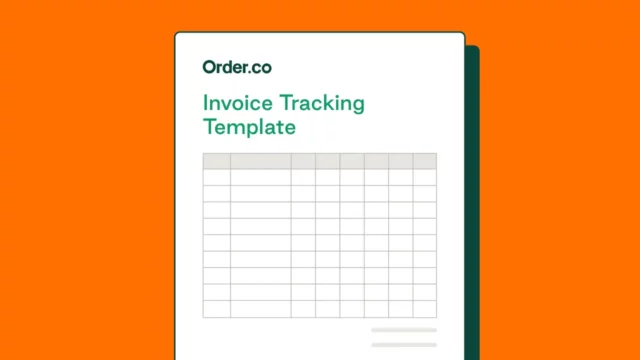
Invoice Tracking Template
Download the invoice tracking template to avoid costly mistakes, clarify financial patterns, and track spending throughout the year.
How does the invoice management process work?
A well-designed invoice-to-pay process has six recognizable steps:
- Receive the invoice: You might receive paper-based and digital invoices through multiple channels, including email, vendor portals, or ERP systems. Modern AP teams centralize intake in a single platform to simplify downstream steps.
- Validate and match: AP confirms the invoice details, such as the vendor, item quantities, and pricing. This is where missing POs and pricing variances stall the process.
- Code the invoice: Each line gets a GL account, cost center, location, and entity. Without consistent coding, your reporting and close suffer.
- Route for approval: Depending on the amount, category, and budget owner, the invoice may need one or several approvals before payment is authorized.
- Pay the vendor: Once approved, payment is scheduled and sent via the vendor's preferred method.
- Reconcile and record: The coded invoice data flows into your accounting system, the audit trail closes, and the invoice is filed.
Each of these steps can run smoothly or create friction depending on your process and tools, which affects how clean the data is when it arrives at AP. This also influences how much time-consuming invoice reconciliation work is required.
Where invoice management breaks down
When the buying and invoicing processes aren't connected, AP inherits broken context. Outdated tools and workflows that don't support how people actually buy tend to create workarounds and predictable failure points.
The most common ones include:
- Missing purchase context: AP can't tell who bought something, why it was purchased, which location needed it, or whether it was approved.
- PO, price, or quantity mismatches: The invoice doesn't line up with the order, receipt, payment terms, or the expected price. Each mismatch becomes an exception that has to be researched.
- Late approvals: Approvers are asked to validate spend after the purchase has already happened, which slows payment and undermines the policy.
- Manual coding errors: GL codes, departments, locations, or categories are added after the fact, increasing rework before close.
- Duplicate invoices and disputed charges: AP spends time confirming whether a charge is valid to avoid duplicate payments instead of moving clean invoices forward.
- Disconnected vendor invoices: High vendor volume creates avoidable payment, reconciliation, and recordkeeping work that compounds.
When purchasing happens outside the system, AP has to reconstruct context, leading to human error, exceptions, and delays.
5 ways to improve your invoice management process
More effective invoice management comes from changing what AP receives. Here are five improvements that shape invoice data at the source so it arrives easier to validate, approve, and pay.
1. Drive compliant behavior through a better user experience
Many invoice problems start with how people shop. When a buyer can't find what they need or has to endure a lengthy approval process, they work around the system with personal cards or vendors they know. One way to fix this is to design a better buying experience through curated catalogs.
These purchasing workflows only show pre-approved products and vendors, with the right pricing agreements and GL coding already attached. The shopping experience mirrors what your team does on consumer sites: browse, pick items, check out.
The difference is that every option is already aligned with policy, so the compliant choice is easy. When buying fits how your team wants to buy, adoption follows.
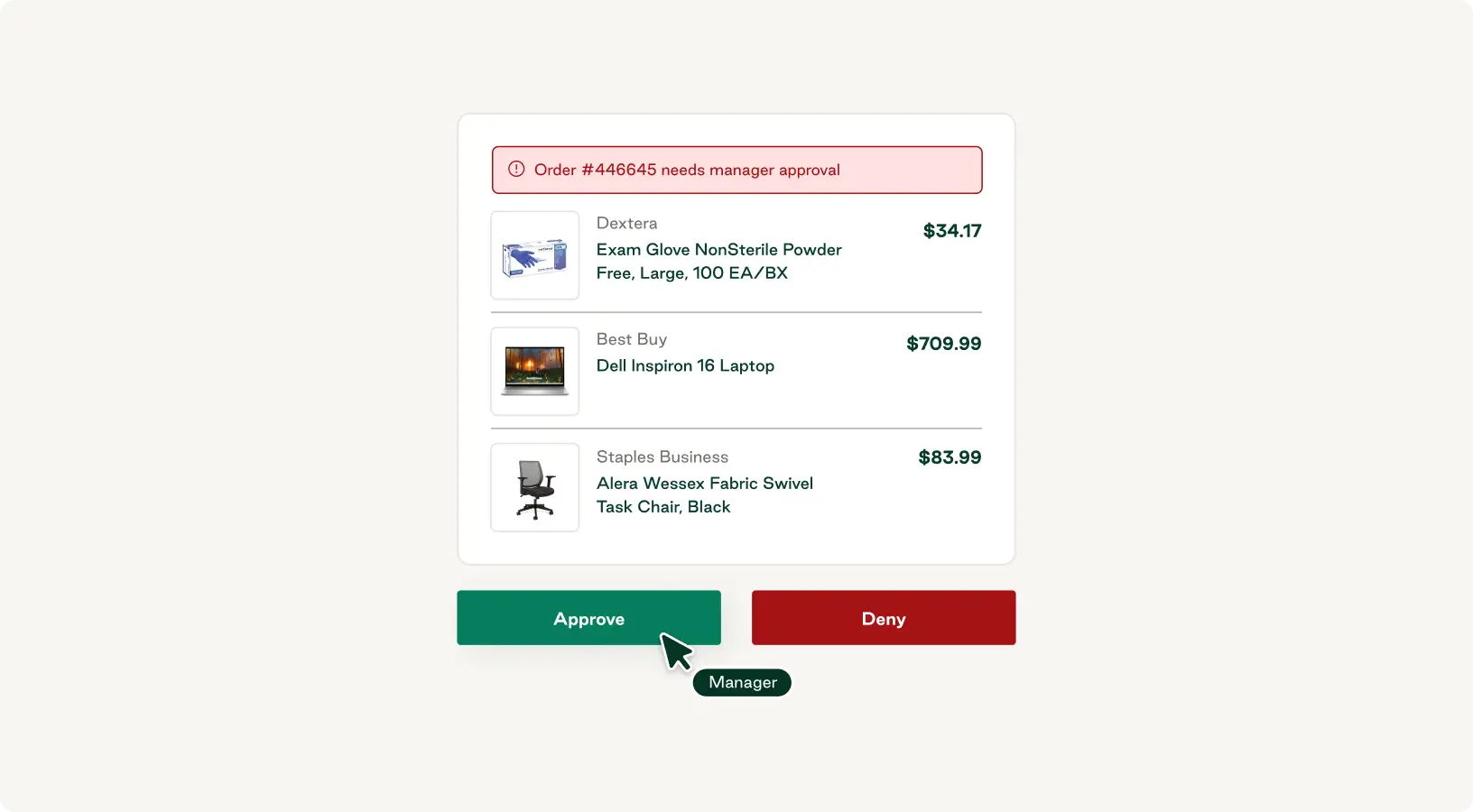
2. Authorize spend before it happens with pre-purchase approvals
While a better buying experience helps prevent unauthorized purchases and rogue spend, approval workflows determine whether a purchase happens at all.
Automated approval routing sends each request to the right authorizer based on amount, category, location, or budget owner. This ensures off-policy purchases are caught before the POs go out. Budgets are also checked in real time, so requests that would push a department over its monthly limit are flagged at the point of request.
3. Capture line-item coding at the source
Capturing line-item GL coding at the point of purchase helps eliminate expensive errors discovered during close. When every line on a requisition is tagged with the correct GL account, cost center, location, and entity before the order is placed, the invoice arrives pre-coded. AP validates rather than codes, improving reporting accuracy.
Line-item coding is crucial for multi-location businesses where a single invoice might include items from three different cost centers. Tagging at the line item, not just the invoice header, is what makes the difference between accurate management reporting and best-effort guesses.
4. Reduce invoice volume through payment consolidation
For accounting teams, every invoice is a unit of work regardless of its dollar value. A $40 invoice for office supplies takes nearly as long to process as a $4,000 service contract invoice. To improve your invoice management process, reduce the total number of invoices that enter your AP workflow through vendor consolidation.
Look for a procurement platform that pays your vendors on your behalf and bundles those payments into customized bills that fit how your team books spend. Your vendor relationships stay the same, but AP receives a handful of organized bills rather than a flood of individual invoices in various formats.
Fewer invoices means less manual data entry, fewer reconciliation exceptions, and a noticeably faster close. It also frees up time for the work AP actually wants to do, like analysis, forecasting, and working with budget owners on spend trends.
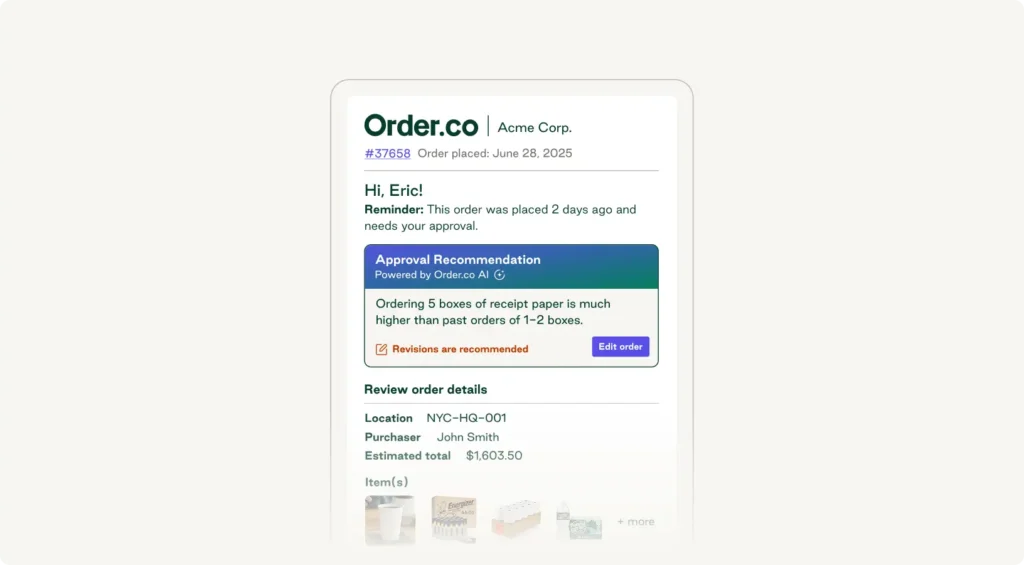
5. Use AI to prevent invoice exceptions before they happen
AI is often deployed for invoice capture using optical character recognition (OCR) scanning, but that only solves a symptom. The bigger gain is upstream.
According to a Gartner survey, 39% of finance functions use AI for anomaly and error detection, catching mistakes in invoices, claims, and expenses before they become reconciliation work. Tools that use AI upstream help prevent invoice exceptions from being created in the first place and identify cost savings in the process.
AI tools can provide:
- Anomaly detection: If a buyer is about to order a quantity or price point that's unusual for their location, AI can flag it before the order goes through.
- Pricing-drift alerts: Vendor pricing may change quietly over time. AI can monitor historical or contracted rates and surface drift before it's locked into an invoice.
- Vendor recommendations: AI surfaces lower-priced options or in-stock alternatives at the moment the buyer is making a choice, so you capture cost savings before having to negotiate.
How to choose invoice management software to support your workflow
The right invoice management system depends on your purchasing and invoice volume, vendor count, multi-location footprint, operating model (centralized vs. decentralized), and where your workflow breaks down most often. A 5-location childcare network with $50K in monthly indirect spend and a small AP team has different needs than a 200-location restaurant group reconciling thousands of invoices a week.
There isn't one universally best setup, but there is a way to match capabilities to the breakdowns you're actually feeling.
| Common invoice management pain point | Software feature to prioritize |
| Off-policy purchases on personal cards or from unapproved vendors | Curated catalogs that make the compliant choice the easy choice |
| Chasing approvals after the purchase has already happened | Pre-purchase approval routing based on amount, category, location, or budget owner |
| Coding cleanup at month-end, with miscoded GL accounts and cost centers | Line-item coding captured at the point of purchase |
| High invoice volume from dozens or hundreds of vendors | Vendor payment management that helps reduce the number of payments AP processes each month |
| Reconciliation exceptions, pricing surprises, and missed discounts | AI-powered sourcing, anomaly detection, and pricing-drift alerts that work upstream of AP |
Invoice Tracking Template
Download the invoice tracking template to avoid costly mistakes, clarify financial patterns, and track spending throughout the year.
"*" indicates required fields
What to look for in invoice management software
The best invoice management software doesn't treat purchasing and AP as separate problems to solve. It connects them so that the data captured when a buyer places an order is the same data AP works with at month-end.
Order.co is built around the combined buyer + finance workflow. Buyers get a purchasing experience that feels like consumer ecommerce: pre-approved catalogs, vendor recommendations, one-click reorders, and approvals that route automatically based on amount, category, or location. Because compliance is built in, data captured at the point of purchase carries through every downstream step.
Finance gets the other half of that equation:
- Cleaner coding from the source. Every line is tagged with the right GL account, cost center, location, and entity before the order is placed, so AP validates rather than rebuilds.
- Fewer vendor invoices to manage. Order.co pays your vendors via their preferred method on Net 1 terms, then consolidates those payments into customized bills that fit how your team books spend.
- Stronger visibility into spend. Real-time dashboards show approvals, budget burn, and invoice status by location and department, so finance leaders can act on a forecast instead of reacting after the fact.
- Better data for close. Line-item coding, automatic reconciliation, and accounting system integration mean invoice data flows into your GL clean.
The result is a procurement and AP function that operates as one workflow instead of two disconnected ones, with AP receiving structured data the moment a buyer places an order.
Reduce invoice management complexity with Order.co
10 Fitness, a 13-location gym franchise, struggled to optimize invoice management across its locations. Each month, they had to decide whether to pay vendors 13 separate times or pay once from corporate and manage cost allocation later.
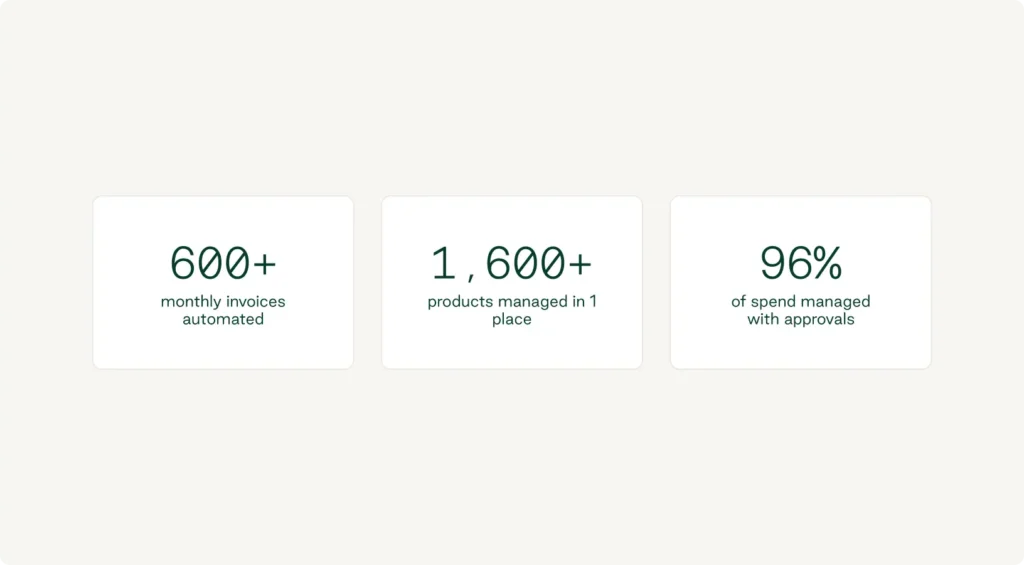
After implementing Order.co to automate cost allocation and GL coding across each of its locations, the team reduced monthly invoice processing by 97%.
“[Order.co] has saved us at least six hundred invoices a month.”-Kerra Murphy, CFO, 10 Fitness
That's what happens when buying and AP run on the same system. When your purchasing system lacks control, continuity, or becomes so complicated that people find workarounds, AP inherits those issues at the end of the month. Order.co connects the entire procure-to-pay lifecycle, building compliance into the purchasing workflow itself, so finance gets the data it needs before an invoice ever enters the queue.
Schedule a demo to explore how Order.co can simplify invoice management for your business.
FAQs about the invoice management process
Invoice processing is the transactional movement of an invoice through AP: capture, validation, approval, and payment. Invoice management is broader. It covers the policies, data, approvals, visibility, and reporting that determine whether invoices are accurate and close-ready. Processing is what AP does with an invoice once it arrives. Management is the system that decides what condition the invoice arrives in, which is why most invoice management improvements start upstream of AP.
Most invoice exceptions trace back to missing or mismatched purchase context. For example, the invoice doesn't tie to a PO, the price or quantity is off, the invoice approval wasn't captured, the location or department isn't clear, or the same invoice has already been paid. These usually aren't AP errors. They're the visible result of a purchasing process that lives outside the system AP uses. Closing the loop between buying and invoicing eliminates many exceptions before they reach a reconciliation queue.
The most useful metrics combine speed, accuracy, and cost. Track cycle time per invoice (from receipt to payment), exception rate (the percentage of invoices that require manual research), cost per invoice processed, percentage of invoices coded at the line-item level before close, and percentage of spend captured under approved policy. Together, these tell you whether your process is getting faster, cleaner, and cheaper, or whether more volume is just creating rework.
Get started
Schedule a demo to see how Order.co can simplify buying for your business.
"*" indicates required fields