Invoice Automation Software: 5 Tools for Faster Approval Cycles

Invoice Automation Software: 5 Tools for Faster Approval Cycles
Traditional invoice processing drains resources with tedious manual data entry, approval bottlenecks, and preventable errors. Invoice automation software changes that. By simplifying data capture, approval workflows, and payment execution, the right platform can cut processing costs and speed up approval times.
This guide explores how invoice automation works, why it matters, and which tools deliver the best results for growing accounting teams.
Download the free tool: Invoice Tracking Template
What is invoice automation software, and how does it work?
Invoice automation software is a digital solution that handles the end-to-end process of receiving, validating, approving, and paying vendor invoices with minimal manual effort. By using machine learning to extract invoice data, match it to purchase orders, and route approvals, AI-powered invoice automation tools deliver speed, accuracy, and strategic insight.
Without automation, the numbers tell a stark story, as manual invoice processing costs can run as high as $15 per invoice. For an organization processing 1,000 invoices a month, that adds up to $180,000 a year in labor—before you even factor in late payments, strained vendor relationships, or lost early payment discounts.
Core functions of automation software
Modern invoice automation platforms handle three essential functions:
- Data capture and extraction: AI-powered technology scans invoices in any format and automatically extracts vendor information, invoice numbers, line items, amounts, tax details, and due dates.
- Approval workflows and routing: The software routes invoices to the right approvers based on predefined business rules related to invoice amounts, department budgets, or vendor contracts. It sends real-time alerts, tracks approval statuses, and escalates stalled invoices.
- Payment execution and reconciliation: After approval, the platform handles payment scheduling through multiple methods, including ACH transfers, virtual cards, wire transfers, or checks. It then reconciles payments with your accounting records to maintain a complete audit trail.
Order.co takes this a step further by combining data capture with a virtual card payment layer. This integration helps you capture rebates and rewards on every transaction while keeping complete visibility into spend across all locations and departments.
Typical integration points with ERPs and accounting platforms
Many modern platforms offer pre-built integrations with leading ERP and accounting systems, ensuring invoice data flows directly into your general ledger without manual work.
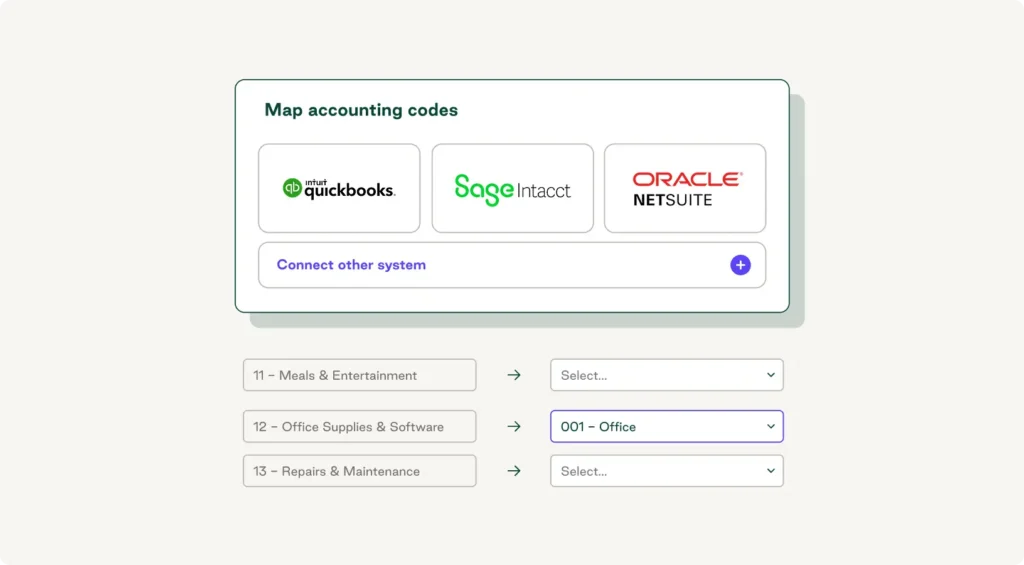
Order.co provides native, bi-directional integrations with popular platforms like NetSuite, QuickBooks Online, and Sage Intacct. These integrations automatically sync vendor information, purchase orders, invoice data, and payment records—eliminating duplicate data entry.
The best integrations keep chart-of-accounts mapping consistent, update vendor records automatically, flag discrepancies in real time, and maintain complete audit trails for compliance.
Invoice Tracking Template
Download the invoice tracking template to avoid costly mistakes, clarify financial patterns, and track spending throughout the year.
What are the benefits of invoice automation software?
Automated invoice management software doesn’t just improve process efficiency—it delivers measurable improvements across multiple aspects of your accounts payable operation, including cost savings and better spend visibility.
Faster invoice processing times and reduced manual errors
Manual invoice processing creates delays that frustrate vendors and force teams into constant firefighting mode. Invoice automation enables same-day or next-day processing.
Accuracy improves as well. While an acceptable invoice error rate is often considered to be 5% or less, companies using automated systems can reduce errors to just 0.8%. That translates directly into cost savings.
After implementing Order.co, WeWork, which was processing over 1 million invoices annually across 800 locations, reduced its invoice volume to just 3,000 per month—eliminating countless hours of manual processing. This efficient AP workflow enabled the company's finance team to focus on strategic initiatives rather than data entry.
Improved cash flow visibility and supplier relationships
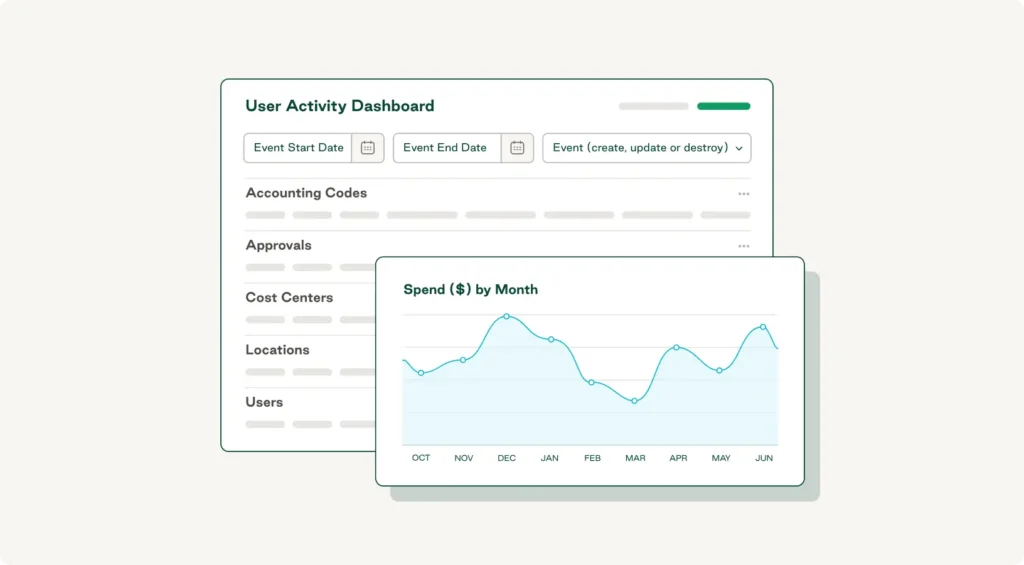
Invoice automation software provides real-time visibility via dashboards that show exactly where your money is going, which invoices are pending approval, and when payments are scheduled.
This visibility also strengthens supplier relationships. In a recent Ivalua study, 59% of UK businesses reported their suppliers ended relationships due to repeated late payments. Automated systems help ensure on-time payments and predictable cash flow.
Order.co's live spend dashboard consolidates data across all locations, vendors, and payment methods into a single view. Clinton Management, which oversees 3,000+ residential units, eliminated vendor payment inquiries entirely after implementing the platform.
Cost savings through early payment discounts and headcount optimization
Companies that can approve and pay invoices quickly can capture early payment discounts that might otherwise go unclaimed. These discounts—typically 1–2% for payment within 10 days—represent pure margin improvement.
Additionally, as mentioned, manual processing can cost up to $15 per invoice. By using automated systems, you can drop that to around $3 per invoice, meaning that if you handle 10,000 invoices monthly, you can realize $1.2 million in annual labor savings.
Order.co's dynamic discounting functionality amplifies these savings by automatically identifying opportunities to pay early for additional discounts. The platform analyzes your cash position, invoice terms, and available discounts, then recommends optimal payment timing.
What are the 5 best invoice automation tools for accounting teams?
Understanding the current automation landscape can help you choose the right invoice automation software for your team. Here are five tools that help accelerate and simplify the invoice management process.
1. Order.co
Order.co delivers end-to-end spend management and AP automation in a single, unified platform. Rather than simply automating invoice processing, it connects the entire procurement-to-payment cycle.
Key features:
- AI-powered features that capture invoice data with industry-leading accuracy
- Virtual card payments on every transaction to help unlock 1–2% cash back rewards
- Pre-built integrations with NetSuite, QuickBooks, Sage Intacct, and other major accounting systems
- Consolidated monthly billing across all vendors to eliminate invoice overload
- Real-time spend dashboards that provide instant visibility into cash flow and budget performance
- Strategic sourcing tools for identifying cost-saving opportunities
- Dynamic discounting that automatically captures early payment discounts
Order.co is perfect for: Mid-size to enterprise companies with multiple locations that need integrated spend management and vendor invoice automation
2. Bill.com
Bill.com offers a straightforward accounts payable and accounts receivable platform designed for small to mid-size businesses. It handles invoice processing, approval workflows, and payment execution with a focus on simplicity.
Key features:
- Cloud-based invoice capture and approval routing
- Integration with major accounting software platforms, such as QuickBooks and Xero
- Multiple payment options, including ACH, check, and wire transfer
- Mobile app for on-the-go approvals
- Vendor portal for invoice submission and payment tracking
Perfect for: Small businesses and accounting firms managing straightforward AP processes without complex multi-entity needs
3. AvidXchange
AvidXchange targets mid-market companies with its invoice automation and payment platform. The software emphasizes supplier enablement, helping businesses transition vendors to electronic invoicing.
Key features:
- Automated invoice data capture from paper and electronic sources
- Customizable approval workflows based on business rules
- Supplier network for electronic invoice delivery
- Payment options that include ACH, virtual card, and check
- Reporting and analytics for spend visibility
Perfect for: Growing companies with established vendor relationships that want to digitize their invoice intake process
4. Stampli
Stampli is a collaborative AP automation solution that centralizes communication around each invoice. It integrates with over 70 ERP systems and uses AI to learn company processes.
Key features:
- Communication threads attached directly to invoices
- Pre-built integrations with major ERP platforms
- AI-powered coding suggestions and exception handling
- Mobile-first approval experience
- Audit trails and compliance documentation
Perfect for: Organizations with complex approval processes that require collaboration across departments
5. Coupa
Coupa provides enterprise-grade spend management with comprehensive accounts payable automation capabilities. It's designed for large organizations with complex procurement requirements and global operations.
Key features:
- Comprehensive spend management covering procurement, invoicing, and expenses
- Global payment capabilities with multi-currency support
- Advanced analytics and AI-driven insights
- Supplier relationship management tools
- Contract management and compliance tracking
Perfect for: Large enterprises with global operations that need sophisticated procurement and invoice approval software
How to get started with invoice automation
New to automation? Here's how to get your invoice automation workflows started.
Identify high-impact tasks to automate first
Start by reviewing your current AP process to find the biggest pain points. High-impact automation candidates usually include:
- High-volume, low-complexity invoices: Recurring bills from established vendors with consistent formats
- Invoice data entry: Manual info from PDFs or paper invoices
- Approval routing for standard purchases: Invoices under certain dollar thresholds from approved vendors
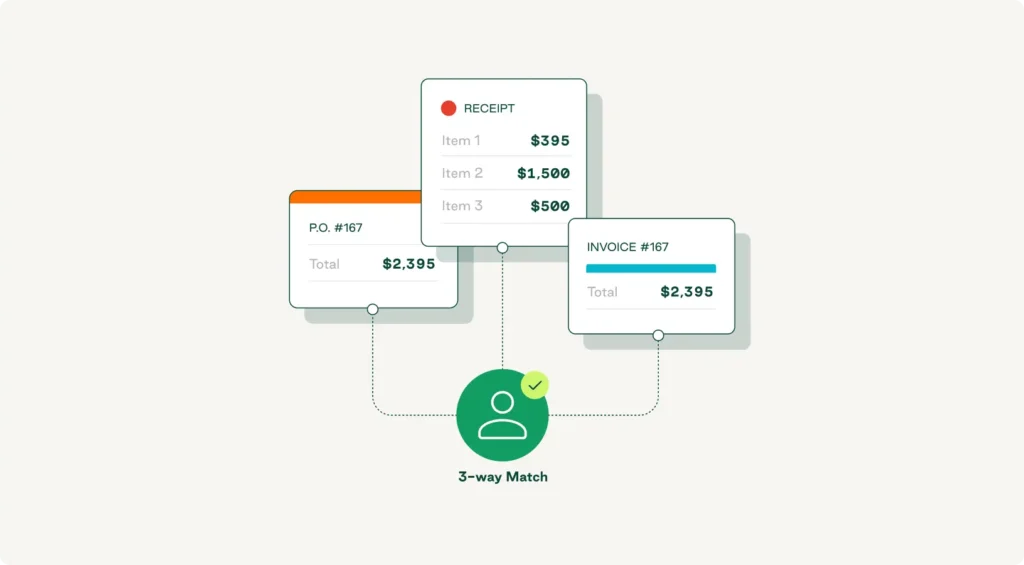
- Three-way matching: Automatic comparison of invoices against purchase orders and receiving documents
Order.co can help you prioritize automation opportunities by analyzing historical spending patterns and identifying the vendors, categories, or locations where consolidation and automation will have the greatest impact.
Pilot with a small user group and measure ROI
Begin with a pilot program involving a single department, location, or vendor category. Define clear success metrics before launching, such as:
- Processing time per invoice (baseline vs. automated)
- Error rates and correction costs
- Days sales outstanding (DSO)
- Early payment discount capture rates
- AP staff time allocation
- Vendor satisfaction scores
Order.co provides dedicated pilot support packages that include implementation assistance, training resources, and a real-time ROI dashboard showing exactly how automation impacts your bottom line. Most organizations see measurable improvements within 30 days and full ROI within about 3–6 months.
Invoice Tracking Template
Download the invoice tracking template to avoid costly mistakes, clarify financial patterns, and track spending throughout the year.
"*" indicates required fields
How to choose the right invoice automation software for your accounting team
When picking invoice automation software, focus on these core factors:
- Scalability: Evaluate whether the software can handle increasing invoice volumes, additional locations, and more complex approval workflows without major reconfiguration.
- Integration depth: Look for pre-built, native integrations with your ERP or accounting system that support bi-directional data sync and automatic field mapping. Order.co's integrations keep chart-of-accounts consistent and update vendor records automatically.
- Support and implementation: Review the vendor's onboarding process, training resources, and ongoing support model. Do they provide dedicated implementation specialists? How quickly do they respond to technical issues?
- Total cost of ownership: Look beyond the monthly subscription fee to understand implementation costs, integration fees, user license charges, transaction fees, and ongoing maintenance.
These factors will help you narrow down your list of vendors. From there, you can ask each sales rep questions like:
- What is the average implementation timeline from contract signing to go-live?
- What percentage of invoices achieve straight-through processing without human intervention?
- How do you handle exceptions and unusual invoice formats?
- What reporting capabilities do you offer?
- How do you approach data security and compliance?
Why accounting teams choose Order.co for invoice automation
Order.co lets you buy what you need within a guided procurement experience, automating the AP process from purchase order to payment. It also helps you pay invoices, capture spend data, and achieve total spend visibility through powerful features, such as:
- Unified spend management: Consolidates procurement, invoice processing, expense management, and payment execution
- Virtual card-first payment model: Generates 1–2% cash back for every invoice paid
- Strategic sourcing capabilities: Uses AI to analyze purchasing patterns and identify cost-saving opportunities
- Purpose-built integrations: Offers native connections to support complete AP automation best practices
- Dedicated support: Provides implementation assistance and ongoing support from AP automation specialists
Need a way to track and manage the invoice process? Schedule a demo of Order.co to see how it can help you automate invoice processing and speed up every step—from purchase to payment.
FAQs
Get started
Schedule a demo to see how Order.co can simplify buying for your business.
"*" indicates required fields