3-Way Matching Automation: Key Benefits + Tips for Optimizing Your AP Workflow

3-Way Matching Automation: Key Benefits + Tips for Optimizing Your AP Workflow
Traditional invoice reconciliation can be a labor-intensive nightmare. After spending countless hours manually comparing purchase orders, supplier invoices, and receiving reports, finance teams often uncover discrepancies that trigger even more work.
This manual matching process doesn't just waste time. It also increases the risk of human error, duplicate payments, fraudulent invoices, and compliance issues that can cost you thousands of dollars. Three-way match automation addresses these challenges by using AI-powered technology to instantly verify that purchase orders, vendor invoices, and goods receipts align.
In this guide, you'll learn what three-way matching is, why automation matters, and how to apply best practices to transform your ordering process—starting with a more efficient AP workflow.
See what 3-way matching automation looks like in action — view the product tour
What is 3-way matching?
Three-way matching is an accounting process used to verify that a purchase order (PO), supplier invoice, and goods receipt all reflect the same products and pricing. If everything lines up, you can confirm the match and pay the supplier.
The three-way matching process plays two critical roles in your accounting operations:
- It prevents fraudulent charges and unauthorized invoices from being paid
- It ensures you only approve payment for legitimate purchases you actually received
As you can imagine, handling the matching process manually—especially if you deal with hundreds or thousands of invoices each month—can be extremely time-consuming. And though it may be tempting to stick with the system you already have, matching automation processes invoices faster, reduces mistakes, and returns valuable time to your team.
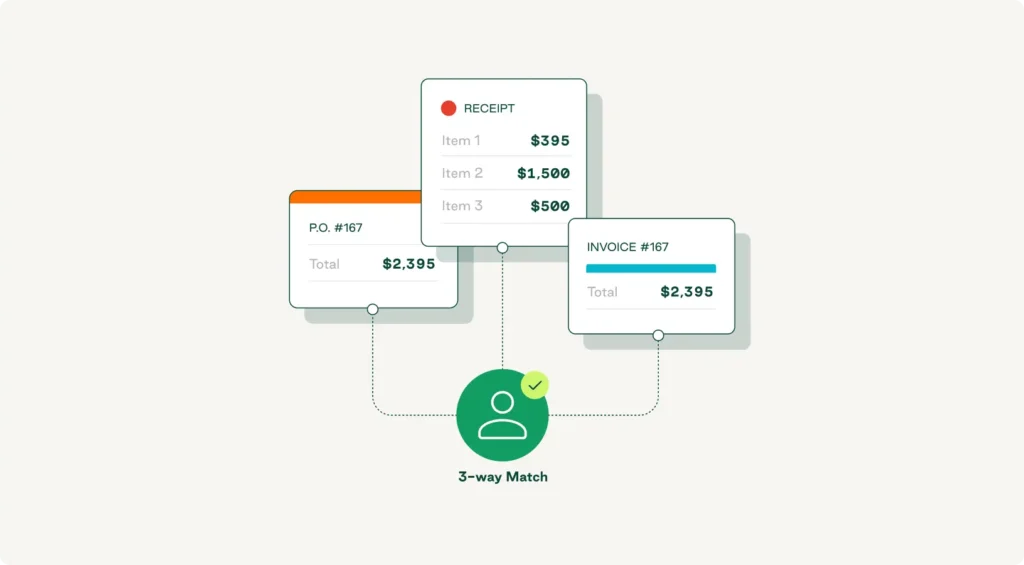
2-way vs. 3-way vs. 4-way matching
Two-way matching compares purchase orders against vendor invoices. It verifies that items, quantities, and prices on the invoice match what you ordered, but it doesn't confirm that the goods were actually received.
Three-way matching adds the receiving report (or goods receipt) to the mix, with AP teams validating that it also aligns with the PO and invoice. This is the gold standard for most businesses because it confirms that what was ordered, received, and billed are identical.
Four-way matching goes one step further by adding inspection or quality approval documentation. This approach is common in industries with strict quality requirements, such as manufacturing or pharmaceuticals.
When to use a 3-way matching process
You want to use three-way matching whenever you purchase and receive physical goods. Once your procurement team creates a purchase order, your warehouse or receiving staff confirms the goods received, and your accounts payable department processes the supplier invoices, performing a three-way match ensures you only pay for what you ordered and received.
This workflow is essential for high-value purchases, bulk orders, and situations where maverick spend could create financial losses. Many small businesses start with two-way matching for low-cost items, but as order volumes grow, implementing the three-way matching process becomes critical for maintaining financial control and preventing overpayments.
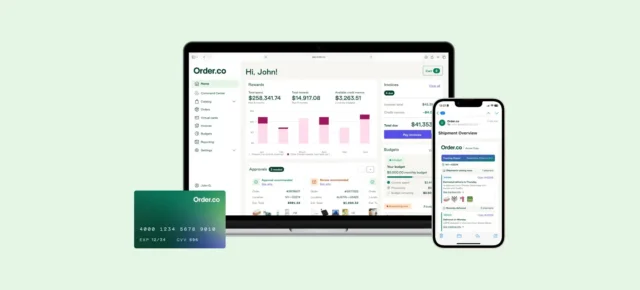
Automate 3-way matching with Order.co
Empower your accounting team with three-way matching automation that transforms invoice processing into a competitive advantage.
Why does 3-way matching matter?
Automating the three-way matching process matters because it:
- Prevents fraud and unauthorized spending: Verifying three separate documents makes it easier to catch fraudulent invoices and unauthorized purchases before payment processing.
- Eliminates duplicate payments: Automated validation ensures you never pay the same invoice twice, protecting cash flow.
- Reduces human error: Manual processes introduce mistakes in pricing, quantities, and line-item details.
- Strengthens internal control: The matching process creates an audit trail that satisfies compliance requirements.
- Improves supplier relationships: Faster, more accurate payments build trust with vendors.
- Provides financial visibility: Real-time matching gives your finance team clear insight into spending patterns.
Manual invoice processing often costs between $12 and $40 per invoice. Using manual three-way matching adds complexity to those expenses, requiring AP teams to spend countless hours cross-referencing documents, chasing discrepancies, and correcting data-entry mistakes—leading to process bottlenecks that can delay payments and strain vendor relationships. Despite these challenges, AP automation research shows that 68% of organizations still rely on manual processes for invoice matching.
For fast-moving organizations processing hundreds or thousands of invoices each month, optimizing the matching process with automation is essential for productivity, accuracy, and cost savings.
What are the benefits of 3-way matching automation?
Automation transforms the three-way matching process from a time-consuming bottleneck into a strategic advantage. Instead of manual data entry and document comparison, AI-powered systems instantly validate invoices against purchase orders and receiving reports, flagging mismatches for review while auto-approving perfect matches.
Accelerates invoice processing and saves time
Because it requires your AP team to shuffle between paper documents, spreadsheets, and multiple systems, manual matching can take hours or even days—but an automated system can complete a match in seconds.Your team can use those saved hours for strategic work, such as optimizing vendor relationships and improving invoice management.
Reduces costs and prevents overpayments
Every manual touchpoint costs money. Automation eliminates most of these costs by handling validation automatically. And the financial impact goes beyond labor savings—automated matching catches pricing discrepancies, quantity mismatches, and duplicate invoices that manual processors might miss.
Enhances compliance and mitigates risk
Automated three-way matching creates a complete, timestamped record of every validation step. The system tracks who approved what, when exceptions were flagged, and why payments were authorized. This audit trail satisfies compliance requirements and gives your finance team confidence in financial control.
Automation's risk mitigation extends to fraud prevention. Automated systems block fraudulent invoices that lack corresponding purchase orders and receiving reports.
Gives you real-time visibility into cash flow
Automation provides real-time visibility into your entire accounts payable process. You can see which invoices are pending validation, which have been approved for payment, where discrepancies exist, and what your upcoming payment obligations look like.
Integration with your ERP system means this data flows directly into your financial reporting. Your AP automation software becomes the single source of truth for payables, eliminating reconciliation headaches.
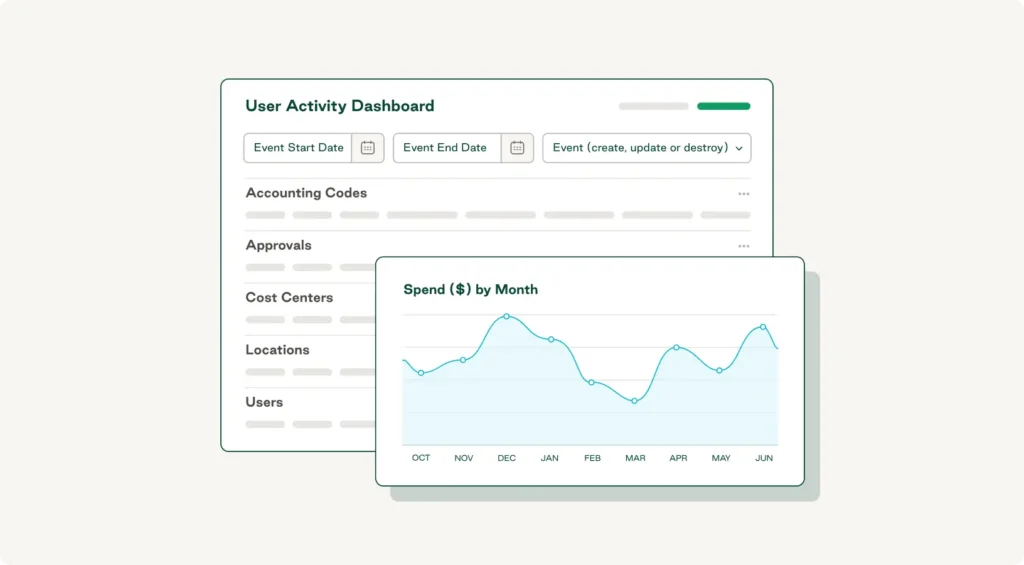
Scales your AP team without headcount
An automated system can process thousands of invoices with the same ease as hundreds. The technology scales instantly while your team size stays constant, meaning your existing AP team can support 10x the invoice volume without adding headcount.
This scalability is particularly valuable if you're managing procurement across multiple locations or dealing with complex vendor management requirements.
Automate 3-way matching with Order.co
Empower your accounting team with three-way matching automation that transforms invoice processing into a competitive advantage.
How does 3-way matching automation work?
Modern three-way matching automation uses artificial intelligence, workflow automation, and ERP integrations to turn manual validation into an intelligent, automated process. Here’s how Order.co makes it happen.
AI-driven invoice and PO reconciliation
When a supplier invoice arrives, AI-powered invoice processing software instantly extracts key data—vendor name, invoice number, line-item details, quantities, and pricing. It then automatically pulls the corresponding purchase order and receiving report.
Order.co's AI engine compares these three documents at the line-item level, validating that products, quantities, and prices align. Perfect matches get auto-approved and queued for payment, and mismatches trigger exception workflows that route to the right approver with full context.
Real-time discrepancy alerts and workflows
If the system detects a mismatch, it flags the exception immediately and triggers the appropriate workflow. The relevant stakeholder receives a notification with all the details they need.
Order.co provides a unified workspace where you can see the original PO, the invoice, and the goods receipt side by side. You can communicate with suppliers through the platform, request corrections, or approve exceptions based on your tolerance rules.
ERP and accounting systems integrations
Order.co connects directly with major ERP systems, including NetSuite, QuickBooks, and other accounting systems, to ensure seamless data flow. When you create a purchase order in your ERP, it syncs automatically to Order.co. Once you receive your goods, the receiving report goes straight to the matching engine.
These integrations create a closed-loop process where data moves automatically between systems, delivering powerful functionality without replacing your core financial infrastructure.
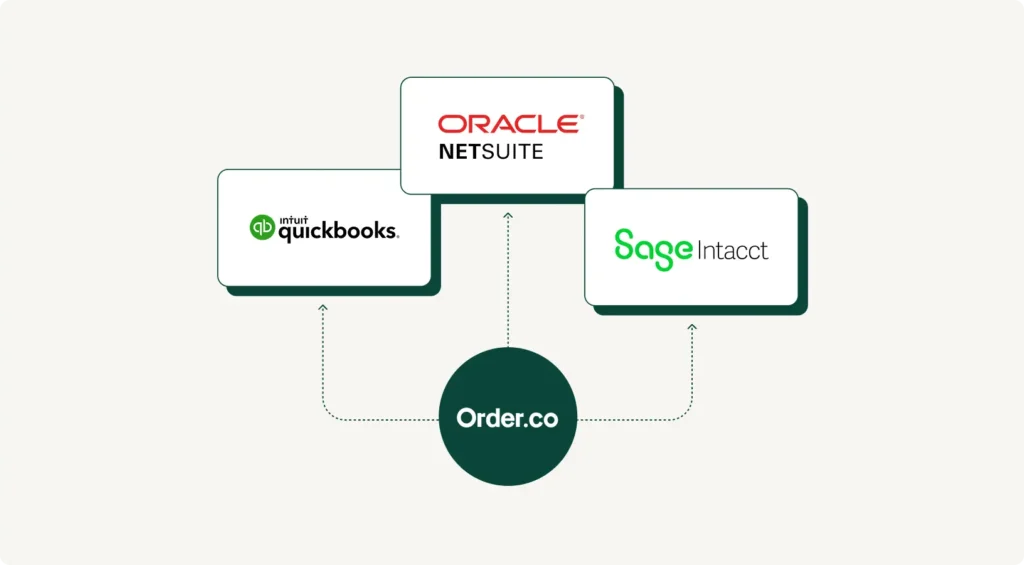
Customizable tolerance rules and approvals
Order.co lets you set tolerance rules that define acceptable variances. For example, you might want to automatically approve invoices where the price difference is under $10 or 2% but route larger discrepancies for manual review.
You can also customize the approval process based on invoice value or vendor type. This flexibility lets you tailor your internal control framework to your specific risk tolerance and spend management strategy.
Best practices to improve 3-way matching
The following best practices can help make your three-way matching process faster, more accurate, and easier to scale.
Integrate direct ERP sync for invoices, POs, and receipts
Ensure direct, real-time synchronization between your ERP, procurement platform, and matching automation tools to eliminate delays and maintain data accuracy. When purchase orders, receiving reports, and vendor invoices flow automatically between systems, your matching engine always works with the latest information.
Automate exception handling and discrepancy workflows
Configure automated workflows that immediately route exceptions to the right person based on the type of issue. For example, price mismatches might go to procurement, quantity discrepancies to receiving, and missing POs to the requesting department. The Order.co AI Command Center provides intelligent recommendations for resolving common discrepancies based on historical patterns.
Centralize delivery and invoice tracking
Bring procurement, receiving, and AP teams onto the same centralized platform so everyone has real-time visibility into order status, delivery confirmations, and invoice processing stages. This eliminates issues like invoices getting flagged as exceptions even though goods were received.
Enable automated payment accuracy confirmation
Implement a final automated check to confirm payment amount, vendor details, and banking information. Order.co can cross-reference vendor banking info against verified records and flag unusual payment amounts.
Automate 3-way matching with Order.co
Traditional manual matching wastes time, increases costs, and exposes your organization to fraud risk and compliance failures. Three-way matching automation solves these pain points by leveraging AI-powered validation, real-time workflows, and seamless ERP integration.
Order.co delivers comprehensive matching automation features, including:
- AI-powered invoice capture and matching that eliminates manual data entry
- Real-time discrepancy detection via intelligent workflows
- Native integrations with NetSuite, QuickBooks, and major ERP systems
- Customizable tolerance rules that balance control with efficiency
- Centralized procurement and invoice tracking
- SSO integration for secure access
- Comprehensive reporting and analytics
Empower your accounting team with three-way matching automation that transforms invoice processing into a competitive advantage. Schedule an Order.co demo today to learn more.
FAQs
When transitioning from two-way matching to three-way matching, businesses face challenges coordinating receiving documentation with invoice processing. Accounts payable teams must wait for goods receipt confirmation before approving payments, which can initially slow processing times. Receiving staff need training to document deliveries properly, and systems must integrate receiving data with AP workflows to enable automated validation across all three documents.
Three-way matching is essential for multi-location businesses because it provides centralized financial control when goods are received at different sites. Without validating the receiving report against purchase orders and invoices, headquarters cannot verify that branch locations actually received what they're being billed for. Three-way matching prevents unauthorized purchasing, ensures consistent procurement policies across locations, and provides visibility into spending patterns that would otherwise remain fragmented.
Three-way invoice matching supports compliance by creating a complete audit trail that documents proper authorization and receipt of goods before payment. This internal control framework satisfies SOX requirements, industry regulations, and internal policies by proving that every payment was validated against three independent documents. The matching process also mitigates fraud risk by preventing payment of invoices for goods never ordered or received, protecting the organization from both external fraud and internal control weaknesses.
Get started
Schedule a demo to see how Order.co can simplify buying for your business.
"*" indicates required fields