ERP Procurement Guide: How It Works & How to Get Started

ERP Procurement Guide: How It Works & How to Get Started
When purchasing happens in spreadsheets, emails, and standalone tools, it's hard to see what's being spent, where, and why. Visibility suffers. Compliance becomes inconsistent. Cost control gets harder.
ERP procurement brings procurement workflows directly into your enterprise resource planning system, creating a single source of truth for requisitions, approvals, vendor management, and spend analysis. With the right approach, procurement shifts from a bottleneck into a strategic advantage, delivering real-time visibility, automated workflows, and measurable cost savings.
This guide walks you through what ERP procurement is, how it works, common implementation challenges, and how to measure success so you can make informed decisions about modernizing your procurement operations.
Download the free ebook: The Procurement Strategy Playbook for Modern Businesses
What is ERP procurement?
ERP procurement refers to the procurement module within an enterprise resource planning system that manages the end-to-end purchasing process, from purchase requisition through invoice processing and payment. Rather than operating as standalone software, ERP procurement integrates directly with financial, inventory management, and accounts payable systems.
This integration allows data to move seamlessly across business functions. When the procurement team submits a purchase order, the system updates inventory forecasts, reserves budget, and prepares for three-way invoice matching—without manual data entry.
Automating more of the process reduces the cost of procurement while minimizing the risk of errors and fraud. According to PwC's Digital Procurement Survey, 65% of companies cite cost control in procurement as their top priority, underscoring the strategic value of integrated systems.
How does ERP procurement compare to standalone software?
Standalone procurement software operates independently of core business systems, often resulting in manual data exports, duplicate vendor records, and ongoing reconciliation work. ERP-connected procurement eliminates these friction points by embedding workflows directly into your financial infrastructure.
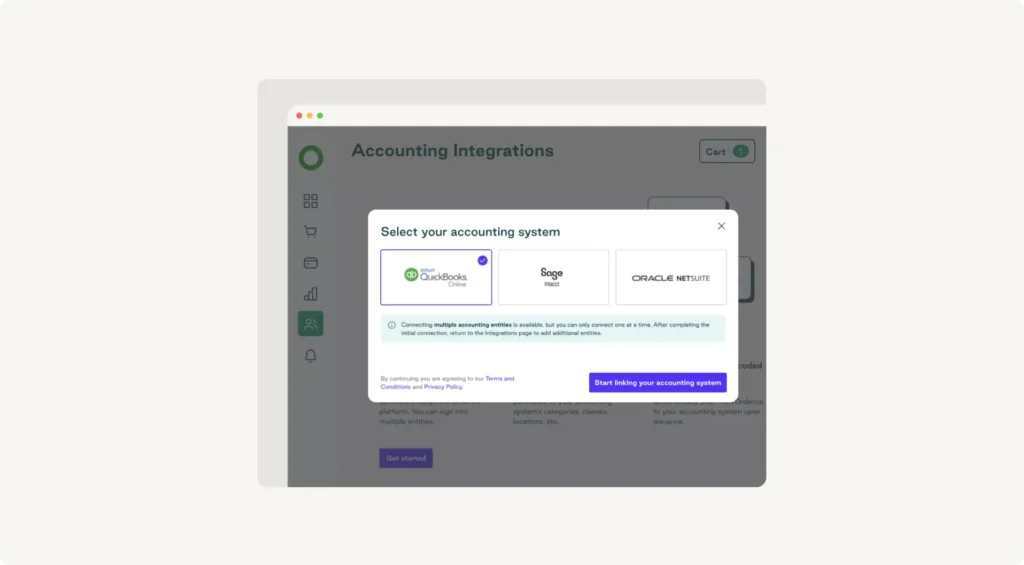
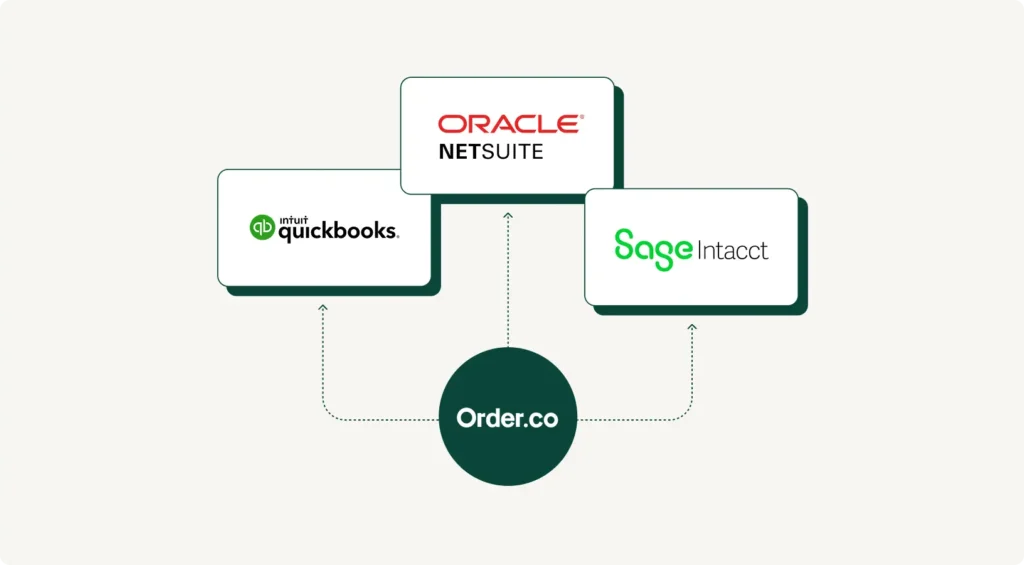
When users submit requisitions in Order.co, for example, the system automatically checks budget availability, routes approvals based on configurable rules, and prepares AP teams for incoming invoices. The platform connects with major systems like NetSuite, Workday, and Sage through pre-built procurement integrations, allowing procurement data to flow across tech stacks without custom development.
The difference becomes clear at month-end close. With standalone tools, your finance team must spend days reconciling procurement data across systems. With ERP-integrated procurement, your books automatically reflect real-time purchasing activity.
The Procurement Strategy Playbook for Modern Businesses
Want to know more about strategic buying? Read our Procurement Strategy Playbook for even more valuable insights.
What are the benefits of ERP procurement?
Modern ERP procurement delivers three critical advantages: complete spend visibility, workflow automation that reduces manual tasks, and compliance controls that help manage risk.
Centralized spend visibility and reporting
Access to real-time data changes how teams make decisions. When procurement connects directly to your ERP system, every stakeholder sees current information—no more questioning data accuracy or waiting for monthly reports.
According to research from Focal Point, procurement teams that implement unified data and orchestration layers experience up to a 25% increase in efficiency and a 60% reduction in manual processes, demonstrating the operational impact of real-time visibility.
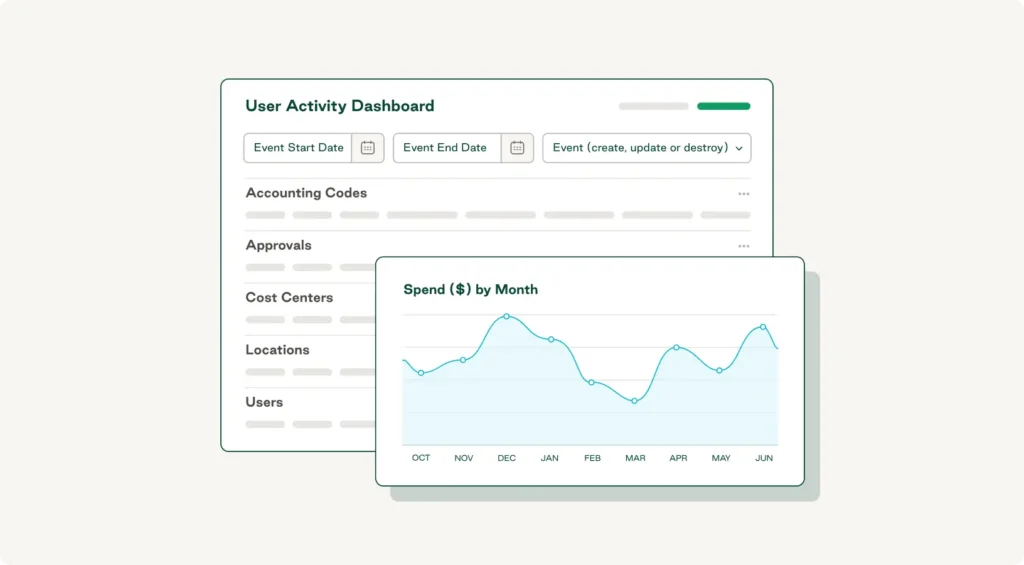
Order.co's spend analytics dashboard provides instant visibility into organization-wide spending patterns, supplier performance, and budget utilization. Finance leaders can identify cost-saving opportunities, track contract compliance, and answer executive questions without pulling custom reports. Multi-location businesses can see enterprise-wide purchasing patterns in one place, making it easier to support strategic sourcing decisions without stitching together regional spreadsheets.
Automated approvals and PO generation
Manual approval routing creates bottlenecks that delay purchasing and frustrate employees. Email chains get lost, approvers miss notifications, and urgent requisitions sit in limbo while teams track down signatures. Purchase order automation via ERP procurement replaces these inefficiencies with configurable approval workflows. Requisitions get routed automatically based on spend thresholds, department hierarchies, or vendor relationships.
With Order.co, you can design multi-level approval paths that match your organizational structure, ensuring the right stakeholders review each request at the right time. The platform automatically generates purchase orders once approvals are complete, incorporating vendor information, contract pricing, and compliance requirements. This reduces PO cycle time from days to hours while preserving proper controls.
Enhanced compliance and audit trails
When procurement happens across disconnected systems, preparing for an audit often becomes a nightmare of searching through emails, spreadsheets, and paper files to reconstruct what happened.
ERP-connected procurement maintains complete audit trails automatically. Every requisition, approval, change order, and payment links back to the original request, creating a clear, traceable record.
With Order.co, you can store vendor contracts, approval workflows, and purchase history in one repository, making audit preparation straightforward rather than stressful. The system also enforces purchasing policies through automated controls. For example, if all software purchases above $5,000 require IT review, you can configure the rule once and enforce it on every transaction—no reminders needed.
That same centralized supplier information also allows you to review contract terms, preferred pricing, and performance history before buying. This visibility helps reduce maverick spend and maintain compliance with negotiated agreements.
How does ERP procurement work?
Understanding the procure-to-pay workflow shows where automation creates value. Modern ERP procurement platforms handle three critical stages.
Step 1: Requisition to order
The purchasing process begins when an employee needs something—office supplies, raw materials, professional services, or software. Instead of emailing managers or filling out paper forms, they submit requests through a self-service portal.
Order.co's interface makes this intuitive. Employees search a curated catalog of approved vendors and items, add what they need to their cart, and submit for review. The system automatically attaches relevant information, including budget codes, vendor contracts, and historical pricing for comparison.
This self-service approach empowers employees while maintaining control. Procurement teams curate available vendors and items, ensuring requests comply with purchasing policies before reaching the approval stage. The platform tracks requisition status in real time, eliminating the "whatever happened to my request?" emails that slow down procurement operations.
Step 2: Approval workflows
Once submitted, requisitions route automatically based on your configured rules. Order.co evaluates each request against criteria you define—dollar thresholds, department hierarchies, vendor types, or custom rules—and sends it to the appropriate approvers.
Approvers receive instant notifications and can review requisition details directly in the platform. They see requester notes, vendor contracts, budget availability, and any policy considerations relevant to their decision, then approve or reject with one click.
Multi-level approvals also happen automatically and sequentially. For example, a $15,000 software purchase might go to departmental approval first, then IT review, and finally CFO sign-off—all configured once and executed for every matching requisition without manual coordination.
Step 3: Invoice matching and payment
After approvals are complete, the platform automatically generates a purchase order and sends it to the vendor. The PO includes all necessary details—item specifications, pricing, delivery instructions, and payment terms—drawn directly from your vendor contracts and requisition information.
When invoices arrive, the system performs three-way matching, comparing the invoice against the original PO and goods receipt. This automated verification catches pricing discrepancies, quantity mismatches, and billing errors before payment, protecting both cash flow and vendor relationships.
For invoices that match, Order.co triggers payment based on your configured rules, eliminating manual AP processing for routine transactions. If discrepancies appear, the system flags them for review and routes them to the appropriate resolver.
By integrating procurement with accounts payable, the platform closes the procure-to-pay loop, ensuring accurate financial records without duplicate data entry or reconciliation work.
What challenges arise during ERP procurement implementation?
Even the best procurement solution faces adoption hurdles. Understanding common challenges can help you plan an effective implementation.
Stakeholder alignment and change management
Successful ERP implementation requires buy-in from multiple groups: finance teams, procurement professionals, department heads, and employees learning new processes. Resistance typically stems from fear of complexity or loss of autonomy, which can stall adoption and slow rollout.
Order.co's stakeholder collaboration templates provide frameworks for gathering input and building consensus. They can help you identify team members who understand both current pain points and automation potential—champions who become implementation allies for smoother, more successful implementation.
Data migration and system integration
Moving vendor information and contract data from spreadsheets and legacy systems can create anxiety. Order.co's pre-built ERP connectors simplify integration with platforms like Workday, reducing the need for custom development work.
Rather than migrating everything at once, consider a phased approach, starting with active vendors and current contracts while leaving historical data for reference. A scalable procurement automation strategy also considers integrations beyond your ERP software—HR platforms, inventory management systems, and contract management tools.
Governance and training
To guide effective onboarding, Order.co provides dedicated customer success support and an online training portal with role-specific resources. Combining initial training with ongoing reinforcement ensures governance doesn't stop at launch, while regular reviews of approval workflows, vendor catalogs, and procurement policies help the system stay aligned with evolving business needs.
The Procurement Strategy Playbook for Modern Businesses
Learn the key pillars of a strong strategy, valuable procurement metrics to track, and initiatives you can start implementing today.
"*" indicates required fields
How can you measure ERP procurement success?
Procurement management initiatives need measurable results. Tracking the right metrics will help you prove ROI and identify opportunities for improvement.
Important KPIs to track
Tracking these KPIs builds a clear picture of procurement success:
- PO cycle time: Time from requisition submission to purchase order approval
- Maverick spend percentage: How often purchases happen outside approved processes and vendors
- Cost savings metrics: Hard savings from negotiated pricing and soft savings from reduced processing time (track both for a complete procurement value story)
Additional KPIs worth monitoring:
- Supplier performance scores: On-time delivery and quality
- Contract utilization rates: Leverage of negotiated agreements
- Invoice exception rates: Accuracy of three-way matching
ROI tracking tools
Order.co's built-in ROI calculator quantifies the benefits of procurement automation across multiple dimensions, and the platform's reporting dashboards enable real-time KPI tracking with custom views for different stakeholders. By connecting metrics to broader business goals, you can demonstrate the way in which improvements lead to tangible impacts, such as faster project starts, stronger supplier relationships, and more time for strategic sourcing.
How Order.co enhances ERP procurement workflows
Modern procurement needs a platform that connects with your ERP system, automates repetitive tasks, and scales with your business—without the complexity of enterprise-grade software.
Order.co's cloud-native platform consolidates procurement, approvals, spend analytics, and AP automation into a single interface. With Order.co, you gain:
- Real-time spend visibility across departments, locations, and vendors
- Configurable approval workflows that match your organizational structure
- Pre-built integrations with NetSuite, Workday, Sage, and other major platforms
- Automated three-way invoice matching to catch discrepancies before payment
- Self-service requisition portals that empower employees while maintaining control
- Comprehensive audit trails and compliance reporting
Transform your procurement processes with the Order.co ERP-connected platform—schedule a demo today to get started automating approvals, centralizing spend, and driving efficiency.
FAQs
Get started
Schedule a demo to see how Order.co can simplify buying for your business.
"*" indicates required fields