Best Procurement Automation Tools for Businesses (2026)

Best Procurement Automation Tools for Businesses (2026)
The best procurement automation tools remove manual steps between a purchase request and payment. SAP Ariba, Coupa, and Jaggaer automate enterprise procurement, Procurify and Precoro automate approvals and POs for mid-sized teams, and Order.co automates ordering, approvals, invoicing, and GL coding for multi-location businesses.
These tools differ mainly in where their automation stops. A source-to-pay suite automates sourcing, contracting, and purchasing for a global procurement organization. A mid-market tool automates the stretch from request to purchase order, and accounts payable handles the vendor invoices that follow. Wherever a tool's automation ends, manual coding, matching, and reconciliation begin, so a useful comparison follows the purchase-to-pay process from end to end.
Evaluating your options? Take a self-guided tour of Order.co
What procurement automation tools automate
Six steps sit between a purchase request and a payment. Each step can be done by hand, managed inside a workflow tool, or completed with no one touching it. The tools below differ in how many of the six they automate and which ones they hand back to people or to another system.
- Requests. All seven tools capture purchase requests. Order.co, Coupa, SAP Ariba, and Jaggaer lead with catalogs, which speed up repeat purchases of known items. Zip leads with intake forms, which suit software, services, and other varied requests.
- Approvals. All seven tools route requests by rules such as amount, location, cost center, or vendor. A well-built approval workflow checks the budget before an order exists. Zip specializes in coordinating legal, security, IT, and finance reviewers, and Order.co AI flags which orders need additional review.
- PO creation. Order.co, SAP Ariba, Coupa, Jaggaer, Procurify, and Precoro convert approved requests to purchase orders automatically. Zip hands approved requests to the ERP or P2P system that issues the PO. In most tools, someone still follows up with the vendor after the PO is sent, while Order.co places the order itself.
- Invoice matching. SAP Ariba, Coupa, Jaggaer, and Precoro automate matching vendor invoices against the PO and receipt through invoice automation. Order.co bills from the order record itself, so the order and the invoice agree from the start for spend that runs through the platform.
- GL coding. Each purchase-to-pay tool here can capture coding on the request so it carries forward to the invoice. Order.co codes each purchase to the correct GL account and entity at the time of purchase. Results in every tool depend on how closely cost centers and the chart of accounts map to the ERP.
- Payment. Coupa, through Coupa Pay, and Order.co pay vendors inside the platform. With the other tools, payment usually runs from the ERP or a separate AP tool, depending on modules and region.
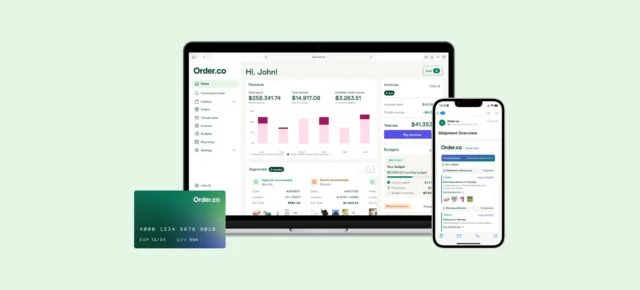
See how Order.co stacks up
Tour the product yourself now — no demo request, no waiting.
Procurement automation tools compared
The table below maps each tool to the six steps of the procurement cycle and shows where each one hands work back to people or another system, which is the most revealing test in any procurement automation tool evaluation.
| Tool | Best for | Steps automated in-platform | Where the hand-off sits |
|---|---|---|---|
| Order.co | Multi-location businesses buying operating supplies | Requests, approvals, POs, order placement, GL coding, vendor payment | Itemized, pre-coded bill synced to the ERP |
| SAP Ariba | Global enterprises on SAP | Sourcing, contracts, requests, approvals, POs, invoice matching | Payment and GL posting run through the SAP ERP |
| Coupa | Large enterprises consolidating spend | Requests, approvals, POs, invoice matching, expenses, payments | Coverage depends on modules licensed |
| Jaggaer | Higher education, public sector, sourcing-heavy enterprises | Sourcing, requests, catalog buying, POs, invoice matching | Payment typically released from the ERP |
| Procurify | Mid-sized teams | Requests, approvals, POs, receiving, budgets | Vendors invoice separately for matching |
| Precoro | Mid-sized teams | Requests, approvals, POs, receiving, invoice matching | Vendors invoice separately for matching |
| Zip | Intake across many systems | Intake, cross-functional approval routing | Ordering, invoicing, and payment run in connected systems |
The best procurement automation tools for businesses
Each entry below covers the tool's key automation features, where its automation stops, and the kind of organization it fits best.
1. Order.co: best for multi-location businesses buying operating supplies
Order.co is procurement software that automates the full path from catalog request to vendor payment for operating supplies such as facilities, MRO, office, and janitorial products. Order.co AI runs inside each step, so the automation extends past the purchase order into ordering, tracking, and payment.
Key automation features:
- AI catalogs and sourcing. Order.co AI builds custom catalogs from purchasing history and compares suppliers on price, delivery speed, availability, and reliability, saving businesses an average of 5% on purchases. Vacation rental company AvantStay saved $190,000 in hard dollars with AI sourcing.
- Approvals and budgets. Rules route requests by location, cost center, user role, or spend threshold, and budgets are checked before an order is placed. AI flags which orders need additional review.
- AI fulfillment, tracking, and troubleshooting. AI logs into vendor portals and e-commerce sites to place orders, scans vendor updates to surface tracking information and delivery changes, and detects order issues and resolves them before the team notices.
- Custom billing and ERP sync. Order.co pays each vendor and sends an itemized, pre-coded bill with line-level reconciliation that syncs to NetSuite, Sage Intacct, QuickBooks, or Workday.
- Command Center (beta). Teams can pull insights and direct actions across purchasing from one place.
Where automation stops: Organizations that run formal RFx events typically keep a source-to-pay suite for that work.
Best fit: Multi-location businesses that buy operating supplies from many vendors and want ordering, approvals, coding, and payment on one record.
2. SAP Ariba: best for global enterprises standardized on SAP
SAP Ariba is a source-to-pay suite that covers the procurement lifecycle from sourcing events through invoicing. It connects buyers and suppliers through SAP Business Network.
Key automation features:
- Sourcing and contracts. RFx events, auctions, and contract management sit in the same suite as day-to-day purchasing.
- Guided buying. Catalogs and policy guidance steer requesters to approved suppliers and items.
- Supplier collaboration. POs, order confirmations, and invoices move between buyers and suppliers over SAP Business Network.
- Invoice management. Invoices are matched against POs and receipts before posting.
Where automation stops: Automation is deepest when SAP S/4HANA is the system of record. Payment and GL posting typically run through the SAP ERP, and deployments are usually multi-phase programs.
Best fit: Global enterprises standardized on SAP, with dedicated procurement teams running strategic sourcing. Organizations that run high-volume operating-supply purchasing outside the suite often evaluate SAP Ariba alternatives built for that profile.
3. Coupa: best for large enterprises consolidating spend into one suite
Coupa brings procurement, invoicing, expenses, supplier management, and payments into one spend management platform. Its main advantage is breadth, with one policy and approval model across categories and regions.
Key automation features:
- Guided buying and catalogs. Requesters buy from hosted catalogs and punchout sites within policy.
- Supplier portal. Suppliers receive POs and submit invoices through the Coupa Supplier Portal.
- Invoice automation. Invoices are matched against POs and receipts, and exceptions route for review.
- Coupa Pay. Supplier payments run from the platform.
Where automation stops: Licensed scope determines which steps run inside Coupa, so evaluators should map modules to the six steps before comparing price.
Best fit: Large enterprises consolidating spend across categories and regions under one policy model. Multi-location organizations with concentrated indirect spend often benchmark it against enterprise Coupa alternatives.
4. Jaggaer: best for sourcing-heavy enterprises and the public sector
Jaggaer's source-to-pay suite has deep roots in higher education, the public sector, and research-intensive organizations, with particularly strong sourcing and supplier management modules.
Key automation features:
- Strategic sourcing. Competitive bidding and supplier evaluation are among the suite's strongest capabilities.
- Supplier and contract management. Supplier records and contracts link back to sourcing events.
- Catalog buying. Requesters purchase from hosted and punchout catalogs.
- POs and invoice matching. The eProcurement module issues POs and matches invoices against them.
Where automation stops: Payment is typically released from the ERP.
Best fit: Universities, public agencies, and enterprises where competitive sourcing and contract compliance matter as much as transaction speed.
5. Procurify: best for mid-sized teams pairing approvals with budget tracking
Procurify is a purchasing platform for mid-sized organizations that want approval discipline and budget control without the scope of a full suite.
Key automation features:
- Requests and multi-level approvals. Configurable rules route each request to the right approvers.
- POs and receiving. Approved requests become purchase orders, and receiving is logged against them.
- Real-time budgets. Department heads see committed spend against budget before invoices arrive.
- Mobile approvals. Approvers can keep requests moving when they are away from a desk.
Where automation stops: Vendor invoices still arrive individually from each supplier for matching.
Best fit: Mid-sized teams whose main gap is approval discipline and budget visibility.
6. Precoro: best for mid-sized teams automating POs and matching
Precoro automates the core request-to-PO cycle for mid-sized teams moving off spreadsheets and email.
Key automation features:
- Configurable approval workflows. Requests route by rules, and approvers can act directly in Slack.
- POs and receiving. Approved requests convert to POs, with receiving tracked against each order.
- Invoice matching. Invoices are matched against POs and receipts.
- Budget controls. Spend is checked against budgets as requests come in.
Where automation stops: Orders and invoices still flow vendor by vendor.
Best fit: Mid-sized teams that want POs and matching automated without a long implementation.
7. Zip: best for intake orchestration across existing systems
Zip works as a single front door for purchase requests. It sits in front of the ERP or P2P system rather than replacing it.
Key automation features:
- Guided intake. Request forms adapt to what is being bought and route the request accordingly.
- Cross-functional approvals. Legal, security, IT, and finance reviews run in one coordinated workflow.
- Vendor onboarding. New suppliers are reviewed and set up as part of the request.
- System hand-off. Approved requests pass to the connected ERP or P2P system.
Where automation stops: Ordering, invoicing, and payment run in connected systems.
Best fit: Organizations with heavy software and services spend and several systems to coordinate.
How to choose a procurement automation tool
The right tool is the one whose automation reaches the step where a team's manual work is concentrated. Five checks separate the finalists in practice.
- Find the step where manual work concentrates. Estimate the hours each of the six steps consumes today. For multi-location teams buying operating supplies, the heaviest work usually sits after approval, in ordering, invoices, and coding. For software and services spend, it usually sits in intake and cross-functional review.
- Match the tool to the spend. Strategic sourcing and contract-heavy categories call for a source-to-pay suite. Repeat purchases of known items across locations call for catalog-based buying with ordering and payment built in.
- Test ERP sync at the line level. Confirm a native connector for the organization's ERP, then run a test purchase to see whether GL, entity, and location coding post without re-keying.
- Run real approval scenarios. Test the rules against actual thresholds from the organization's policy, including multi-site and multi-entity requests.
- Confirm security and payment terms. Request a SOC 2 Type 2 report, issued against the AICPA's Trust Services Criteria, and confirm whether the tool pays vendors itself or hands payment to the ERP or a separate AP tool.
See how Order.co stacks up
Tour the product yourself now — no demo request, no waiting.
How Order.co automates procurement for multi-location businesses
For multi-location businesses buying operating supplies, the heaviest manual work sits after approval: placing orders with dozens of vendors, tracking deliveries, and coding invoices at month-end. Order.co automates all six steps on one purchasing record. Here is how a single order moves through it when a facilities manager requests cleaning supplies for one location:
- Request. The manager orders from a custom catalog built for that location, with approved items and vendors already in place.
- Approval. Order.co checks the order against the location's budget and approval rules. Routine orders within budget move straight through, and AI flags the ones that need a second look.
- PO creation. The approved request becomes a purchase order, and AI places the order on the vendor's portal or website, then tracks delivery.
- Invoice matching. Order.co bills from the order record itself, so there is no separate vendor invoice to match.
- GL coding. The purchase is coded to the correct GL account, entity, and location when it is placed, and it syncs to the ERP at the line level.
- Payment. Order.co pays the vendor by its preferred method and sends the organization an itemized, pre-coded bill set up for its AP workflow.
Each check from the previous section has a direct answer on the platform. Coding syncs at the line level, approval rules are set per location and entity, and Order.co pays vendors itself rather than handing payment to the ERP. Zerocater cut invoice processing time by 50x on Order.co, and WeWork consolidated 110 vendors onto the platform. Sourcing events and contract-heavy categories stay with a source-to-pay suite.
To see which of the six steps Order.co would automate across your locations, schedule a demo.
Get started
Schedule a demo to see how Order.co can simplify buying for your business.
"*" indicates required fields