AP Automation Best Practices and Tools for Growth

AP Automation Best Practices and Tools for Growth
That look in your AP department's eyes can only mean one thing: They’re behind on processing invoices, and things are getting tense. The time has come to lighten the load with software.
You might assume manual processing is a good way to save money, but you pay for this approach in many obvious and hidden ways. Errors, delays, and a lack of visibility all cost money and time.
If your organization has avoided AP automation because it seems insurmountable, we’re here to dispel those myths and champion the benefits of automated processing. Not only can automation make life easier for your AP department, but it can also save you significant money and forge a stronger procurement process.
This article covers everything you need to know to prepare for and implement accounting automation. You’ll learn about the benefits, find out what to look for in an automation tool, and learn best practices to make onboarding easier.
Download the free tool: Invoice Tracking Template
What is AP automation?
Accounts payable automation uses technology to streamline and automate accounts payable processes, eliminating manual tasks and improving efficiency. This system transforms traditional, paper-based invoice processing procedures into a digital workflow.
By leveraging accounts payable automation, businesses can automatically capture invoice data, match invoices with purchase orders and delivery receipts, approve payments, and execute transactions — all without human intervention. These processes speed up payment cycles and significantly reduce errors associated with manual input.
AP automation also provides real-time visibility into financial data and obligations, enabling better cash flow management and strategic financial planning. It enhances compliance by creating audit-ready trails of all transactions and strengthens vendor relationships by ensuring timely payments.
In an age where operational efficiency is key to competitive advantage, AP automation software is a crucial tool for modern finance departments aiming to optimize their accounts payable processes.
The benefits of AP automation
When considering the move to automation, it helps to think not just about costs but also the benefits automation will bring. With over 80 percent of AP teams manually keying invoices, AP automation addresses the top challenges that keep the department from doing its most effective work.
Cost savings: Paper-based processes lead to poor visibility, budget overruns, and an increased likelihood of fees on delayed payments. Automated processing removes obstacles to timely and accurate payment and maximizes early payment discounts, balancing cost savings with performance over time. This streamlined approach not only saves money but also optimizes resource allocation.
Fast processing: Accounting automation accelerates invoice processing by eliminating manual processes and enabling electronic invoice capture. This leads to quicker approvals and faster payment cycles, significantly reducing the time between invoice receipt and payment. Consequently, businesses improve operational efficiency and maintain healthier cash flow dynamics.
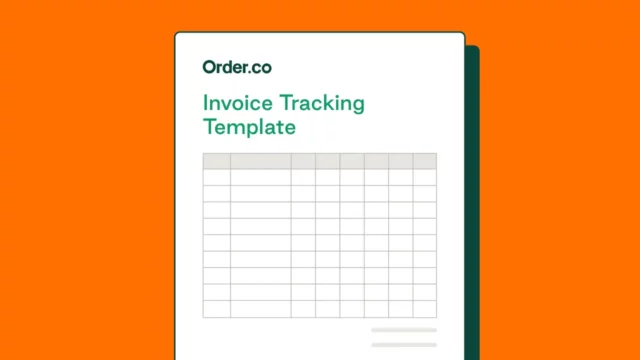
Invoice Tracking Template
Download the invoice tracking template to avoid costly mistakes, clarify financial patterns, and track spending throughout the year.
Fewer errors: Data entry and human error are common in manual processes. Automation minimizes typos or incorrect data transcription for more accurate accounts payable data. Accounts payable workflows and other automated processes for invoice matching further ensure accuracy by cross-referencing invoice and vendor information. This removes conditions that slow down accounting and result in cash leaks.
More productivity: When accounts payable teams leave behind repetitive and time-consuming accounting tasks, they can focus on more important objectives. Automation relieves teams of many manual processes, allowing them to take on new projects, increase productivity, and create more value for their organization. According to Kissflow, automation has improved productivity for over 65 percent of knowledge workers. AP automation has the power to do the same for your accounting team.
Better decision-making: AP automation provides real-time data and analytics, offering insights into spending patterns, cash flow, and financial health. This visibility allows managers to make informed decisions quickly, optimize budgets, and strategize effectively. Enhanced data accuracy eliminates guesswork, ensuring decisions are based on reliable information.
Data integration: With automatic workflows and data sharing, the AP department can seamlessly integrate multiple data sources, including enterprise resource planning (ERP) systems, work management platforms, procurement reporting, and banking. This interconnection ensures a unified view of financial information.
Reporting and analysis: Simplified data collection makes reporting and analysis easier. Automated processing enables full financial reporting on all the most important metrics. Teams can easily provide accurate, timely information for decision-making and trend analysis. Automation allows businesses to forecast more effectively and identify areas for cost savings or investment more precisely.
5 AP automation best practices to improve your results
Adhering to accounts payable best practices ensures efficiency, accuracy, and security in financial operations, paving the way for streamlined processes and strategic decision-making.
When implementing or refining your accounting process, consider integrating five best practices to improve your results.
Establish a purchasing process
Establishing a comprehensive procurement policy is fundamental to implementing AP automation best practices. It establishes vendor selection, purchase parameters, approval, and payment guidelines. By setting these standards, businesses ensure consistency in their procurement activities.
A well-crafted procurement policy should include guidelines for every aspect of procurement, such as:
- Authorization requirements for purchases
- Thresholds and procedures for competitive bidding
- Vendor criteria and security minimums
- Procedures for invoice processing and approvals
- Role-based guidelines and spending limits
A clear, well-documented policy ensures transparency across the organization, facilitating smoother operations and fostering stakeholder trust. Such policies simplify the procurement process through workflows and position the company to leverage technology appropriately.
Start with clean, centralized data
Well begun is half done. Cleaning and standardizing all invoice and vendor data makes implementing accounts payable automation easier and more effective. The process eliminates discrepancies, reduces errors, and ensures that the automated system can accurately match invoices to purchase orders and receipts.
A clean slate means historical data is consistent, making it easier to track spending patterns, evaluate vendor performance, and negotiate better terms. Furthermore, standardized data enhances reporting capabilities, allowing for more insightful analysis and strategic decision-making.
By starting with a clean and organized database, companies can maximize the business benefits of accounting automation, which can lead to improved efficiency, cost savings, and stronger vendor relationships.
Consolidate the vendor list
Consolidating the vendor list is a strategic move to unlock more substantial early payment discounts and streamline the accounts payable department. By narrowing down suppliers, companies can leverage higher volume purchases for better negotiation power, ensuring cost savings. This simplification enhances efficiency, strengthens supplier relationships, and optimizes the procurement process.
Volume discounts are a powerful tool for businesses to obtain better pricing, as suppliers often offer reduced rates for larger orders. This incentivizes companies to consolidate their purchasing needs, leading to significant cost savings and more favorable terms of trade.
Establish and track KPIs
Establishing and tracking key performance indicators (KPIs) is crucial for assessing the effectiveness of the accounts payable process. By setting specific, measurable goals related to invoice processing times, reduced costs per invoice, and discount capture rates, businesses' accounts payable teams can monitor performance, identify areas for improvement, and ensure their automation efforts yield optimal results.
Streamline the payment process
Streamlining the vendor payment process is essential for minimizing the accounting workload and maximizing efficiency. By automating payments, businesses can ensure timely transactions that reduce manual data entry and capitalize on early payment discounts offered by suppliers.
Automation leads to a smoother financial operation, allowing companies to allocate resources more effectively and save money through strategic discount utilization. Such an approach enhances the overall financial health of a business.
5 Key features to look for in accounts payable software
Moving to accounting automation — and getting your team to embrace new processes — requires the right tool to make the process easier. When evaluating your options, be sure to select a platform that offers the following features and capabilities:
- End-to-end automation: AP automation begins the moment a buyer requests an order. Look for a platform that enables automation from intake to payment.
- Multi-location features: Keeping AP processes efficient is hard enough with a single location. When making purchases across multiple locations, an accounts payable platform must be able to organize purchases and manage data efficiently. Look for software that keeps the process for multiple locations within a central spot.
- Easy-to-use platform: To ensure internal stakeholders adopt better purchasing practices, they need a platform that makes learning and using the system easy. Select a system with intuitive navigation and easy access to the purchase and reporting processes.
- Automated workflows: Workflows make it easier to manage every transaction and take advantage of the data within the platform. Pick a system with flexible workflow options to streamline the AP process in a way that works best for the business.
- General ledger (GL) coding: An automated GL coding feature streamlines transaction categorization, automatically assigning expenses to the correct GL accounts based on predefined rules. Look for a platform with automated GL features to improve the accounting system's efficiency and data accuracy.
Invoice Tracking Template
Download the invoice tracking template to avoid costly mistakes, clarify financial patterns, and track spending throughout the year.
"*" indicates required fields
Integrating accounts payable automation into your processes
Even if you have a solid procurement process, AP automation solutions can make every step of your purchasing easier and more accurate. Order.co provides end-to-end purchasing automation to remove the bulk of manual data entry and accounts payable activities from procurement.
Here are the areas where procurement automation can improve your process:
Order intake: No more need for manual purchase orders. With a procurement platform, buyers can self-serve their needs right from the platform and route requests for approval. The platform’s guided procurement features ensure buyers stay within budget and policy.
Purchase approvals: Once buyers make a purchase, automated workflows route the request through all necessary approval channels based on department, purchase price, and any other dynamic parameters needed.
GL coding and reconciliation: Correct recording of purchases by line item makes future finance teams' activities much easier. With a procurement platform, coding happens automatically, making the general ledger cleaner without extra research, changes, or journal entries.
Payment processing: Once approved and fulfilled, payment integration makes it easy to pay vendors on time or early. Integrations work directly with accounting automation software to issue and track payments and record transactions for future reporting.
Reporting and analysis: Thanks to integration with reporting and accounting software, teams can harvest information from their procurement process for later reporting and analysis. Rather than relying on spreadsheets, accounting and finance teams can share data directly from the procurement platform to quickly deliver comprehensive information to decision-makers.
What a successful AP automation solution looks like: A case study with PRN
The best way to learn about the success of accounts payable is to see it in action with a complex, thriving company. Physical Rehabilitation Network (PRN) is a healthcare provider with over 140 locations across 25 brands. With many moving parts in its procurement process, the company needed to scale its procurement to serve its locations and 1,200 employees.
Before Order.co, PRN’s purchasing process was 100 percent manual. The buyer for all locations, Liz Windle, had to call dozens of vendors to place and track orders, which greatly decreased the business's growth potential.
Order.co allowed the company to put all locations on a central platform. Buyers at each location could place orders for the supplies they needed without time-consuming phone calls or paperwork. Every location commented on the ease of moving to a purchasing platform.
The process and savings results of implementing AP software speak for themselves:
- 99 percent spend visibility
- Consolidation to 85 preferred vendors
- $3,000 in monthly cash savings
Best of all, with invoice consolidation and an AP automation system, PRN now pays all invoices across locations with the touch of a button. They pay one monthly invoice, freeing up everyone to focus on client satisfaction and company growth.
You won’t regret it!
Liz Windle, Facilities & Purchasing Coordinator, Physical Rehabilitation Network
Automate the accounts payable process with Order.co
Growth-minded companies turn to Order.co to automate their AP process without significant downtime, learning curves, or data management burdens. The platform makes it easy to buy from the vendors you love using fast, streamlined purchasing and accounting processes.
Want to get started on your data organization for AP automation? Download our free invoice tracking template and stay on top of your expenses all year round.
Get started
Schedule a demo to see how Order.co can simplify buying for your business.
"*" indicates required fields