Best Virtual Credit Cards for Spend Management

Best Virtual Credit Cards for Spend Management
Handing out virtual credit cards doesn't stop overspend on its own. What separates a card program you trust from one you constantly clean up after is whether each card is wired into your budgets and your books.
Any provider can generate a 16-digit card number, expiration date, and CVV in seconds. The hard part is what happens next: limits that update in real time, a card that only works at the vendor you meant, and spend coded to the right GL line before you're staring at a month-end pile of receipts. Control, cleaner books, and fewer hours chasing receipts all come from the same place, a card wired into the system that runs your purchasing.
Quick answer:
The best virtual credit cards for spend management combine real-time spend limits, vendor-locking, and line-item GL coding at the point of purchase:
- Vendor-locked cards restrict a compromised card number or employee misuse to a single merchant.
- Real-time spend limits and approval workflows enforce budgets at the moment of purchase, catching overspend before the statement closes.
- Line-item GL coding syncs each purchase to accounting software like NetSuite, QuickBooks, Sage Intacct, and Xero to cut down on manual reconciliation.
- Order.co pairs vendor-locked cards with approvals, AI receipt matching, and line-item GL coding, and its sourcing algorithm finds the best price or alternatives for out-of-stock goods on orders placed through the platform.
Evaluating virtual cards? See how Order.co stacks up
At-a-glance comparison of virtual credit cards for spend management
Here's how the best virtual cards for spend management compare:
| Platform | Best For | Spend Control Approach | Card Type | Pricing Model |
| Order.co | Multi-location businesses simplifying purchasing and payments as they grow | Vendor-locked cards, spending limits and expiration dates, approval workflows, AI receipt matching, line-item GL coding | Virtual only | Custom, based on spend and locations |
| Ramp | Growing companies that want a free corporate card program | Real-time transaction, merchant, and category limits, instant freeze, policy-based approvals | Physical and virtual, including single-use | Free; Plus $15/user/mo + platform fee; custom Enterprise |
| Brex | Venture-backed, high-growth companies | Real-time limits, vendor-locked "ghost" cards, MCC restrictions, threshold approvals, sub-budgets | Physical and virtual, including single-use | Free Essentials; Premium $12/user/mo; custom Enterprise |
| BILL Spend & Expense | Small and mid-size businesses that want free cards | Merchant, category, employee, and department limits, automatic out-of-policy blocking | Physical and virtual, including single-use | Free; revenue from transfer and FX fees |
| Airbase (by Paylocity) | Mid-sized companies already using Paylocity for HR and payroll | Per-card limits, merchant and vendor restrictions, time-window limits | Physical and virtual, including single-use | Custom, contact sales |
| Emburse | Small businesses with lean finance teams | Preset limits, merchant category restrictions, approved merchant group locking, auto-expiration | Physical and virtual | Basic $8/user/mo; Plus $12/user/mo; custom for complex needs |
The best virtual credit cards for spend management
The features that matter most for spend management are real-time spend limits, vendor-locked cards, line-item GL coding at the point of purchase, and approval workflows that catch out-of-policy spend before it happens instead of during a month-end review. Here's how six virtual card providers compare on those criteria.
Order.co
Customer ratings:
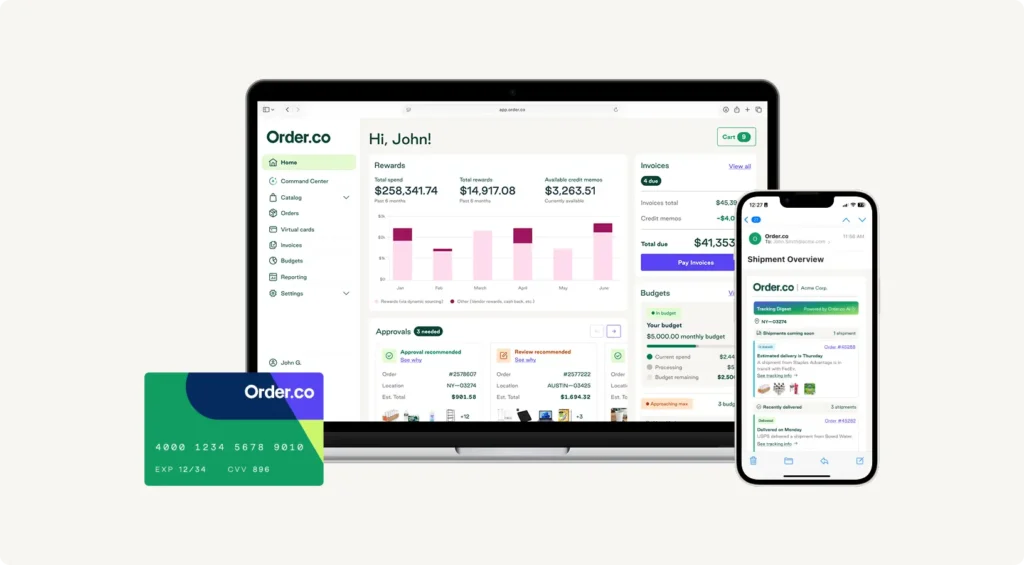
Order.co is an AI-powered procurement and spend management platform built for mid-market and enterprise organizations Order.co pairs virtual cards with a procurement and finance automation platform built for multi-location businesses as they grow. The cards work anywhere virtual cards are accepted. When you buy through the Order.co platform, its sourcing algorithm also finds the best price or alternatives for out-of-stock goods and places the order with your vendor.
Order.co's virtual cards give you several ways to keep vendor spend under control:
- Vendor-locked cards. Cards lock to their approved vendor after first use, preventing a compromised card number from being used anywhere else.
- Spending limits and approvals. Set dollar limits and expiration dates per card, route spend above a threshold for approval, and delete a card instantly if a vendor relationship ends.
- Line-item GL coding. Purchases code to the right GL line at checkout and sync to QuickBooks, NetSuite, Sage Intacct, and Workday.
- Extended payment terms. Cards come with up to 37 days to pay, providing more runway than a standard net-30 vendor payment.
- AI receipt matching. Receipts are matched to card transactions automatically, so your team isn't chasing them down at month-end.
Considerations: Order.co issues virtual cards only, so teams that need physical cards for in-person purchases or employee travel will need a separate card program.
Best for: Multi-location businesses that want vendor spend locked down, coded to the line item, and paid on longer terms as they grow.
See the controls behind every transaction
Explore how Order.co gives finance teams visibility and oversight on every dollar spent.
Ramp
Customer ratings:
- G2 - 4.8 based on 2,505 user reviews
Ramp is a corporate card and spend management platform known for its free entry-level plan.
Ramp's virtual cards support spend management through:
- Real-time spend limits. Per-card limits apply by transaction, day, or month, complete with instant freeze and cancellation options.
- Vendor and category locking. Each card is restricted to specific merchants or categories to keep subscription management and recurring vendor spend contained.
- AI-assisted GL coding. Transactions are auto-coded at the transaction level and synced to QuickBooks and Xero, with NetSuite and Sage Intacct on the paid Plus plan.
- Single-use cards. Cards close automatically after one payment, which is useful for one-off vendor purchases.
Considerations: Ramp codes each purchase at the transaction level, so a single order that spans several categories can't be split across line items. Advanced automation and procurement features require the paid Plus tier.
Best for: Teams that want strong spend controls and accounting automation without paying for software up front.
Brex
Customer ratings:
Brex is a corporate card and spend management platform best known among venture-backed, high-growth companies.
Brex's spend controls center on:
- Real-time budget controls. Limits apply by category, transaction, and merchant, with spend automatically declined once a threshold is hit.
- Ghost cards. Vendor-locked virtual cards isolate spend to a single vendor and shut off instantly.
- Customizable spending limits. Department-level sub-budgets enforce real-time limits across cards, bill pay, travel, and reimbursements.
- Broad accounting software integrations. Brex connects to NetSuite, QuickBooks, Sage Intacct, Xero, Workday, and other ERPs.
Considerations: Brex is limited to US-incorporated entities with eligibility tied to cash reserves or monthly revenue, and GL coding applies at the transaction level, without splitting a single purchase across multiple line items.
Best for: VC-backed startups and high-growth companies that want a card tied to their cash position without a personal guarantee.
BILL Spend & Expense
Customer ratings:
BILL Spend & Expense, formerly Divvy, is a free spend management platform aimed at small and mid-size businesses.
BILL's spend management features include:
- Granular spend controls. Custom limits apply by merchant, category, employee, or department, with out-of-policy spend blocked automatically.
- Unlimited virtual and physical cards. You can issue vendor-specific and single-use cards at no cost, each with its own card number.
- Line-item GL coding. AI auto-codes transactions and writes memos, syncing to QuickBooks, NetSuite, Xero, Sage Intacct, and other accounting software.
- Cashback rewards. Card spend earns cashback and travel rewards, though boosted category rates apply only to the first $5,000 spent each month.
Considerations: BILL makes money through payment processing and transaction fees, so instant transfers and international payments come with extra charges even though the cards themselves are free. Rewards also require a 12-month holding period before redemption.
Best for: Small and mid-size businesses across industries like construction, retail, and professional services that want a free card program.
Airbase (by Paylocity)
Customer ratings:
Airbase, now part of Paylocity, is a spend management platform built for mid-sized companies that want cards, bill pay, and expense management on one platform.
Airbase's virtual cards support spend management through:
- Real-time GL sync. Card transactions sync to the general ledger automatically, with machine-learning-assisted coding by vendor, category, and custom tags.
- Merchant and vendor restrictions. Cards can be restricted to specific vendors or set with spending caps over a defined period.
- Single-use and ongoing virtual cards. You can create cards for one-time purchases or standing vendor relationships.
- Native ERP integrations. Airbase connects to NetSuite, Sage Intacct, QuickBooks Online and Desktop, Xero, and Microsoft Dynamics Business Central.
Considerations: Pricing isn't published, so you'll need a sales quote, and since the Paylocity acquisition, public documentation on approval-workflow specifics is thinner than it used to be.
Best for: Mid-sized companies that want spend management bundled with existing Paylocity HR and payroll tools.
Emburse
Customer ratings:
Emburse is a spend and expense management platform built for small and growing businesses with lean finance teams.
Emburse's spend controls include:
- Preset spend limits. Real-time spending limits and merchant category restrictions take effect before a card is ever used.
- Approved merchant group locking. Cards decline automatically outside their assigned vendor group.
- Auto-expiration dates. Cards expire once a project or subscription ends.
- Accounting software integrations. Emburse syncs to QuickBooks, NetSuite, Sage Intacct, and Xero.
Considerations: Basic and Plus are priced per user, and teams that need advanced compliance and audit, premium ERP integrations, or travel management move to a custom-priced plan.
Best for: Small and growing businesses with straightforward expense policies and lean finance teams.
What to look for in a spend-management virtual card
The right feature set in spend management software depends on how your finance team works day to day.
Vendor-locked cards
Payment fraud remains a widespread concern, with 76% of surveyed US organizations reporting attempted or actual payment fraud in 2025, according to the Association for Financial Professionals’ 2026 Payment Fraud and Control Survey.
Because a vendor-locked card can only be used at the merchant it was issued for, a compromised card number or phished account stays contained to that one vendor. Unlike single-use cards that close after one transaction, vendor-locked cards stay open across billing cycles, making them a better fit for subscription management and recurring vendor spend. A leaked physical card number works anywhere it's accepted, which is the core difference between virtual vs. physical cards.
Real-time spend limits
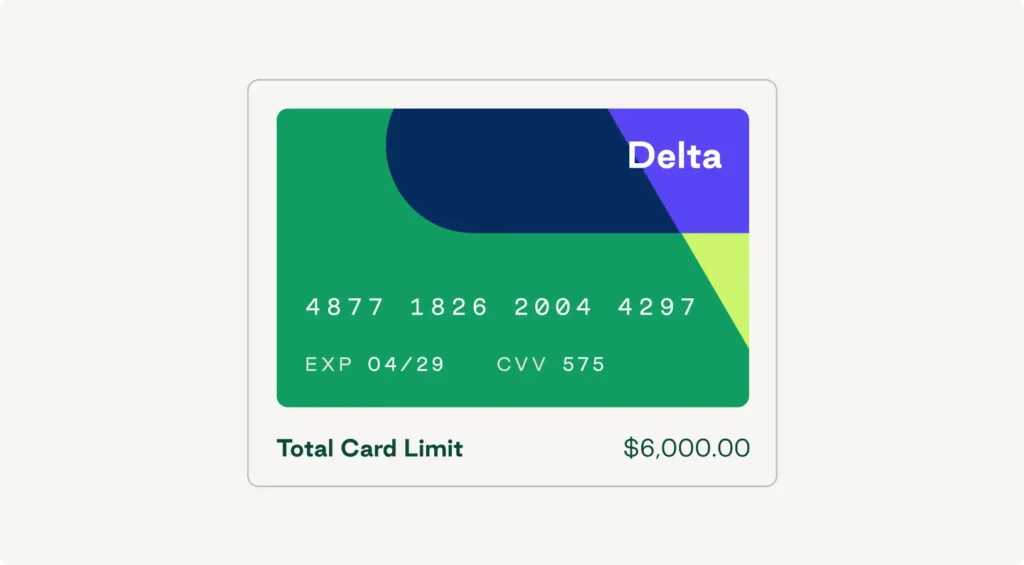
A spending limit set once a month and left unchecked tends to highlight overspend only after the fact. Real-time limits enforce a dollar amount, category, or time window at the moment of the swipe, and customizable spending limits let your finance team tighten or loosen them by vendor, department, or project without reissuing a card.
Line-item GL coding
When a transaction codes to the general ledger at the point of purchase, accounts payable doesn't have to reconstruct that data weeks later from a stack of expense reports. Line-item coding goes a step further than coding the transaction total. Order.co codes every line item with the correct GL account, cost center, and entity, so a single order that spans several categories lands in the right places. This yields cleaner records for expense categorization in accounting software like NetSuite, QuickBooks, Sage Intacct, and Xero, speeding up reconciliation at month-end close.
Approval workflows
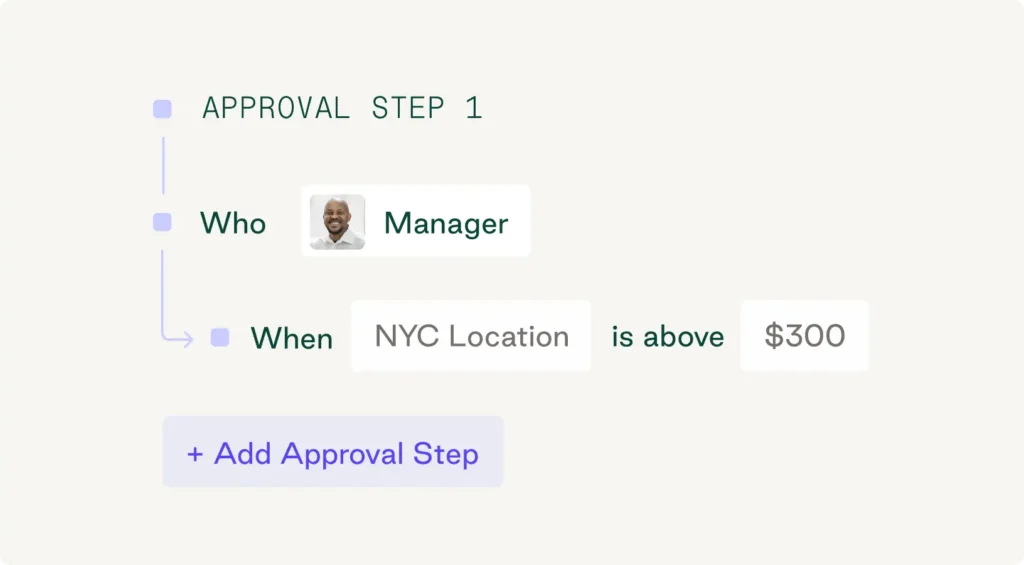
Approval workflows route spend above a set threshold to a manager before spending occurs, catching out-of-policy purchases well ahead of statement close. According to a report by the Association of Certified Fraud Examiners, 32% of occupational fraud cases were associated with inadequate internal controls, the gap approval workflows are built to close. Paired with spend visibility and real-time tracking by vendor and department, approval workflows help your finance team catch unauthorized spending and strengthen fraud prevention.
See the controls behind every transaction
Explore how Order.co gives finance teams visibility and oversight on every dollar spent.
How to choose a virtual card for your spend management stack
The right fit depends on the kind of spend control your business actually needs:
- Recurring vendor and subscription spend. Vendor-locked cards that stay open across billing cycles avoid the need to reissue cards for every renewal.
- One-off or project-based purchases. Single-use or auto-expiring cards limit exposure to a single transaction, which fits equipment purchases or one-time vendor relationships.
- Multi-location purchasing. Spend controls and approval workflows handle spend across locations buying from overlapping vendor lists.
Order.co's virtual cards cover all three patterns: vendor-locked cards for recurring spend, limits and expiration dates for one-off purchases, and approvals and line-item GL coding that hold up across locations. When you buy through the Order.co platform, it also sources the vendor and places the order, so card spend and purchasing stay in one place.
Get the most out of virtual cards for spend management
A virtual card is only as good as the spend management system behind it. The 16-digit number, CVV, and expiration date look the same on every card. It's the platform enforcing your spending limits, merchant restrictions, and GL coding that determines whether spend stays on budget.
Few tools connect the card to the purchase itself the way Order.co does. You get vendor-locked cards with built-in approvals, AI receipt matching, real-time visibility into spend, line-item GL coding that syncs to your accounting software and shortens month-end, and a platform that sources the vendor and places the order for you. Schedule a demo to see what month-end looks like when every card is coded before it settles.
FAQs about virtual cards for spend management
Generally yes, for vendor and subscription spend. A virtual card can be locked to a single vendor, given a spending limit and expiration date, and deleted instantly if compromised, none of which is possible with a physical card sitting in someone's wallet. Physical corporate cards still make sense for in-person purchases and employee travel, but for recurring vendor payments, a vendor-locked virtual card reduces the fraud exposure a shared physical card carries.
Yes, if the provider supports real-time spend controls. A virtual card with a preset spending limit, category restriction, or vendor lock declines a transaction that falls outside those rules at the moment of purchase, rather than flagging it after the fact. That's different from a budget that only exists in a spreadsheet or expense report. The enforcement happens at the point of sale, which is what keeps spend controls effective.
Yes, most spend management platforms support recurring payments through vendor-locked virtual cards that stay open across billing cycles instead of expiring after one transaction. This works well for software subscriptions and other predictable vendor payments, since finance teams can set a spending limit once and let the card handle each charge, rather than reissuing a new card number every time a payment comes due.
"Corporate card" usually refers to the broader card program a business issues to employees or departments, sometimes also called business credit cards or corporate credit cards, which can include physical and virtual cards. A virtual card is a card number, expiration date, and CVV issued digitally with no physical card attached, typically restricted to a specific vendor, spending limit, or use case. Most modern corporate card programs, including Order.co's, issue a virtual corporate card as part of that program.
Get started
Schedule a demo to see how Order.co can simplify buying for your business.
"*" indicates required fields