Best Tools for Automating Purchase Approvals (2027)

Best Tools for Automating Purchase Approvals (2027)
The best tools for automating purchase approvals send each request to the right approver automatically, based on amount, department, or location, and let approvers sign off from email or their phone. Procurify and Precoro are popular with mid-sized teams, Coupa bundles procurement, invoicing, and expenses for large enterprises, Ramp pairs approvals with corporate cards, Zip adds an intake layer over existing systems, and ProcureDesk targets growing businesses. Order.co fits multi-location teams that need approval before an order is placed, because the request, approval, and purchase order happen in one flow.
On a feature list, most approval tools look the same. Nearly every vendor promises custom workflows and rules by amount. The differences show up when a $5,000 request lands with the wrong approver, a manager is away from their desk, or an order goes out before anyone checks the budget. So we compared the top seven tools on what decides whether approvals actually keep moving: how the routing rules work, where approvers can sign off, and whether the budget is checked before the order goes out. Here's how they stack up.
Evaluating your options? Take a self-guided tour of Order.co
At-a-glance comparison of purchase approval tools
| Tool | Best for | Approval routing (amount, department, location) | Where approvers sign off (email, Slack, mobile) | Budget checks | Pricing model |
|---|---|---|---|---|---|
| Order.co | Multi-location teams that need approval before the order is placed | User, location, cost center, vendor, order subtotal, department | Email, central approvals view | Over-budget orders flagged for review before the order goes out | Pricing available upon request |
| Procurify | Mid-market teams that want strong mobile approvals | Multi-tier, by dollar amount, department, or location | Desktop, email, mobile app; status updates in Slack | Requests reach approvers with live budget context | Custom quote |
| Precoro | Mid-market teams that want approvals inside Slack | Multi-step, parallel or sequential, by department, project, or budget threshold | Email, mobile app, Slack (approve or reject in Slack) | Live budget shown on the document; real-time budget tracking on the Automation plan | Core $499/month, Automation $999/month, billed annually; Enterprise custom |
| Coupa | Large enterprises that want procurement, invoicing, and expenses in one suite | Approval chains with triggers, parallel approvals, split approval limits | Email, mobile app, Slack (approve or reject in Slack), Microsoft Teams | Budget-remaining checks and budget alerts | Custom quote |
| Ramp | Finance teams that want cards and spend management in one platform | Rules by budget, department, or vendor type; parallel approvals | Mobile app; Slack app for approval alerts and requests | Approval rules can reference budget | Procurement is an add-on to Plus ($15/user/month plus a platform fee) or Enterprise (custom) |
| Zip | Companies that want intake-first approvals across fragmented systems | Configurable rules and thresholds; no-code, parallel approvals | Slack, Microsoft Teams (approve in Teams) | Requests checked against budgets at intake; deeper tracking via a Budgets add-on | Custom quote |
| ProcureDesk | Growing teams automating purchasing and AP | Amount, department, location, project, vendor, or category, with escalation | Desktop, email, mobile app, Slack | Request checked against available budget before approval | From $598/month with 10 users included; Enterprise custom |
*Pricing reflects what each vendor or a pricing tracker showed in late 2026. Confirm current terms with the vendor.
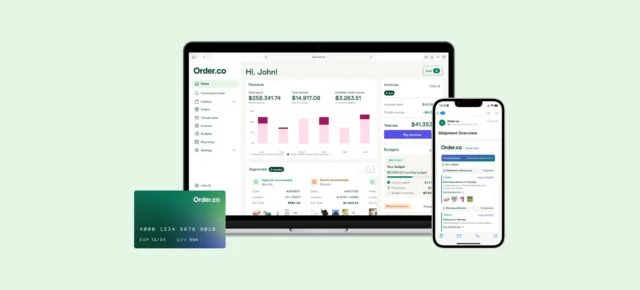
See where Order.co fits on your shortlist
Tour the product yourself now — no demo request, no waiting.
1. Order.co: best for multi-location teams that need approvals before orders are placed
Order.co builds approval into the buying flow instead of adding it afterward. Employees shop from a product catalog, the requisition fills in automatically, and the request goes to the right approver before it reaches a vendor. Once approved, Order.co turns the request into a purchase order and sends it to the supplier by phone call, email, or ecommerce site.
- Rules by user, location, cost center, vendor, and subtotal. Approvers can accept, reject, or edit at the line-item level.
- Rules by dollar amount and department. A $50 cable and a $5,000 software subscription shouldn't require the same purchase requisition approval workflow.
- Budget checks before the order goes out. An order that exceeds the project budget is flagged for review automatically.
- Approve from email. Approvers can act directly from the approval email, including on their phone, and all approvals sit in one view.
- Fewer routine approvals to review. Order.co AI flags unusual purchases, such as a sudden jump in quantity or a duplicate order, so approvers can focus on exceptions.
- Pricing: Available upon request.
Example rules you could build: Orders over $500 go to the regional manager (subtotal plus location). Anything outside the approved catalog goes to Finance. Anything over budget goes to the department head and CFO for review.
2. Procurify: best for mid-market teams that want strong mobile approvals
Procurify is a procure-to-pay platform for mid-market purchasing teams. Multi-tier approvals route by dollar amount, department, or location, and each request reaches the approver with live budget context attached. Its edge is mobile: requests can be created and approved on desktop or in the iOS and Android app, so approvals don't stall when a manager is away from their desk. Slack gets status updates.
Pricing is by custom quote.
3. Precoro: best for mid-market teams that want approvals inside Slack
Precoro is a procurement platform built to replace manual purchasing for small and mid-market teams. Workflows can be multi-step, parallel or sequential, and routed by department, project, or budget threshold. Its standout is Slack: approvers can approve or reject a document without leaving the app, or sign off by email or in the iOS and Android app. Purchase orders show live budget information, and real-time budget tracking comes with the Automation plan.
Pricing: Core starts at $499/month and Automation at $999/month, both billed annually, and Enterprise is custom.
4. Coupa: best for large enterprises that want procurement, invoicing, and expenses in one suite
Coupa is a cloud spend management platform for large organizations. Its approval engine supports approval chains with triggers, parallel approvals, split approval limits, and budget-remaining checks, which suits companies with many approval layers. Approvers can act from email, the Coupa Mobile app, Slack, or Microsoft Teams.
Pricing is by custom quote.
5. Ramp: best for finance teams that want cards and spend management in one platform
Ramp started with corporate cards and expense management and now offers Ramp Procurement for purchase requests and purchase orders. Requests go through an approval workflow, and Ramp creates the purchase order once the request is fully approved. Rules can use budget, department, or vendor type, approvals can run in parallel, and a Slack app sends approval requests. It is the natural fit if your finance team already runs on Ramp cards.
Pricing: Procurement is an add-on to Ramp Plus ($15 per user per month plus a platform fee based on team size) or Enterprise (custom).
6. Zip: best for intake-first approvals across fragmented systems
Zip is an intake and orchestration platform. It gives employees one place to submit requests, cross-references data across existing systems, assesses vendor risk, and routes parallel approvals through no-code workflows. Approvers can complete approvals inside Microsoft Teams, with notifications in Slack. Requests are checked against budgets at intake, and a separate Budgets add-on covers deeper tracking.
Pricing is by custom quote.
7. ProcureDesk: best for growing businesses automating purchasing and AP
ProcureDesk is procurement and accounts payable software for growing businesses. Requests route by department, amount, location, project, or vendor before money moves, and approvers see how much budget is used and how much remains when they approve. Managers can sign off in the desktop or mobile apps, from the email notification, or in Slack. It also offers punchout catalogs for more than 200 vendors.
Pricing starts at $598/month with 10 users included, and Enterprise is custom.
See where Order.co fits on your shortlist
Tour the product yourself now — no demo request, no waiting.
How to choose a purchase approval tool
Use these four checks to narrow your shortlist down to the tools worth a demo:
- Write your rules first. List your approval thresholds by amount, department, and location, plus the cases that need Finance approval, such as a purchase that would exceed a budget. Then check that each tool can express every rule without workarounds.
- Match where your approvers already work. A regional manager who lives on a phone needs a mobile app or email approval. A team that runs on Slack or Teams should test approval inside that tool, not just a notification that links out.
- Check the budget at the moment of approval. Ask whether the approver sees the remaining budget on the request, and whether an over-budget request is blocked, flagged, or let through.
- Follow an approved request to the end. Some tools stop at the approval; others turn it into a purchase order, place the order, and match the invoice. Run your three most common requests through a demo and count the steps after the approval, too.
Which purchase approval tool fits your team
Automating purchase approvals comes down to three things: rules that match how your business actually buys, approvers who can sign off wherever they already work, and a budget check before the money is spent. Every tool here routes approvals by rule. The differences are where approvers sign off, how budgets are checked, and what happens after approval. Coupa and Zip suit large organizations with existing systems, Ramp suits card-first finance teams, and Procurify, Precoro, and ProcureDesk suit mid-market teams moving purchasing out of email and spreadsheets.
If you manage purchasing across multiple locations, Order.co is built to handle approvals and budget checks before an order is placed. Want to see how your own rules would run, from the first request to the purchase order? Book a demo of Order.co.
FAQ
It is software that routes each purchase request to the right approver based on rules you set, such as order amount, department, or location. It replaces manual email chains and keeps a record of who approved what.
Start with an amount threshold, then add department or cost center, then location. Add a rule that sends anything that would exceed a budget to finance.
Yes, on most of these tools. With Order.co, approvers can accept, reject, or edit at the line-item level, and can approve from the approval email, including on their phone. Order.co doesn't have a dedicated mobile app. Precoro, Coupa, and ProcureDesk let approvers act inside Slack, Coupa and Zip support Microsoft Teams, and Procurify and Ramp send Slack updates and requests. Check each vendor's current documentation before you commit.
Procurify and Precoro are both aimed at mid-market organizations, and ProcureDesk at growing businesses moving off manual purchasing. Order.co is a strong fit if you manage purchasing across multiple locations and want approvals and budget checks before orders are placed. Compare each against your own approval rules before you decide.